LACO ORIGINAL OPERATING INSTRUCTIONS TITANTEST™
72
© 2018 LACO TECHNOLOGIES, INC. - [TitanTest itna01en1-07 BA.fm] - 1807
8.4.4.2 Replace the filter of the oil mist filter (M-Series only)
► Replace the filter annually.
1. Switch the device off at the mains plug.
2. Pull out the mains plug.
3. Loosen the cover on the left and right side using an 8 mm Allen wrench
(
see Chapter 8.4.2: "Removing the cover (M-Series only)", page 69).
4. Lift off the cover.
5. Loosen the grounding cable.
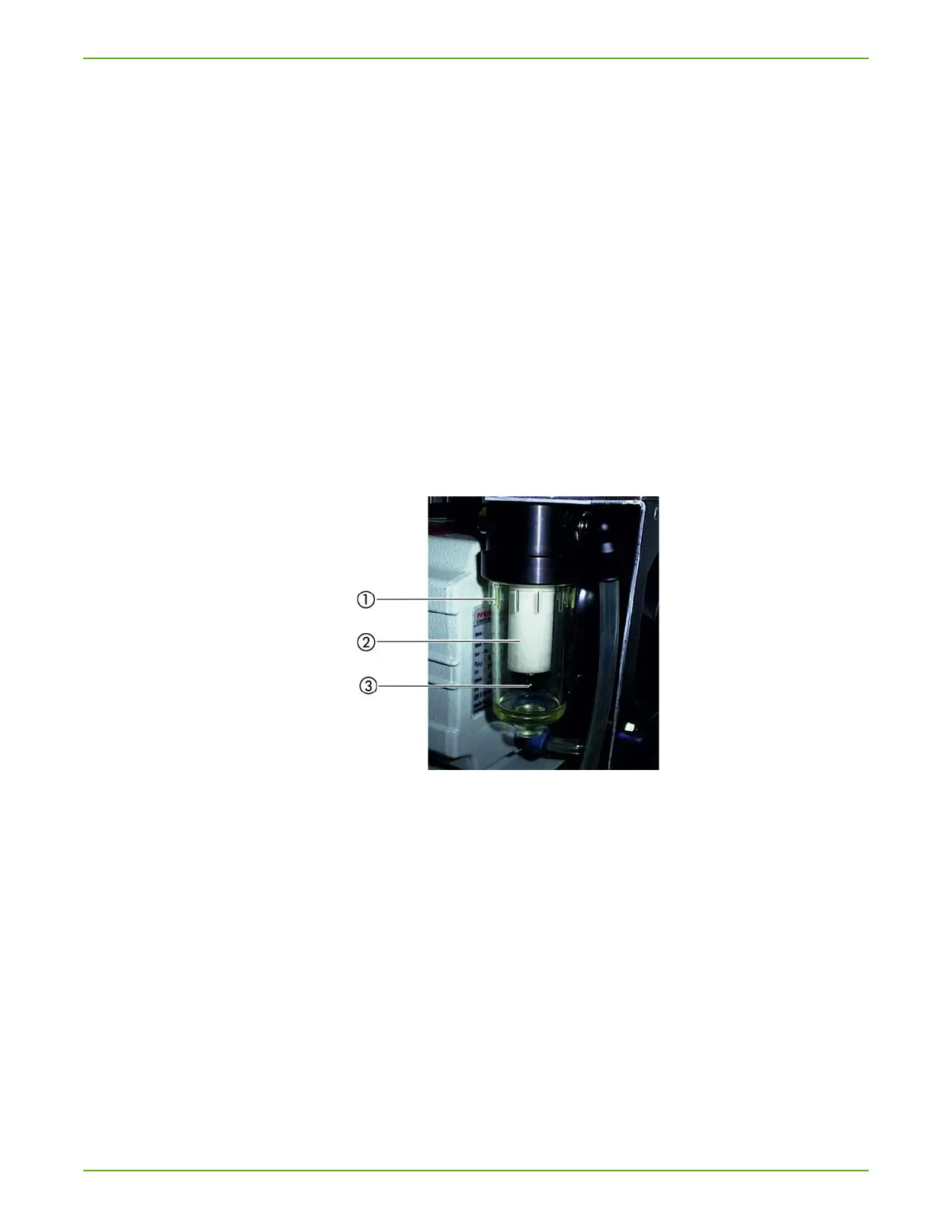
6. Unscrew the plastic cylinder by hand in a counter-clockwise motion.
Dispose of the collected oil as stipulated by local regulations.
7. First wipe the filter retaining screw with a dry cloth, then loosen the filter
retaining screw by hand and remove the filter.
8. Attach the spare filter to the retaining screw and replace the retaining
screw with the filter.
Fig. 18: Replacing the filter for the oil mist filter
a Plastic cylinder
b Filter
c Filter retaining screw
9. Screw the plastic cylinder back in.
10. Re-connect the grounding cable.
11. Replace the cover and secure it with an 8 mm Allen wrench on the left
and right side.
12. Insert the mains plug again.
For further maintenance steps see Chapter 8.6: "Maintenance work fur-
ther steps (All Series)", page 78.
Required material: Oil Mist Filter Cartridge Ordering no. T10025



 To Next Page