34
UserManualforELD2Servo
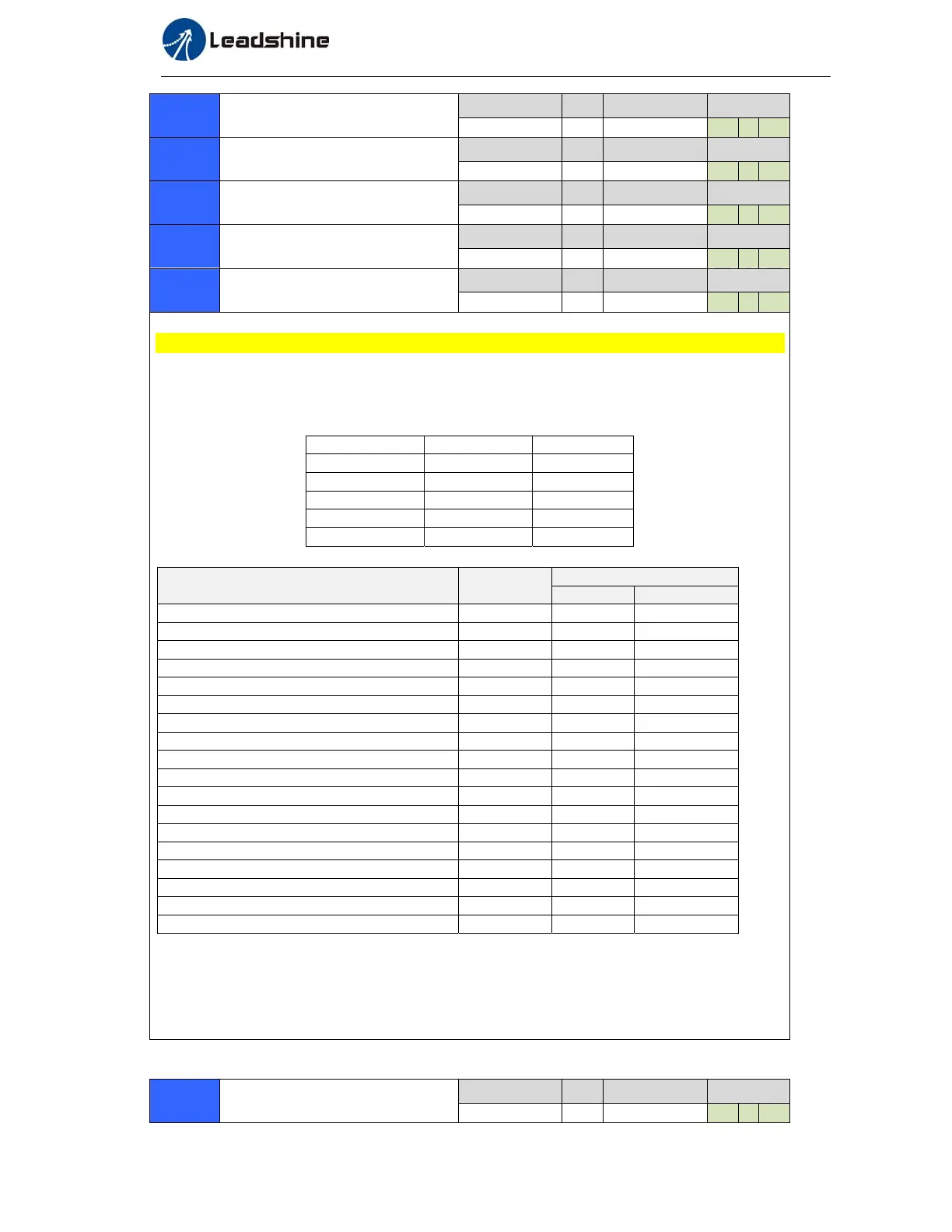
Pr4.04*
InputselectionDI5
Range unit default
Related
control mode
0‐00FFFFFFh
‐
00000007h P S T
Pr4.05*
InputselectionDI6
Range unit default
Related
control mode
0‐00FFFFFFh
‐
P S T
Pr4.06*
InputselectionDI7
Range unit
Related
control mode
0‐00FFFFFFh
‐
P S T
Pr4.07*
InputselectionDI8
Range unit default
Related
control mode
0‐00FFFFFFh
‐
P S T
Pr4.08*
InputselectionDI9
Range unit default
Related
control mode
0‐00FFFFFFh
‐
P S T
S Set SI1 input function allocation.
This parameter use 16 binary system to set up the values, as following :
00- - - - * * h: position control
00- - * * - - h: velocity control
00* * - - - - h: torque control
Please at [**] partition set up function number
Pr4.00 Pr4.01
Direction 0 --
Pulse -- 0
Analog -- 0
GPIO1 Selectable --
GPIO2 -- Selectable
For the function number, please refer to the following Figure.
Signal name symbol
Set value
a-contact b- contact
Invalid - 00h Do not setup
Positive direction over-travel inhibition input POT 01h 81h
negative direction ove
-travel inhibition input NOT 02h 82h
Servo-ON input SRV-ON 03h 83h
Alarm clear input A-CLR 04h Do not setup
Control mode switching input C-MODE 05h 85h
Gain switching input GAIN 06h 86h
Deviation counter clear input CL 07h Do not setup
Command pulse inhibition input INH 08h 88h
Electronic gear switching input 1 DIV1 0Ch 8Ch
Electronic gear switching input 2 DIV2 0Dh 8Dh
Selection 1 input of internal command speed INTSPD1 0Eh 8Eh
Selection 2 input of internal command speed INTSPD2 0Fh 8Fh
Selection 3 input of internal command speed INTSPD3 10h 90h
Speed zero clamp input ZEROSPD 11h 91h
Speed command sign input VC-SIGN 12h 92h
Torque command sign input TC-SIGN 13h 93h
Forced alarm input E-STOP 14h 94h
Note:
1. a-contact means input signal comes from external controller or component ,for example: PLC .
2. b-contact means input signal comes from driver internally.
3. Don’t setup to a value other than that specified in the table .
4. Don’t assign specific function to 2 or more signals. Duplicated assignment will cause Err21.0 I/F
input multiple assignment error 1or Err21.1 I/F input multiple assignment error 2.
Pr4.10*
OutputselectionDO1
Range unit default
Related
control mode
0‐00FFFFFFh
‐
00010101h P S T


 To Next Page