Leica DVM6 User Manual Installation/Assembly 23
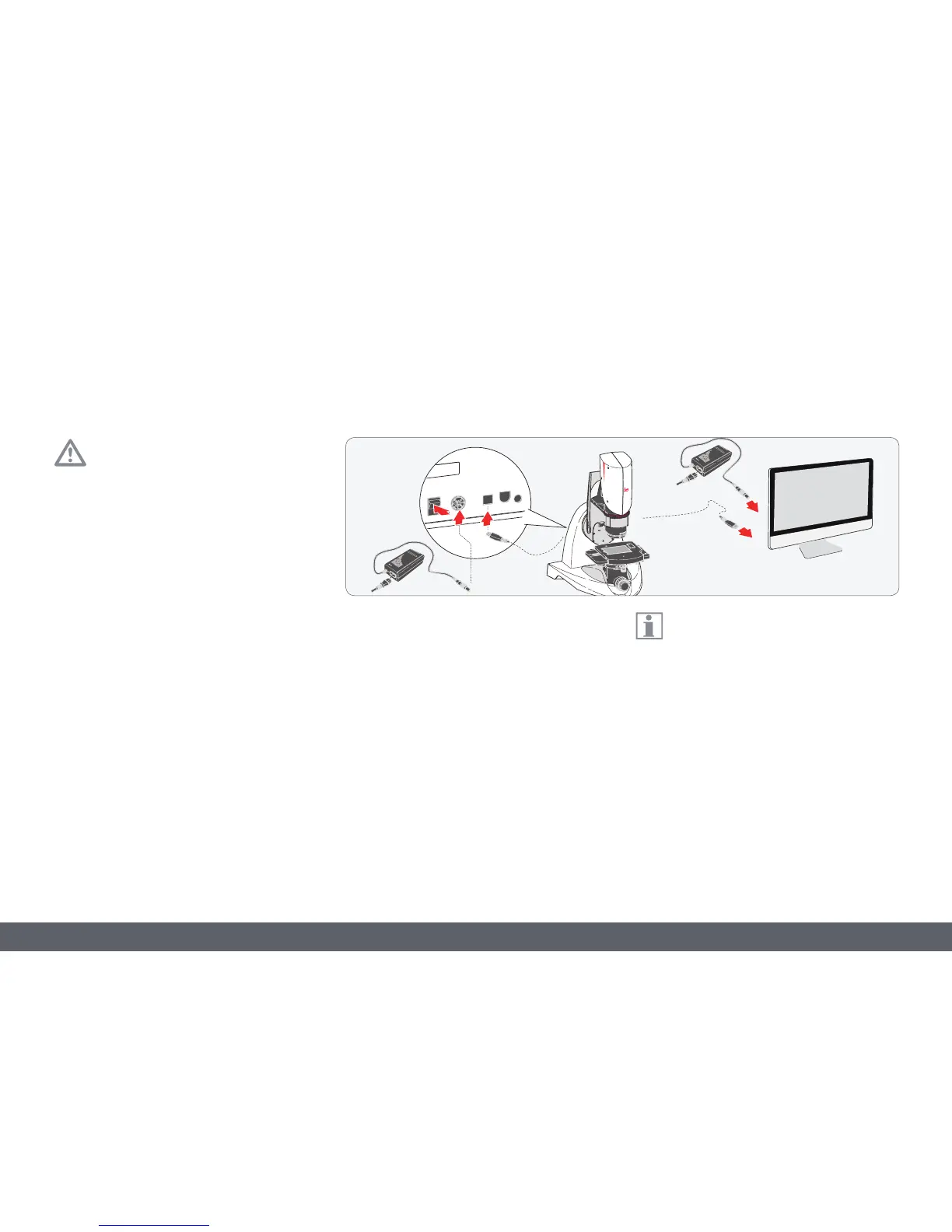
Cables and Terminals
General Instructions
Please only connect the provided power
supply. Using an incorrect voltage can
substantially damage the LeicaDVM6.
Power supply and computer
1. Make sure that the LeicaDVM6 is switched
off.
2. Connect the Leica DVM6 to a suitable
power socket using a power supply and
power cable.
3. Connect the Windows PC to the power
supply.
4. Using the USB cable, connect the
LeicaDVM6 to the Windows PC.
If you are not using an all-in-one
computer, connect the monitor and
computer to the power supply and connect
the monitor to the computer. Then connect the
LeicaDVM6 to the computer via USB.



 To Next Page