Leica DVM6 User Manual Installation/Assembly 28
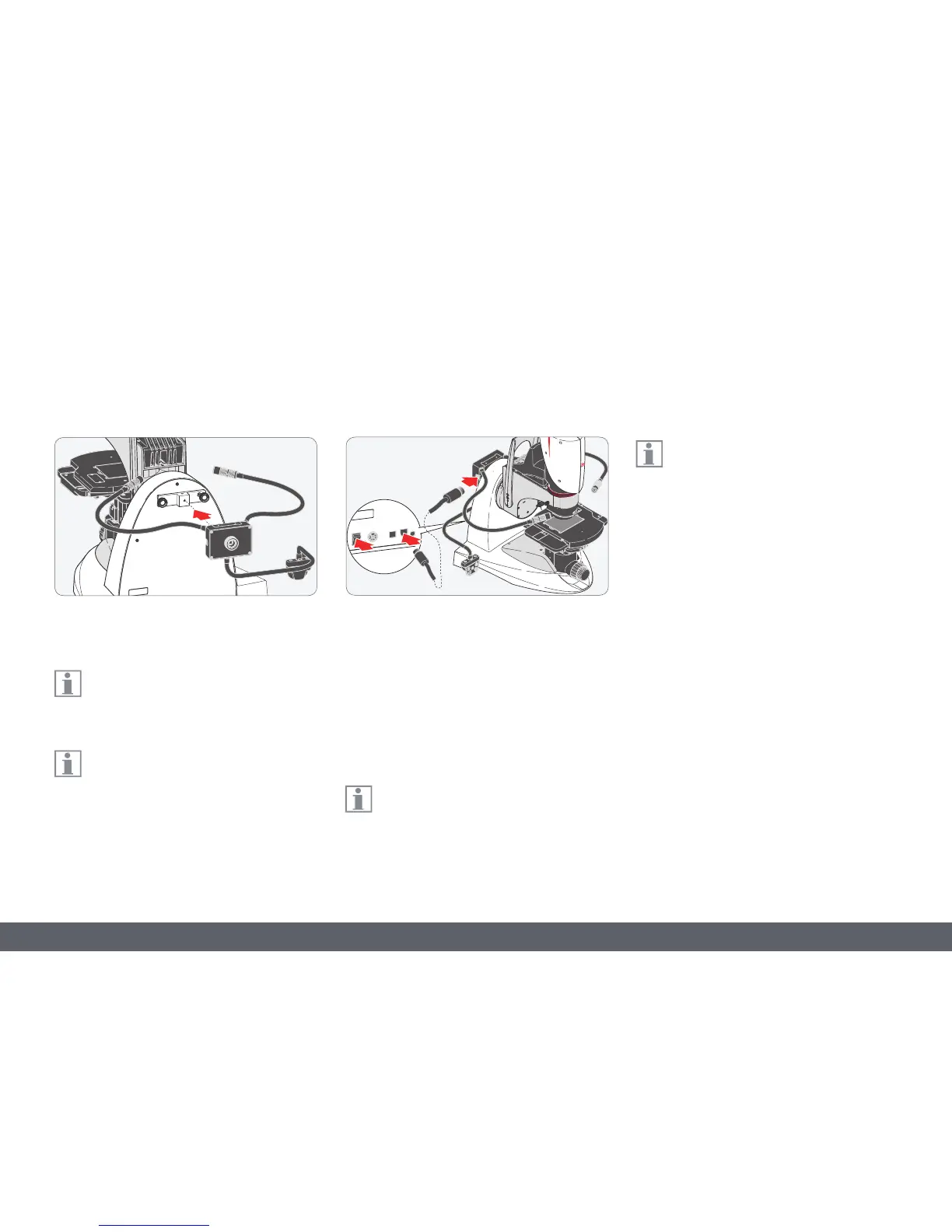
Assembly on the Leica DVM6
1. Screw the spot illumination onto the
adapter.
The spot illumination 10 450 548 is not
included in the standard delivery of the
LeicaDVM6.
The adapter 10 450 718 is mounted on
the rear side of the base. For more infor-
mation, please contact your Leica Microsystems
representative.
Power supply via Leica DVM6
1. Make sure that the Leica DVM6 is switched
off.
2. Connect the provided cable to the Leica
LED5000SLI. The right and left side of the
spot illumination both have a socket.
3. Connect the cable to the Leica DVM6.
The spot illumination is powered using
the cable from the Leica DVM6.
The spot illumination can be controlled
using Leica LAS X software or its own
controls.



 To Next Page