Leica DVM6 User Manual Instrument Setup 32
Switching on the LeicaDVM6
Leica DVM6
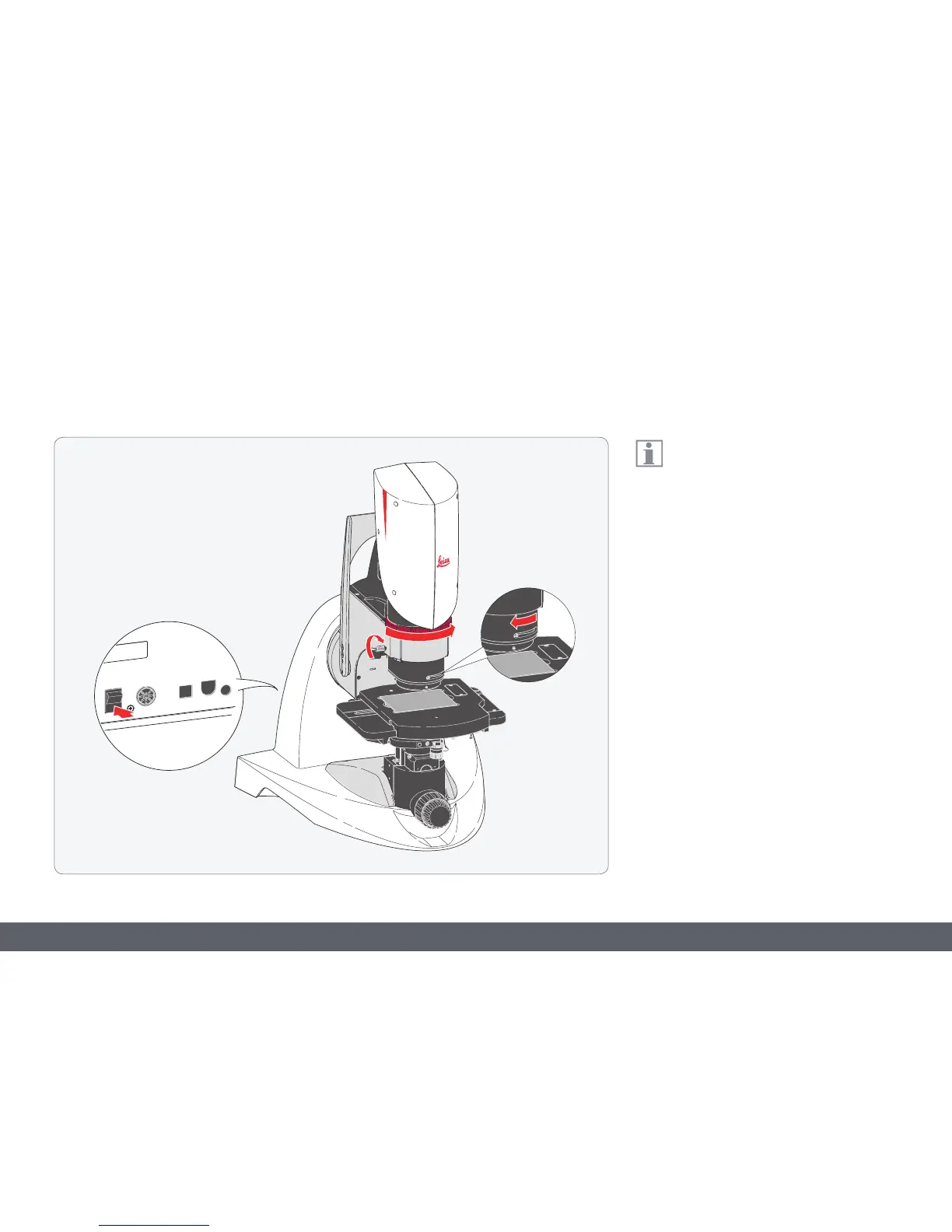
Switching on the LeicaDVM6
Ensure that the objective is inserted on
the microscope and is securely in place.
1. For the PlanAPO FOV 12.55 and FOV 3.60
objectives: Rotate the relief contrast
controller all the way forward (open) and
set the contrast dial to the normal position
(left stop).
2. Rotate the zoom ring to its clockwise stop
position to set the lowest magnification.
3. Set the on/off switch to "1" to switch on the
LeicaDVM6.



 To Next Page