Leica DVM6 User Manual Instrument Setup 34
Placing the Sample and Positioning the Stage
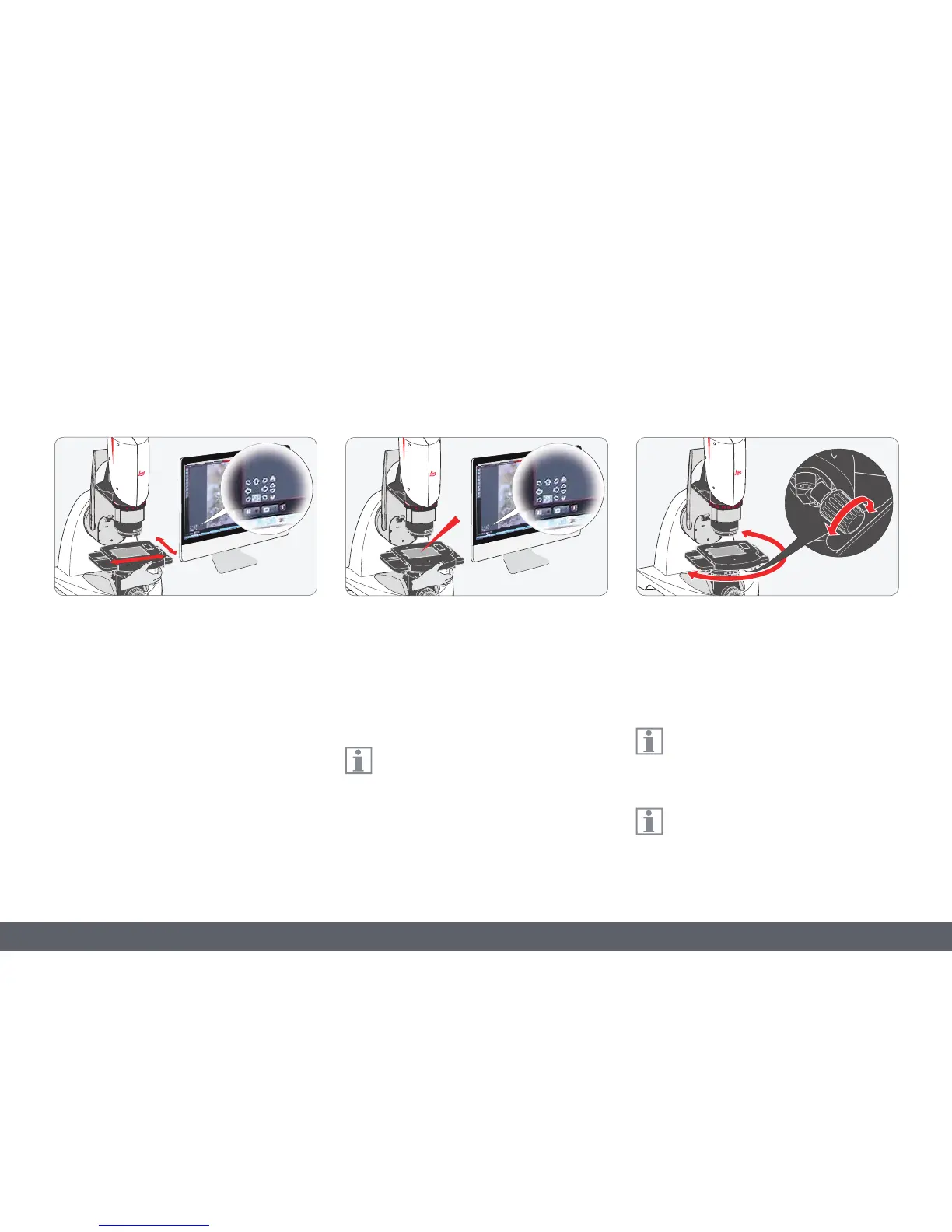
Notes for the XY stage
O The XY stage (manual or motorized) can
move up to 70 mm in the X direction and
up to 50 mm in the Y direction.
O The LAS X software is used to control a Leica
DVM6A with a motorized XY stage.
O The motorized XY stage can be moved by
hand to orient the sample quickly. To move
it by hand, grab it by the upper plate and
push it into the desired position.
Placing and positioning the sample
1. Place the sample to be examined on the
center of the stage plate.
2. Now you can move the stage manually or
using the LAS X software until the desired
section is displayed in the live image.
On a Leica DVM6 with motorized XY
stage, double-clicking on any point in
the image centers the sample/image on that
point. Alternatively, you can also position the
XY stage using drag and drop in the live image.
3. The XY stage is locked in place at the zero
position. The knurled screw can be used to
adjust the strength of the click stop effect.
4. Rotate the XY stage in the desired direction.
Even on a microscope with a motorized
XY stage, the stage is always rotated by
hand.
Fix the XY stage in place before beginning
a new examination at its zero position.



 To Next Page