Leica DVM6 User Manual Application 42
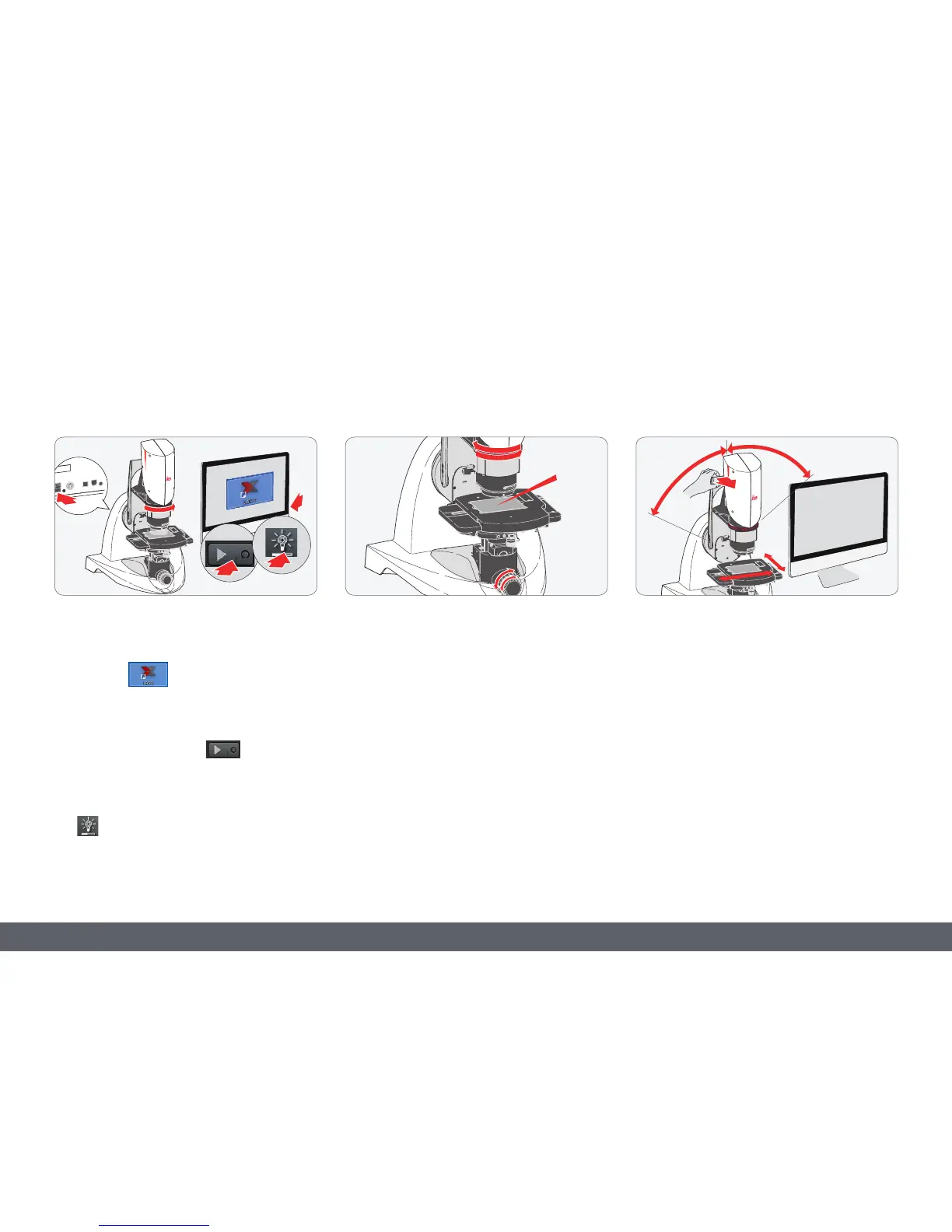
Initial steps
1. Switch on the Leica DVM6.
2. Switch on the computer and start the LAS X
software
.
3. Set a low magnification level.
4. Press the "Play" button
to display the
live image.
5. Switch on the LED ring light illumination
using the LAS X software.
6. Set the lowest magnification level. Turn the
zoom ring clockwise as far as it will go.
7. Position the sample on the stage plate. You
may have to move and rotate the sample.
8. Focus using the coarse and fine adjustment.
9. Now increase the magnification level and
refocus if necessary.
10. Tilt the tilting stand as necessary. The
sample stays in focus while tilting and the
same sample section is shown.
11. You may have to rotate and move the
sample.
•
The XY stage moves up when a
Leica DVM6 with a motorized focus
drive is restarted. Remove samples and other
objects from the XY stage to avoid damaging
the objective in use.



 To Next Page