X75HD Installation and Operation Manual 123
Chapter 9: Controlling the X75HD via Web Server Software
Preliminary—Contents are proprietary and confidential. Do not photocopy or distribute.
Navigating Menus and Options via
the Menu Navigation Tree
Click Menu Navigation Tree from the Home page to present the
X75HD menu structure for selecting and setting options. These menus
mirror those accessible through the local and remote control panels of
the unit.
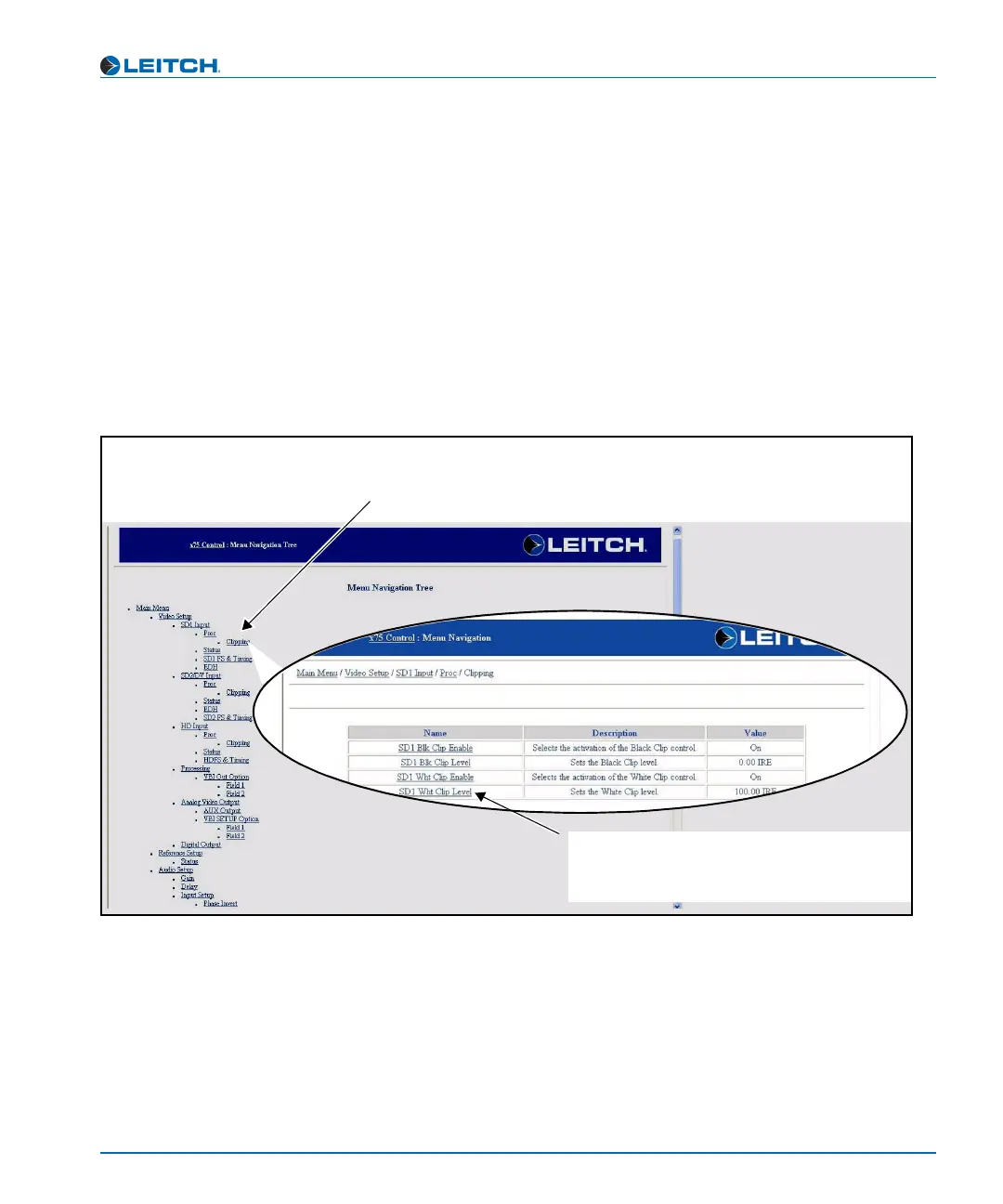
The menu listings display available menus and submenus. Click any of
these to open the corresponding configuration page. Figure 9-7 shows a
sample of the Menu Navigation Tree page and a resulting
configuration page that opens when you click a submenu.
Figure 9-7. Menu Navigation Tree Control Page
Menu tree
Click any menu or submenu item to open the
corresponding configuration page
Clipping submenu configuration page
Click a parameter name from the Clipping
submenu table to set the value (See “Setting a
Selected Value” on page 120 for details)



 To Next Page