8 X75HD Installation and Operation Manual
Preliminary—Contents are proprietary and confidential. Do not photocopy or distribute.
Chapter 1: Introduction
Front and Rear Panels
Front Panel Description
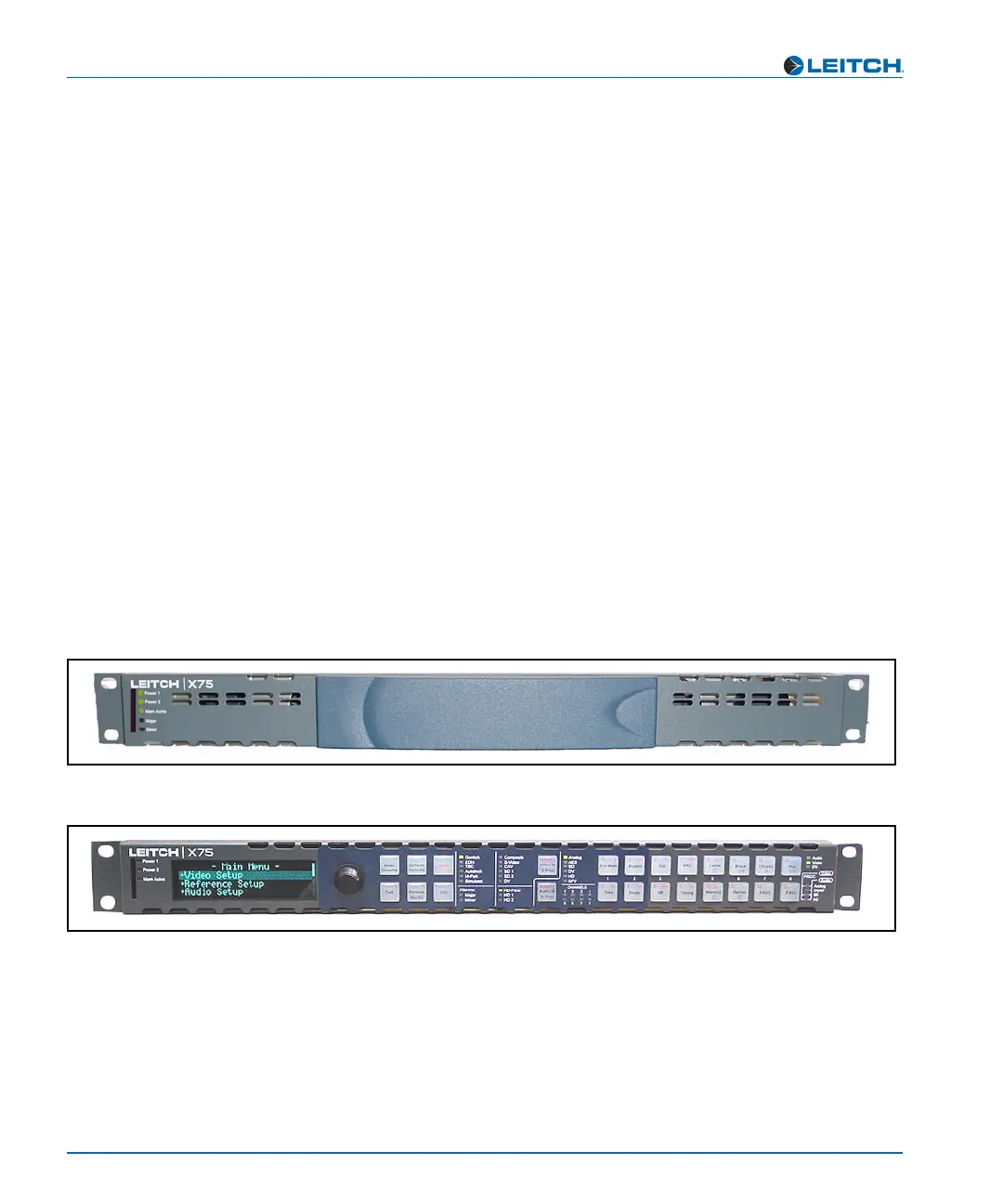
Figure 1-1 and Figure 1-2 illustrate the available X75HD front panels,
including blank panels and control panels.
For X75HD units with a blank front panel, all configuration and control
must be done remotely using one of the following methods:
• Separate remote control panel such as the RCP-X75
• Web server application using a common Web browser such as
Internet Explorer™ (IE) or Netscape™
As well, blank front panels only provide a certain number of LEDs for
alarm and status monitoring, including major and minor alarm LEDs,
and status LEDs for power and memory access.
For X75HD units with an installed local control panel, configuration
and control can be done locally. Numerous LEDs that indicate alarm,
status, and configuration information are available from the front
control panel. For more detailed information on front panel controls and
indicators, see the Control Panels for X75 Systems Installation and
Operation Manual.
Figure 1-1. X75HD Front Panel (Blank)
Figure 1-2. X75HD Front Panel (with Local Control Panel)



 To Next Page