70 X75HD Installation and Operation Manual
Preliminary—Contents are proprietary and confidential. Do not photocopy or distribute.
Chapter 5: Initial Configuration
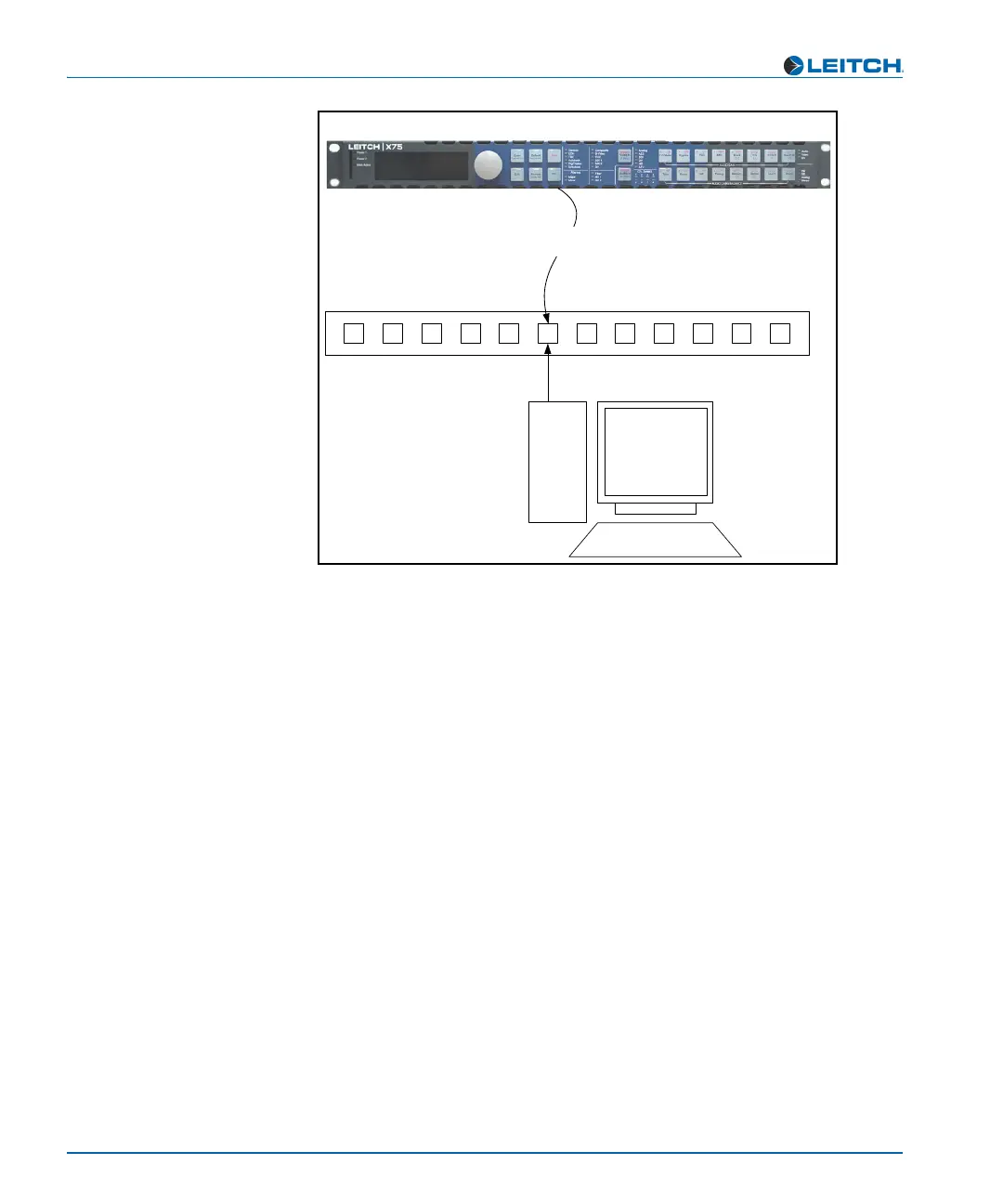
Figure 5-2. Network Connection
Setting IP and Subnet Mask Addresses
To allow devices to communicate on a network, you need to set all
devices to the same subnet (network location). When shipped, all
X75HD units are configured with the same default IP (device identifier)
and subnet addresses. These addresses need to be changed so that each
unit is uniquely identified and the network location of all units is
accurately reflected.
An IP address is made up of a four-item set of numbers (octet). The
default (factory-configured) IP address for every X75HD unit is
192.168.100.250. You need to change the first three items in the octet to
identify the location (address) of the unit on your network; you need to
change the last item in the octet to uniquely identify the device from
other X75HD units.
The default subnet mask address for every X75HD is 255.255.255.0.
The subnet mask address always ends in a 0 (zero).
x75HD high-definition digital processing synchronizer
3rd party hub or switch
PC
10/100Base-T Ethernet cable


 To Next Page