X75HD Installation and Operation Manual 137
Chapter 11: Configuring Audio
Preliminary—Contents are proprietary and confidential. Do not photocopy or distribute.
You can assign different audio inputs to each SRC channel, as well as
enable and disable the AFV function for each video input to create a
complex routing.
Advanced Audio Inputs and Outputs Selection
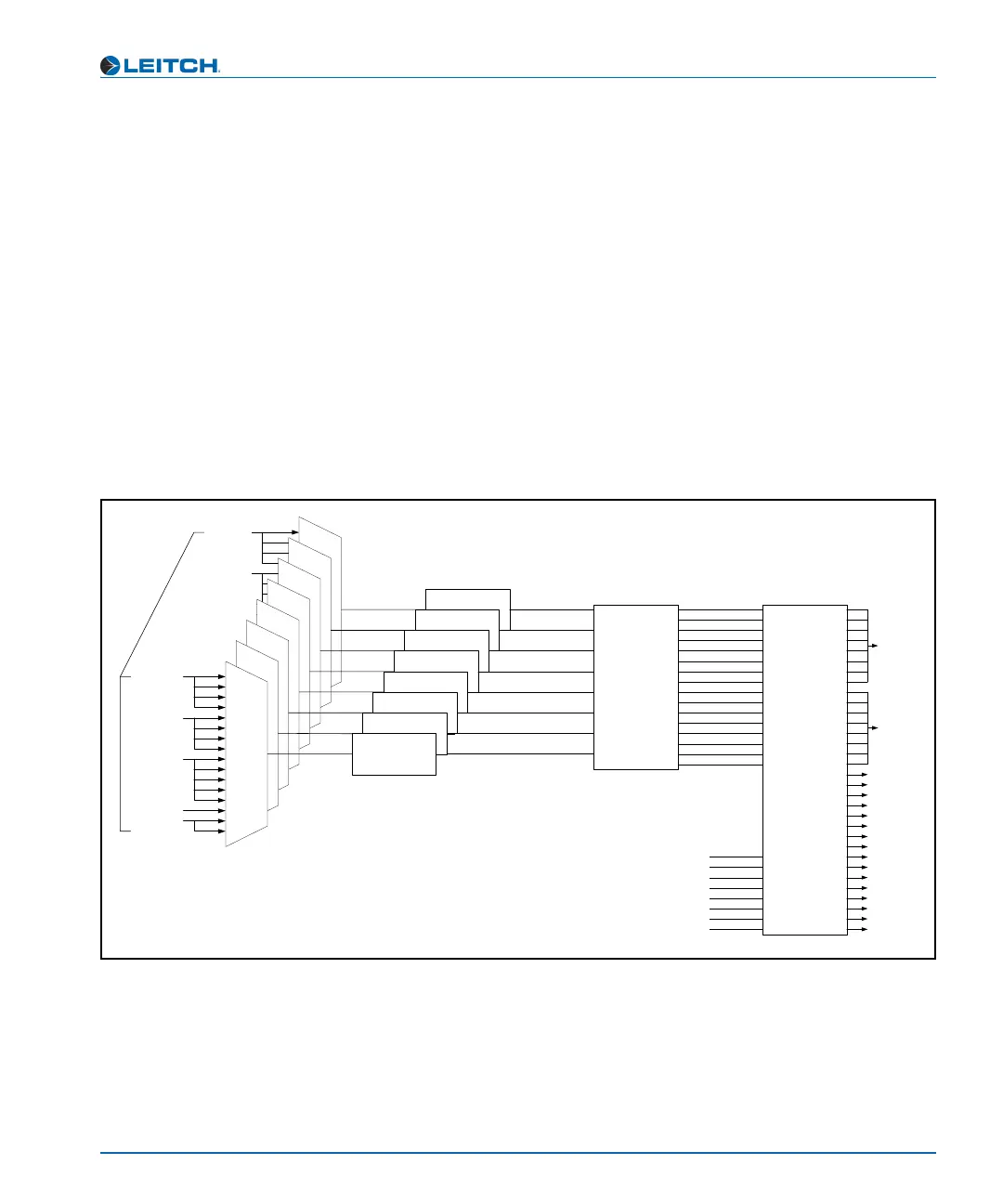
For custom applications, the X75 unit provides full input and output
routing control. You can select multiple audio input sources
simultaneously and route them internally to meet your application
requirements. This advanced routing can only be done through the
Audio menu (not using a front panel shortcut button). Each SRC can be
assigned to any stereo input source. Mono-based audio outputs can
select any SRC outputs, including the summation and tones and mutes.
More than one audio input LED will light when multiple audio input
sources are selected (for example, Analog and AES).
Figure 11-3. Advanced Audio Signal Routing
DV_In
SRC1 (L&R)
SRC2 (L&R)
SRC3 (L&R)
SRC4 (L&R)
SRC5 (L&R)
SRC6 (L&R)
CH1
CH2
CH3
CH4
CH5
CH6
CH7
Audio Proc
&
Output
Mux
(Mono)
AES1a
AES1b
AES2a
AES2b
AES3a
AES3b
AES4a
AES4b
AES5a
AES5b
AA1
AA2
AA3
AA4
DV&Strm_a
DV&Strm_b
Sync
&
Delay
AES1~AES5
SDX1~16
HDX1~16
DV
CH8
Input
Mux
(Stereo)
Tone Gen1
Tone Gen2
Tone Gen3
Tone Gen4
Mute
SRC7 (L&R)
SRC8 (L&R)
(Sample Rate Converter)
Ch1-L
Ch1-R
Ch2-L
Ch2-R
Ch3-L
Ch3-R
Ch4-L
Ch4-R
Ch5-L
Ch5-R
Ch6-L
Ch6-R
Ch7-L
Ch7-R
Ch8-L
Ch8-R
Mute
Mute
Mute
AA1/2~AA3/4
HDX1~16
SDX1~16
HMX1~16
SMX1~16



 To Next Page