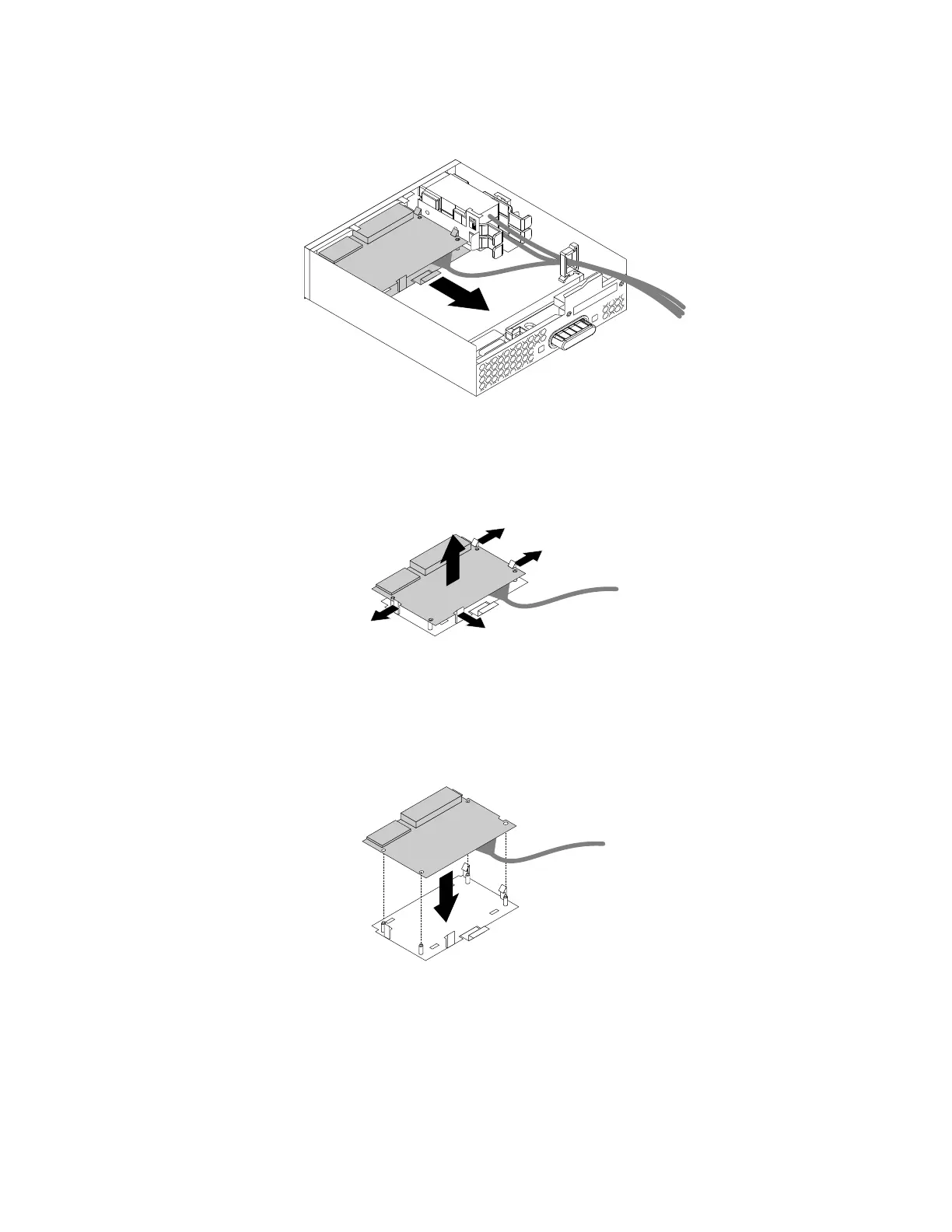
b.Pulltheclipasshowntoremovethecardreaderwithitsretainingbracketoutoftheflexmodule.
Figure52.Removingthecardreaderfromtheflexmodule
c.Flexthefourclipsonthesidesofthecard-readerretainingbrackettoremovethecardreader
fromthebracket.
Figure53.Removingthecardreaderfromthecard-readerretainingbracket
4.Toinstallanewcardreaderintothecard-readerretainingbracket,alignthefourholesinthecard
readerwiththecorrespondingstudsonthebracket.Thenpressthenewcardreaderdownwarduntil
itsnapsintoposition.
Figure54.Installingthecardreaderintothecard-readerretainingbracket
116ThinkStationP310HardwareMaintenanceManual








 To Next Page