75
3
RC300RC300hNavi(EE)
3-1. Basic operation
Navigation system
■
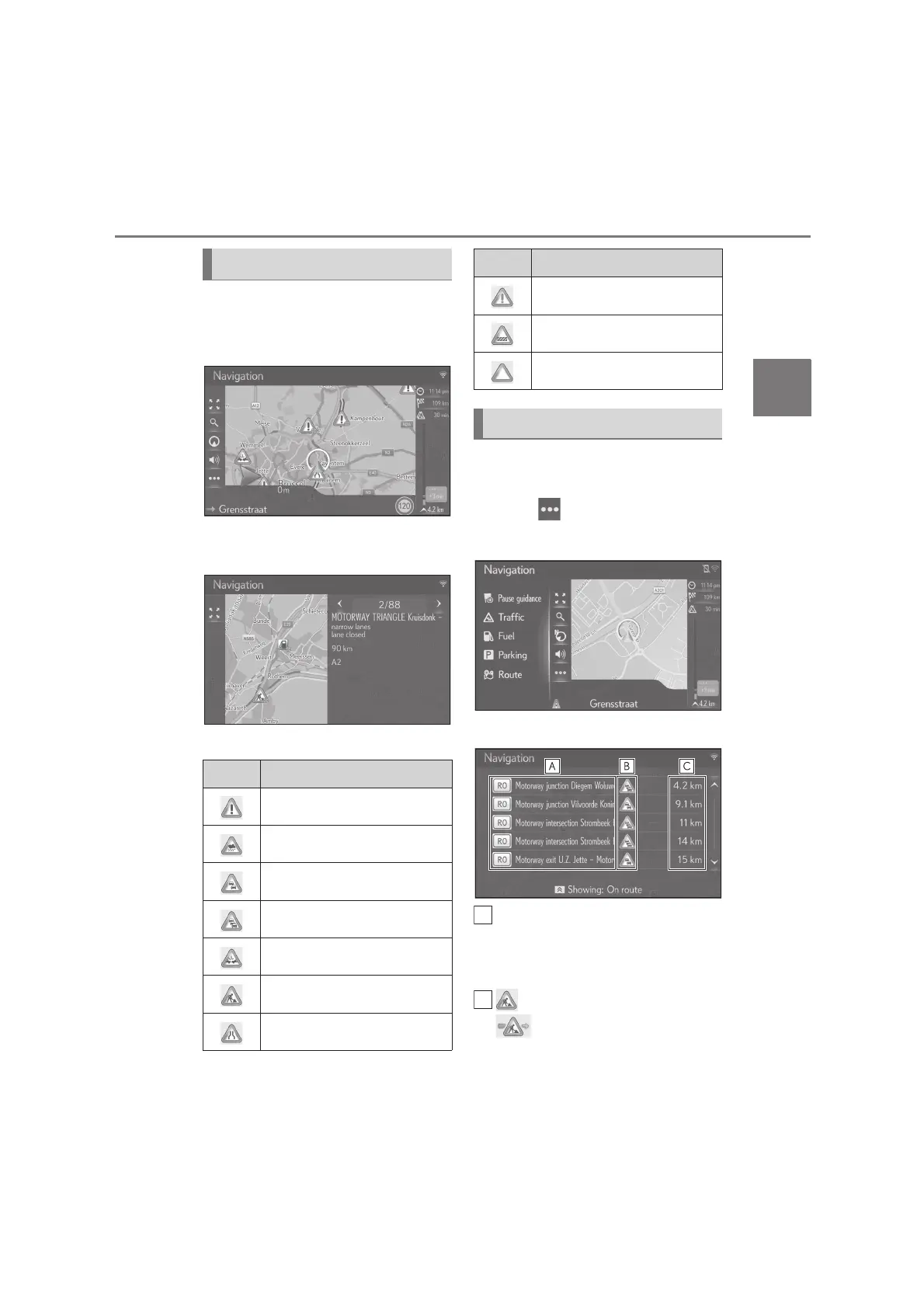
Displaying detailed traffic message
1 Select the desired traffic message
icon on the map.
2 Check that the detailed traffic mes-
sage is displayed.
■
List of traffic message icons
1 Press the “MAP” button on the
Remote Touch.
2 Select on the map screen.
3 Select “Traffic”.
4 Select the desired traffic message.
Route segment
• If route segment is not available, infor-
mation such as street name, city name,
region or country will be displayed.
: Icon of an incident
: Icon of an incident on the
route
Traffic message icon on the map
Icon Name
Danger (Black)
Weather
Queuing traffic
Stationary traffic
Accident
Roadworks
Road narrowness
Extreme danger (Red)
Closed
Information
Traffic message list
Icon Name






 To Next Page