82
RC300RC300hNavi(EE)
3-2. Destination search
1 Press the “MENU” button on the
Remote Touch and then select
“Destination” on the menu screen.
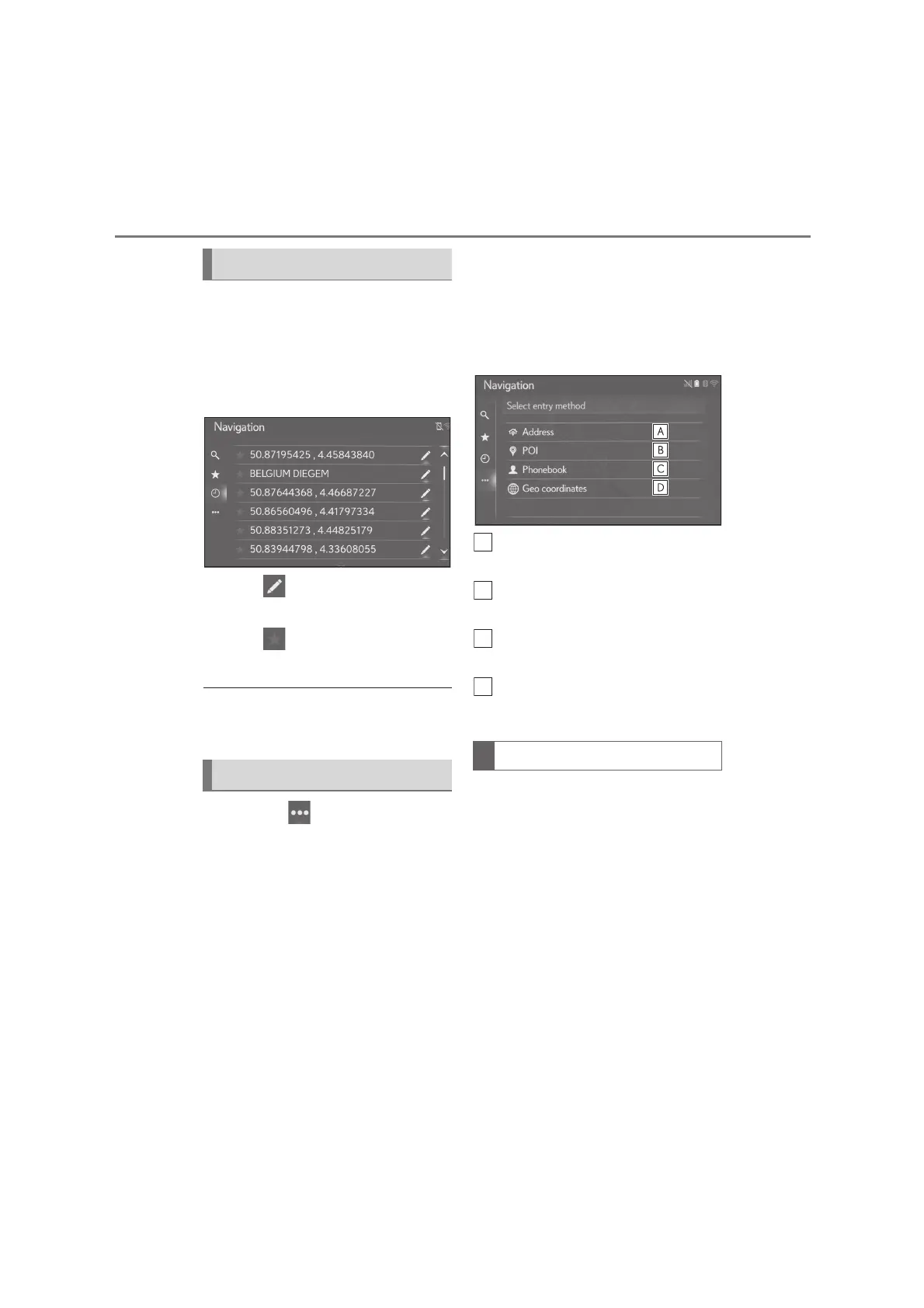
2 Select “Recent”.
3 Select the desired entry.
Select to display and edit the
entry information. (P. 101)
Select to register the entry in
the favourites list.
●
The list can contain a maximum of 100
entries. When the maximum is reached,
the oldest destination is deleted.
The “Other” ( ) sub menu button
allows a destination to be input in four
different ways:
Address from the onboard naviga-
tion database
POI (onboard POI database and
online POI search)
Phonebook contacts
Geo coordinates
1 Press the “MENU” button on the
Remote Touch and then select
“Destination” on the menu screen.
2 Select “Other”.
3 Enter the desired search method.
Select to search for a destination by
address. (P.82)
Select to search for a destination by
point of interest. (P.83)
Select to search for a destination by
phonebook. (P.86)
Select to search for a destination by
geo coordinates. (P.86)
1 Press the “MENU” button on the
Remote Touch and then select
“Destination” on the menu screen.
2 Select “Other”.
3 Select “Address”.
Searching from last destinations
Searching from other method
Searching by address






 To Next Page