83
3
RC300RC300hNavi(EE)
3-2. Destination search
Navigation system
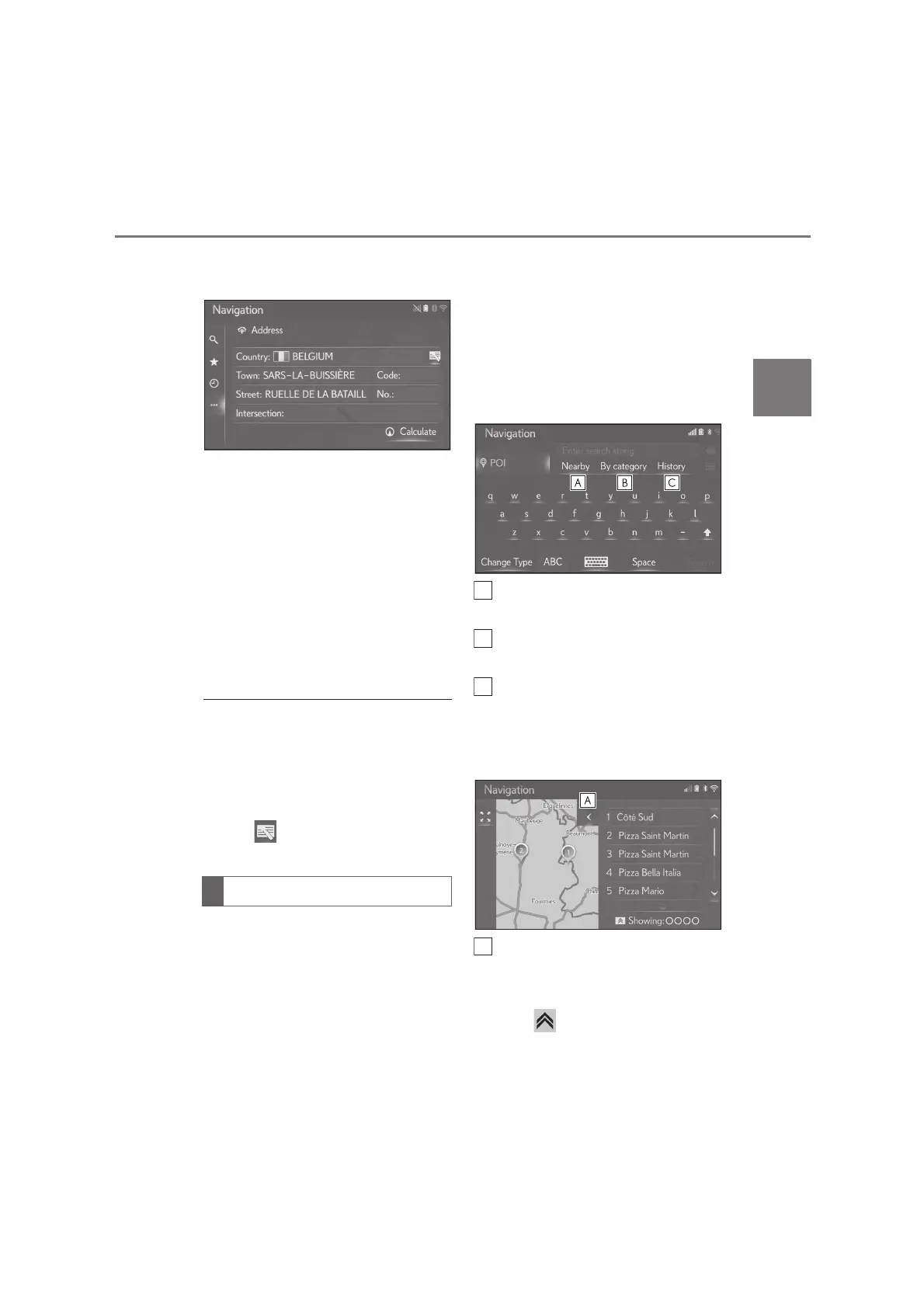
4 Select “Country” to enter the
desired country.
5 Select “Town”, “Code” or “Street”
to enter the town name, postal
code or street name.
6 Select “No.” or “Intersection” to
enter a house number or intersec-
tion name.
It is not possible to enter a house
number and intersection at the
same time.
7 Select “Calculate”.
●
If a unique street name is entered (only 1
in the country), then “Calculate” can also
be selected. If “Calculate” is selected
when only “Town” or “Code” has been
entered, a route search starts with the
centre of the town entered as the destina-
tion.
●
When is selected, entered data other
than “Country” will be deleted.
Search for a destination from POI
database in the navigation system.
When the navigation system is con-
nected to the internet, a web search is
available.
1 Press the “MENU” button on the
Remote Touch and then select
“Destination” on the menu screen.
2 Select “Other”.
3 Select “POI”.
4 Enter the POI name and select
“Search”.
Select to change the searching
area. (P.84)
Select to narrow down the POI cat-
egory. (P.85)
Select to display the list of previous
search word. (P.85)
5 Check that the search results are
displayed. Select the desired POI.
Select to display a full list view. The
distance to the POIs can be
checked.
When button on the Remote
Touch is pressed, the search method
Searching by POIs






 To Next Page