EasyManua.ls Logo

LG 32LCD7D-AB - Page 18

LG 32LCD7D-AB
98 pages
Print Icon
To Next Page IconTo Next Page
To Previous Page IconTo Previous Page
Loading...
EXTERNAL EQUIPMENT SETUP
16
EXTERNAL EQUIPMENT SETUP
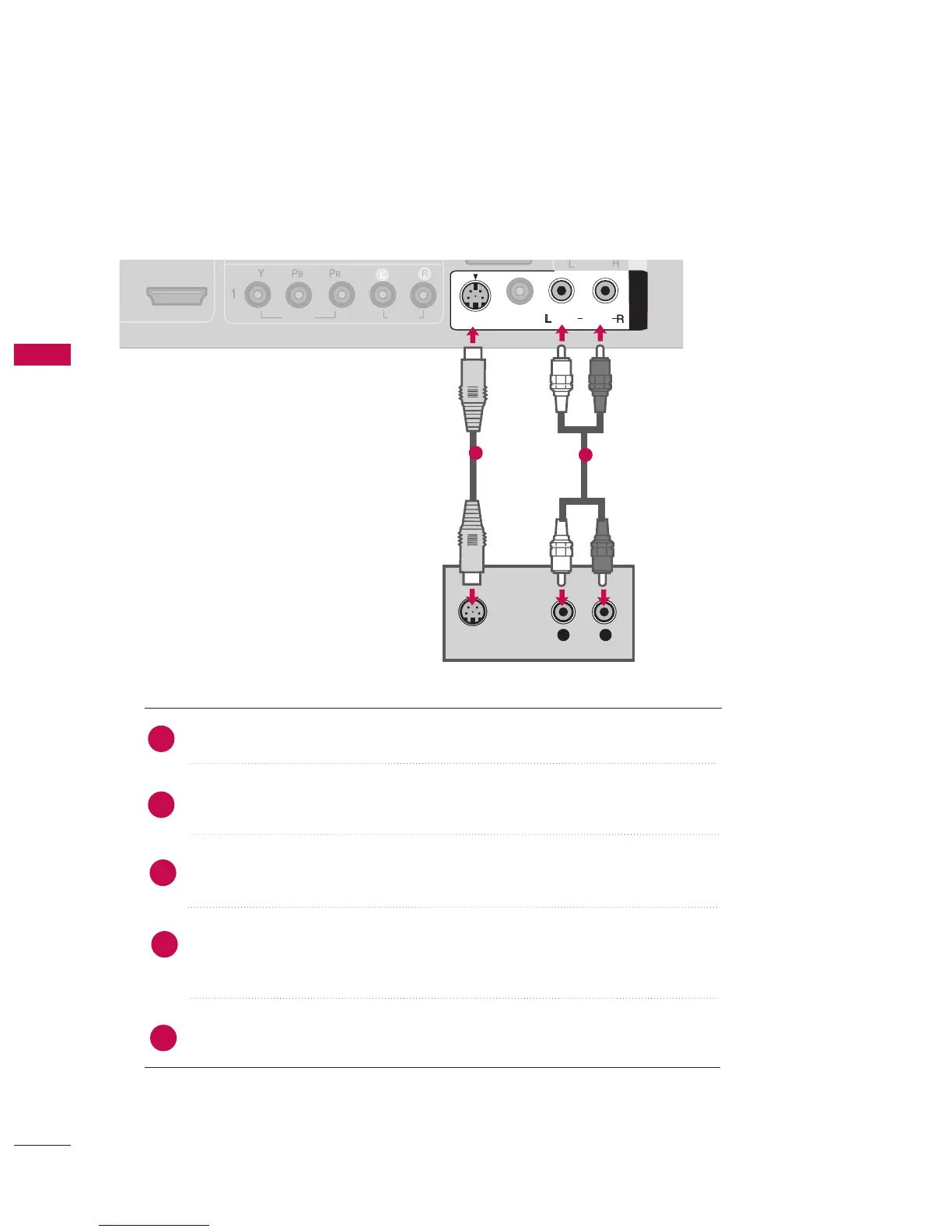
When connecting with an S-Video cable
HDMI/DVI IN
2
1
RGB IN
RGB (PC)
DIGITAL
AUDIO
OUT
COMPONENT IN
VIDEO
AUDIO
COMPONENT IN
VIDEO
AUDIO
RGB IN
RGB (PC)
DIGITAL
AUDIO
OUT
HDMI/DVI IN
(DVI)
(DVI)
HDMI/DVI IN
2
1
COMPONENT IN
VIDEOVIDEO
AUDIOAUDIO
RGB IN
RGB (PC)
DIGITAL
AUDIO
OUT
AV IN
1
AV IN
1
VIDEOVIDEO
AUDIOAUDIO
MONO
( )
S-VIDEOS-VIDEO
DVI) (DVI)
L R
S-VIDEO
AUDIO
AUDIO
1
2
Connect the S-VIDEO output of the DVD to the SS--VVIIDDEEOO input on the set.
Connect the audio outputs of the DVD to the AAUUDDIIOO input jacks on the set.
Turn on the DVD player, insert a DVD.
Select AAVV11 input source using the IINNPPUUTT button on the remote control.
If connected to AAVV IINN 22 input, select AAVV22 input source.
Refer to the DVD player's manual for operating instructions.
2
1
3
4
5


Table of Contents

Related product manuals