1
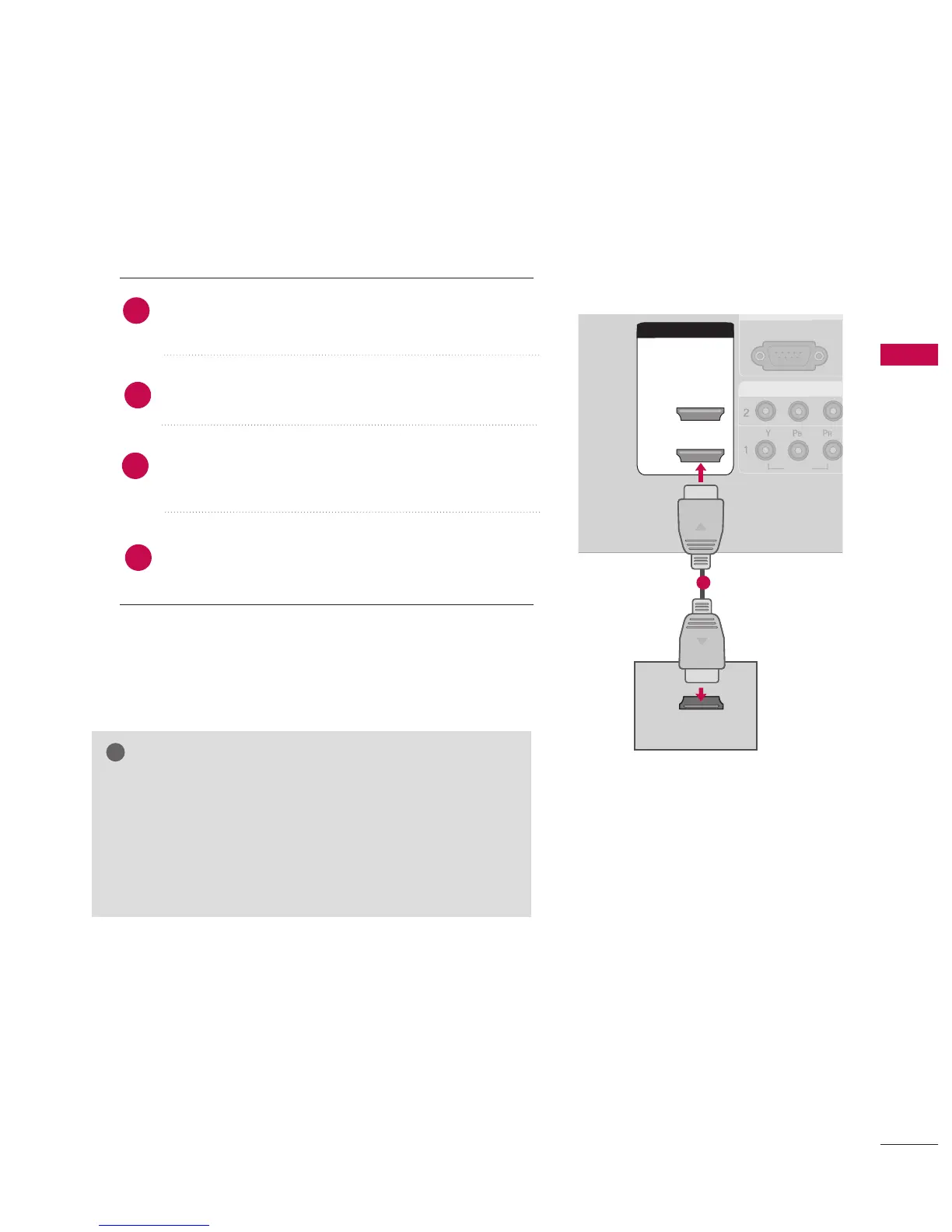
When connecting HDMI cable
Connect the HDMI output of the DVD to the
HHDDMMII//DDVVII IINN 11 or 22 jack on the set.
No separate audio connection is necessary.
Select HHDDMMII11//DDVVII or HHDDMMII 22 input source using the
IINNPPUUTT button on the remote control.
Refer to the DVD player's manual for operating instruc-
tions.
2
1
GG
If the DVD supports Auto HDMI function, the DVD output
resolution will be automatically set to 1280x720p.
GG
If the DVD does not support Auto HDMI, you need to set
the output resolution appropriately.
To get the best picture quality, adjust the output resolution
of the DVD to 1280x720p.
NOTE



 To Next Page