CP5 • Key icons and display (brief overview)
32 CP_SEM_60-00-60.001
4 Flow display
(additional values)
– Displays the relative flow in [%]
(actual flow in relation to set flow)
– Displays the current peak flow in [l/min]
– Displays the cardiac index (flow in relation to body
surface area)
5 Pump speed display Displays the current pump speed in revolutions per
minute [rpm]
6 Pressure 1 (inlet
pressure) display
– Displays the measured pressure in mmHg or kPa
– Additional display of assigned pressure channel
7 Pressure 2 (inlet
pressure) display
Displays the pressure at the pump inlet (suction side) in
mmHg or kPa (in this case: calculated)
8 Minimum speed key
icon
For switching the minimum speed limit on/off
9 Flow-controlled mode
key icon
For switching the flow-controlled mode on/off
– the flow is kept constant
– the flow can be set using the setting knob A 15
The key icon is only displayed if the “Flow-controlled
mode: On” function was selected.
10 Pulse Mode key icon Pulse mode is started and stopped by pressing the key
icon.
The key icon is only displayed if the “Pulse mode: On”
function was selected.
11 Open clamp key icon Opens the electrical remote-controlled tubing clamp
(optional)
12 Close clamp key icon Closes the electrical remote-controlled tubing clamp
(optional)
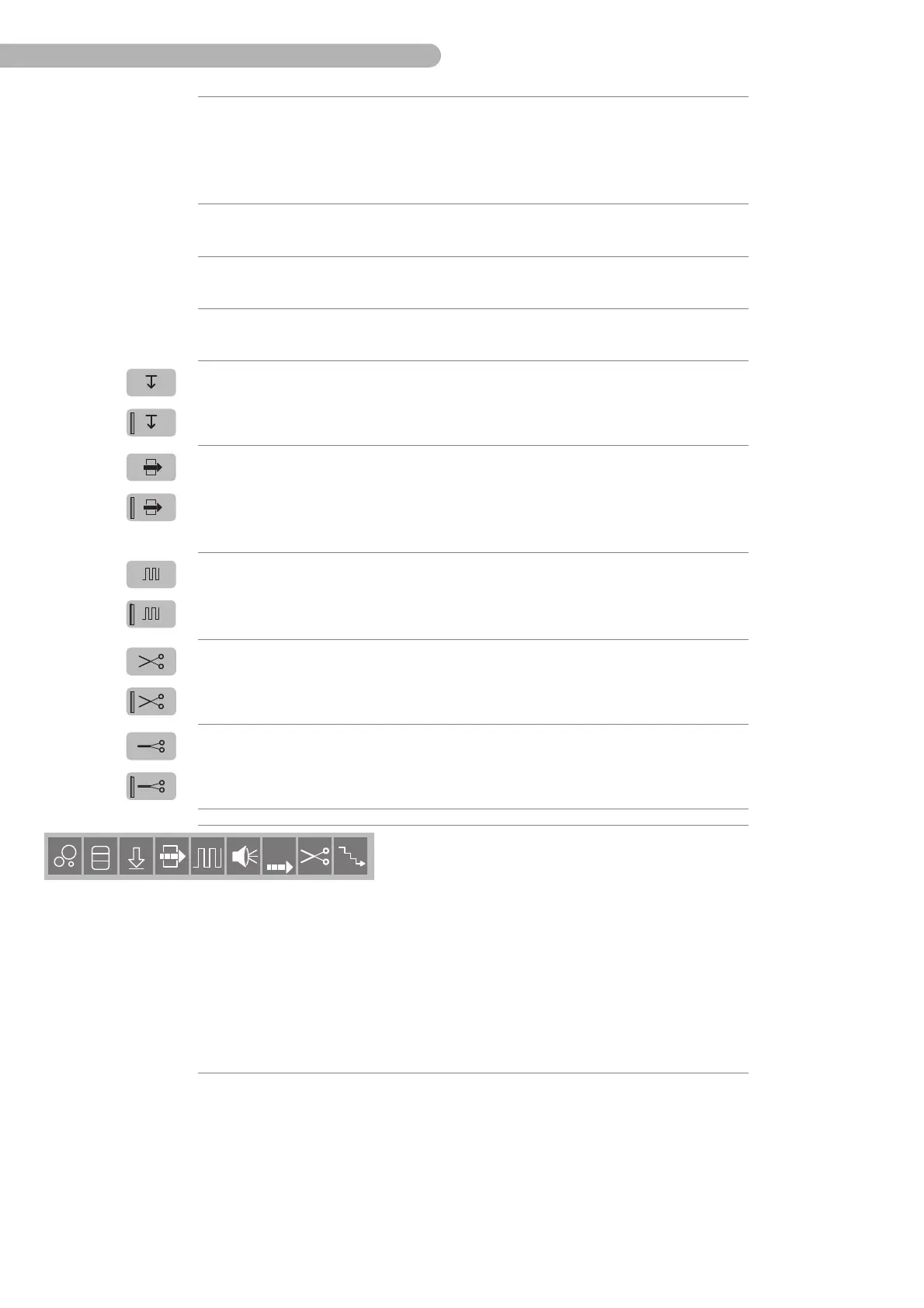
Up to nine monitoring functions and/or devices can be
assigned.
Sequence:
– Bubble detector
– Level monitor
– Pressure monitor
– “Flow-controlled mode”
– Pulse mode
– Alert tone display
– Flow alarm display
– Electrical remote-controlled tubing clamp
– Rampdown function
13 Action window
display



 To Next Page