CP5 • Replacing components
CP_SEM_60-00-60.001 47
Replacing the touch screen
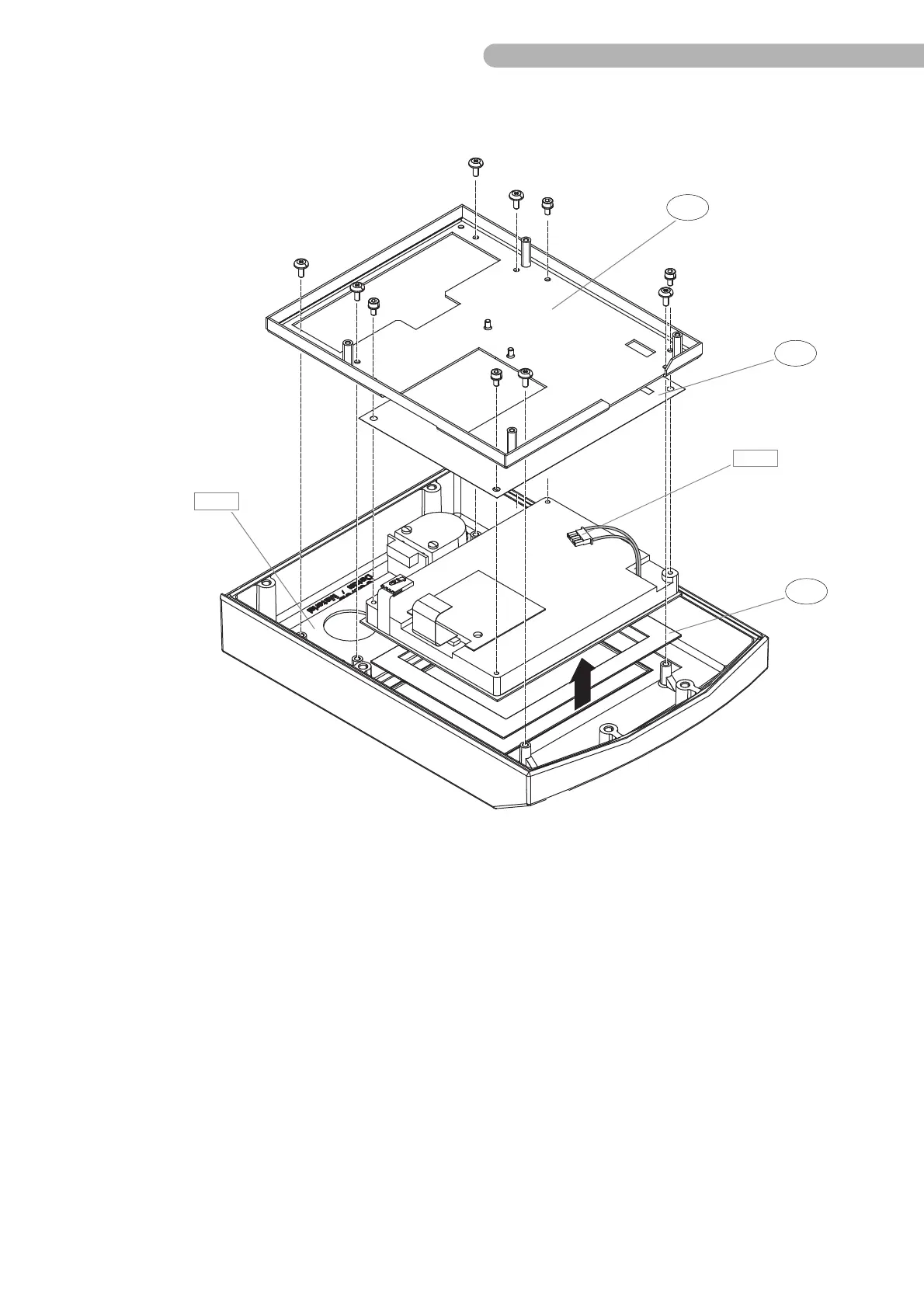
Fig. 22: Replacing the touch screen
To remove the display carrier and the Keys and LEDs A 6 circuit board:
◗ Loosen the PT screws (PT Z30x8 WN 5411 and socket head screw DIN 912 M3x6) from the Display
carrier.
◗ Carefully lift the Display carrier up. Take care to avoid damaging the cable of the LCD connection A
4 or pulling out the plug.
No further dismantling of the touch screen is planned.
Beware when assembling:
The seal b (72-102-028) and the insulating film c (72-102-074) for the LCD touch screen must be
refitted.



 To Next Page