CP5 • Replacing components
CP_SEM_60-00-60.001 43
6.1.2 Replacing control panel components
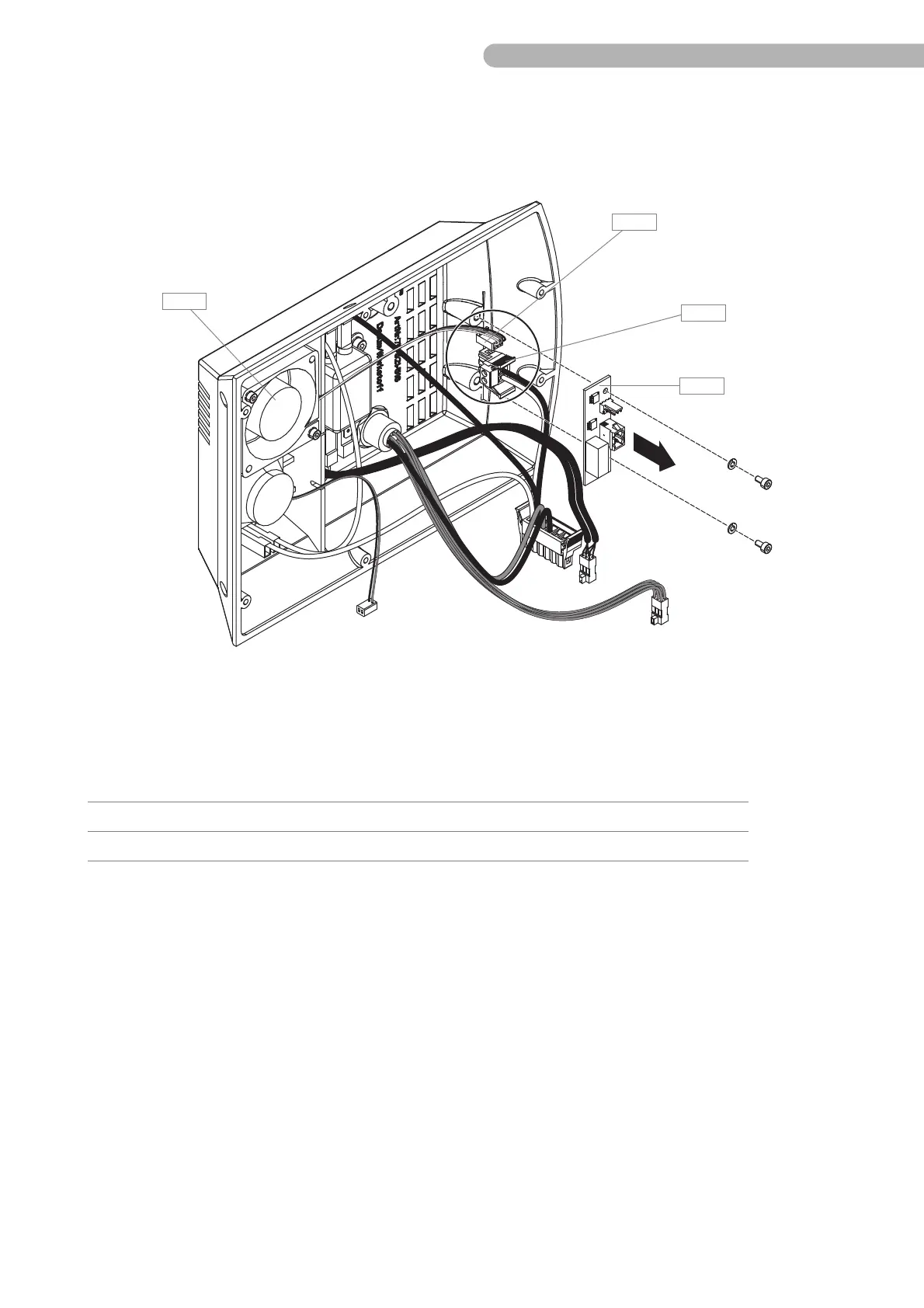
Replacing the circuit board fan control
Fig. 18: Replacing the circuit board fan control
◗ Disconnect the following connectors from the circuit board fan control A 7:
◗ Remove the two socket head screws shown above (DIN 912 M3x6 / allen key size 2.5 mm),
including washers (DIN 125 A 3.2).
◗ Replace thecircuit board fan control A 7.
Item Name Number Part number
A 33 Connection fan A 16 CON 2
A35 Connection power supply CON 1



 To Next Page