CP5 • Replacing components
50 CP_SEM_60-00-60.001
6.2 Drive unit
Maintenance work on the drive unit is restricted to replacing the motor control board ZPR 9909 A and/
or the connecting cable. In the event of errors requiring more extensive repairs, replace the whole
drive unit.
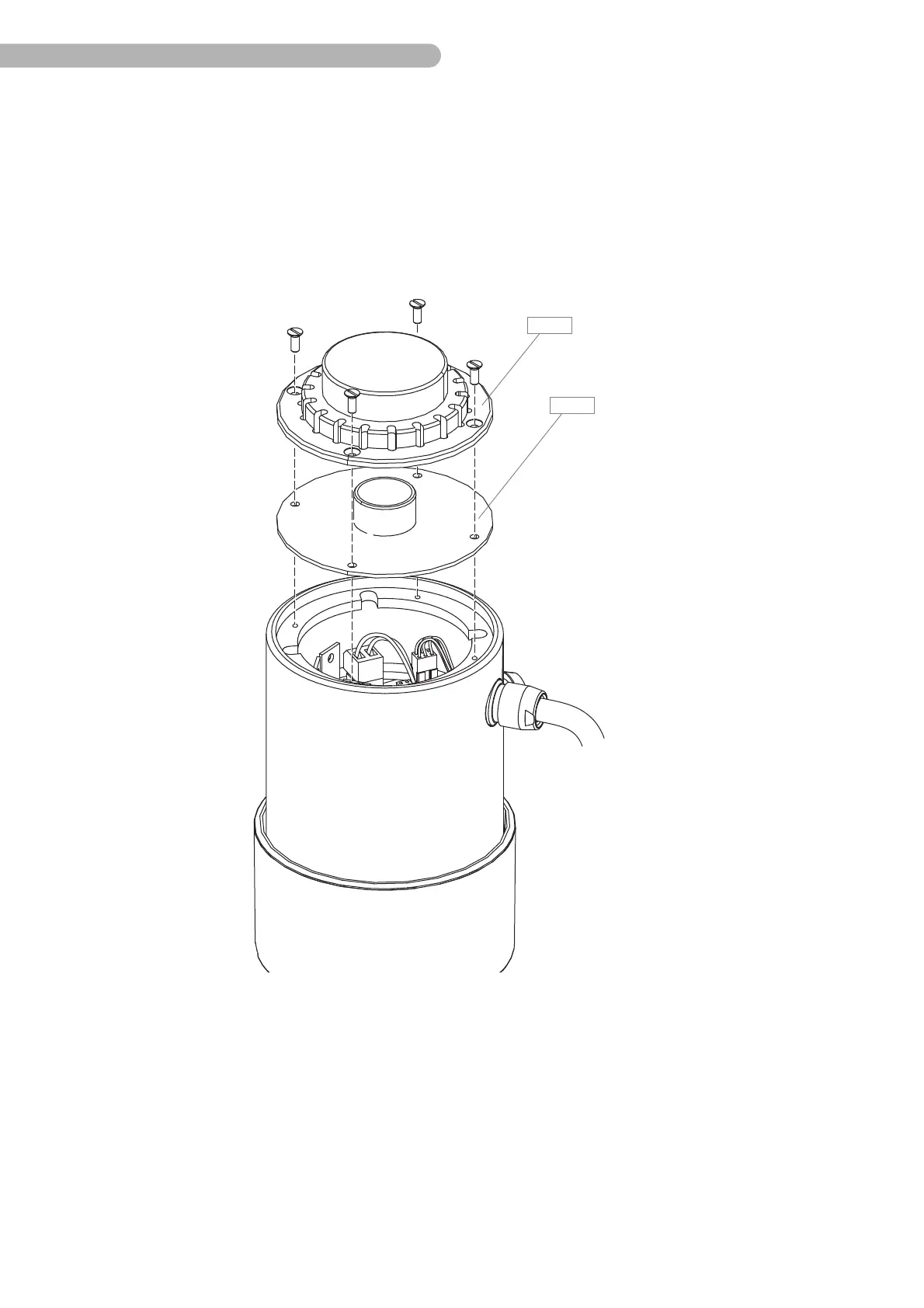
6.2.1 Opening the drive system
Fig. 24: Opening the drive unit casing
◗ Unscrew the four screws on the base plate B 3 (slotted screwdriver size 2).
◗ Remove the base plate.
◗ Remove the splash protection B 4.



 To Next Page