CP5 • Replacing components
56 CP_SEM_60-00-60.001
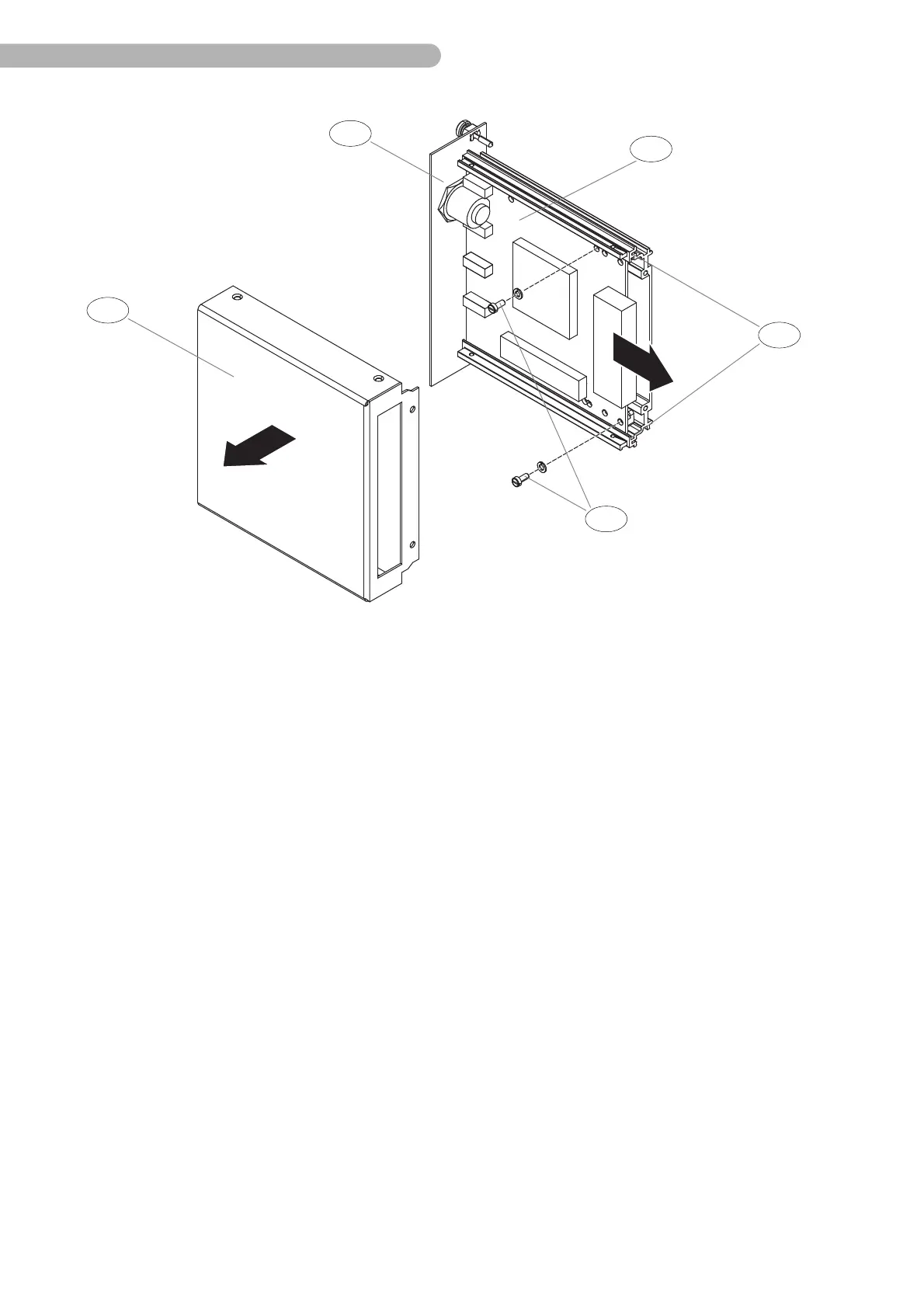
Fig. 30: Replacing the sensor boards (2); (the flow measurement board (Digiflow-Mini 1) is not shown here)
◗ Detach the cover a.
◗ Loosen all connectors between the back of the front plate b and the sensor board c.
◗ Remove the three distance bolts and the nylon washers from the flow measurement board
(Digiflow-Mini 1 is not shown here).
◗ Remove the flow measurement board.
◗ Replace the flow measurement board if necessary.
To replace the sensor board:
◗ Remove the flow measurement board.
◗ Remove the additional distance bolts from the sensor board.
◗ Remove both screws e on the sensor board.
◗ Carefully pull the sensor board out of the guide rail d.
◗ Replace the sensor board.
The sensor boards can only be replaced as a complete unit.
Installation is carried out by reversing this sequence. Ensure the boards are not tilted.
For further information about assembly material and the part numbers of the relevant sensor modules,
refer to the section entitled „Sensor module“ on page 69.



 To Next Page