Getting Started
RET
eval
Device User Manual 11
Reference data
For many tests using Sensor Strip electrodes, reference distributions and reference intervals are
built into the device. See page 67. This section lets you turn the reference interval reporting off,
which might be convenient, for example, if you know that the subjects you are testing are outside
the reference population tested in the database.
Report formats
With the Report formats menu, you can select if you want PDF, JPEG, or PNG output formats
for the reports. More than one option can be selected. PDF is the preferred format for printing.
JPEG may be more convenient for uploading results to certain EMR systems.
Stimulus waveforms
Luminance as a function of time can be plotted at the bottom of electrical response waveforms.
By default, this is turned off for brief-flash stimuli, but is on for extended-duration stimuli such
as long flash (on-off), sinusoidal and triangular waveforms. The advantage to showing the light
waveform for the long flash stimulus would be to show, for example, when the off response is
expected. Showing the stimulus waveform for a flicker test may be pedagogically useful as the
stimulus isn’t just near time = 0. Stimulus waveforms are shown both on the device and in the
reports.
System
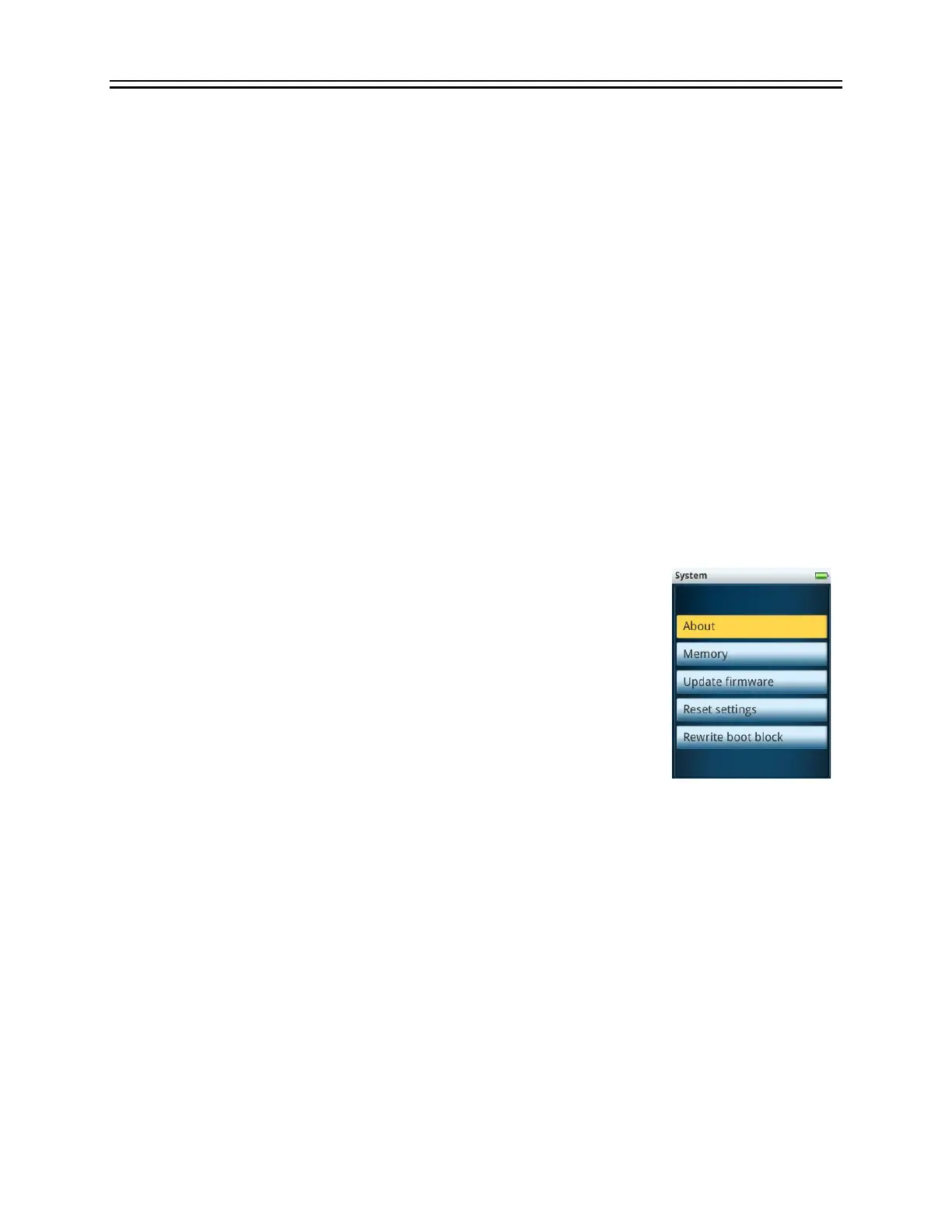
To view the device’s serial number and what options are present, select
System the About under Settings. The base RET
eval
device model
indicates “DR Assessment” in the screen header. The “Flicker ERG”,
“RET
eval
– S” and “RET
eval
complete” options would be indicated as
such. Also shown on this screen is the firmware version. The number of
tests completed may also be reported here.
Selecting Memory allows you to view the number of tests stored in the
device, out of the maximum allowed of 50. On this page, you have the
option to Erase all test results or to Erase everything, which reformats the drive and then
restores the factory default files onto the reformatted drive.
Update firmware is described on page 24.
Reset settings enables you to restore all setting to the factory default condition, including the
practice information.
The boot block is the first region of the device’s storage that is read during boot. If sectors in the
boot block become bad, the device may not turn on properly every time, for example, the power
indicating LED may blink many times when the device in the docking station before staying steady
green. Rewrite boot block might fix this issue; use this button only by the request of the LKC
service department.


 To Next Page