Performing a test
RET
eval
Device User Manual 14
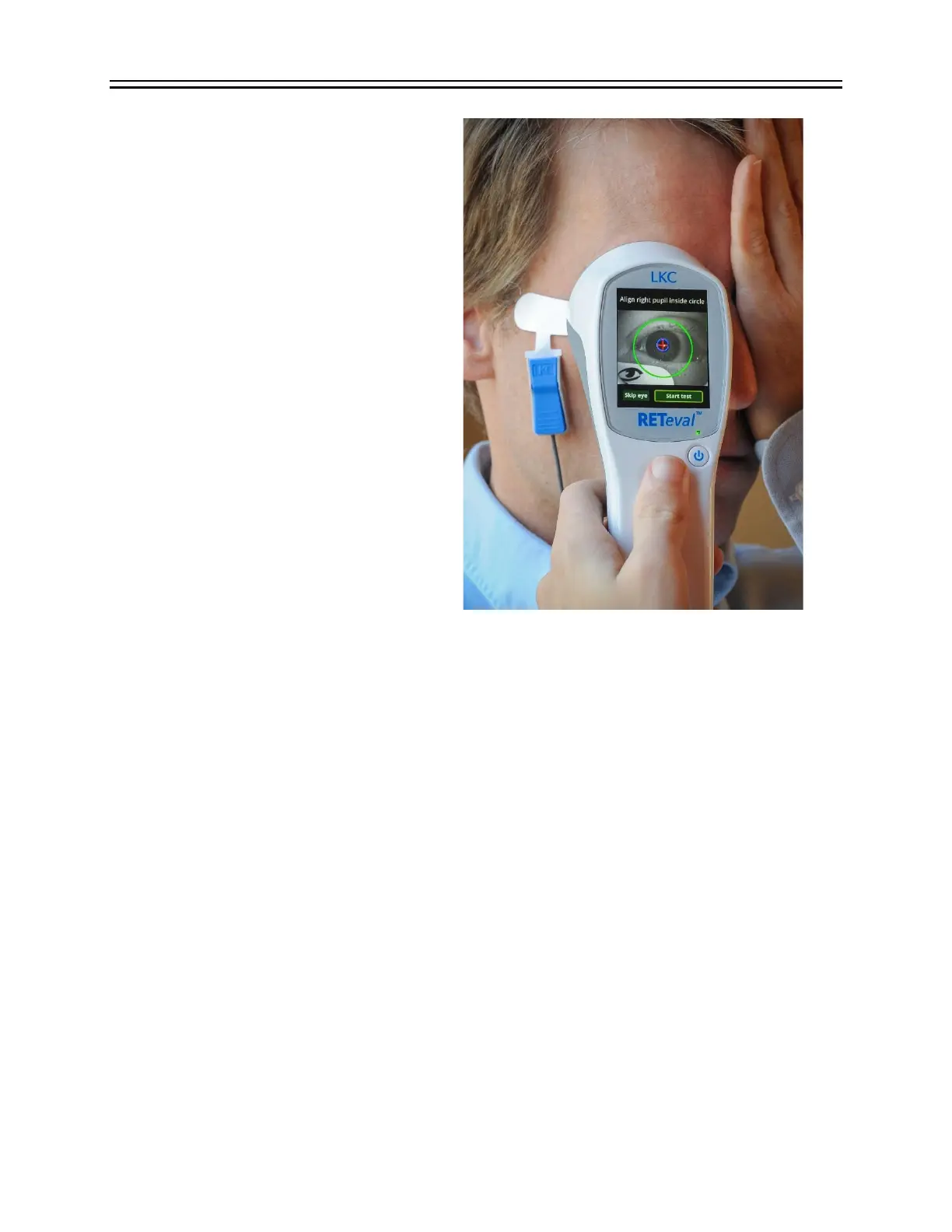
Step 9. Test the right eye.
Ask the patient to cover their left
eye with the palm of their hand.
Doing so will improve their fixation
to the red light in the device and
also open their eyelids wider to
make the pupil more visible. Small
children may prefer to leave both
eyes open and uncovered.
Connect the lead to the Sensor Strip
below the patient’s right eye with
the blue lever away from the
patient’s skin.
Select Next. If the Next button is
not present, the electrical
connection to the patient is poor or
the device is not connected
properly to the Sensor Strip: See the
Troubleshooting section of this
manual.
Tell the patient to look at the red
fixation light in the RET
eval
device and to open their eye as wide as possible. In Troland-
based protocols, the RET
eval
device requires an unobstructed view of the patient’s
entire pupil.
Press the device against the patient, positioning the device so that the patient’s pupil is
inside the large green circle. The RET
eval
device should be placed straight onto the
subject, a small gap between the eye cup and the lateral portion of the face is fine, as
long as the amount of ambient light reaching the eye through this gap isn’t excessive.
Ask the patient to relax, and to try to not blink. The patient should not talk, smile, or
grimace (doing so may lengthen the test time). For protocols that use multiple stimulus
conditions, suggest to the patient that they blink when it’s dark in order to reduce the
amount of electrical artifacts that occur during the measurement phases of test.
Select Start Test after the device has properly located the pupil. If the device
erroneously indicates something else as the pupil, reposition the device and ensure the
eyelids are sufficiently open until the pupil is properly identified. If Start Test is not
highlighted, see the Troubleshooting section of this manual.
At the beginning of each test, the RET
eval
device automatically recalibrates the light
intensity and color, during which time the patient will see brief red, green and blue
flashes. This process takes about one second. If recalibration is unsuccessful, an
“Unable to calibrate” or “Excessive ambient light” error will display. See the
Troubleshooting section of this manual.


 To Next Page