Performing a test
RET
eval
Device User Manual 15
Wait while the device conducts the test. Testing time depends on the protocol that you
have selected and can be less than 10 seconds or as long as a couple of minutes.
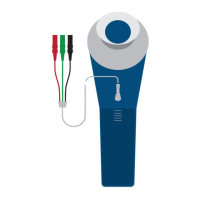
After the device has indicated that the testing is complete, disconnect the lead from
Sensor Strip.
Step 10. Repeat Step 9 for the left eye.
Step 11. The results summary appears as shown on page 16. While the results are being shown,
the device saves them. Results and Main Menu buttons appear along with a
notification of successful storage upon completion of the save, which can take several
seconds. By selecting Results, you can immediately view the patient’s results and do
additional testing without having to re-enter the patient or electrode information.
Step 12. Remove the Sensor Strips from the patient’s face, starting with the end under the eye.
Alternatively, ask the patient to remove the Sensor Strips. Dispose of the Sensor Strips
in accordance with local guidelines.
Clean the eyecup and other patient-contact parts of the device and Sensor Strip lead.


 To Next Page