Chapter 4: Software Update/Restore 4-7
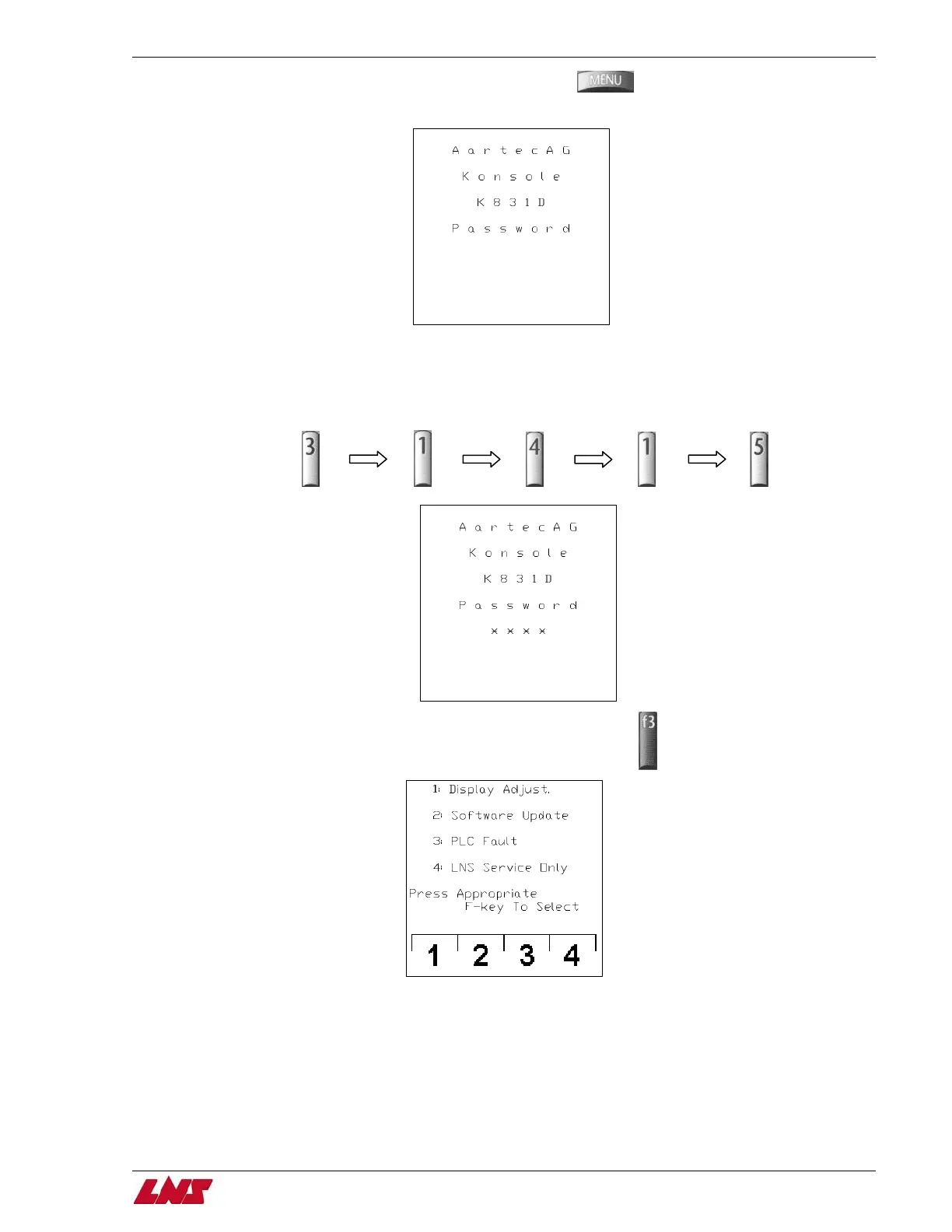
Step 5: Press and hold the menu button while turning on the bar feed.
You may release the menu button when the following screen appears.
Step 6: Wait until the PLC run light indictor goes from a flashing to a solid state. (This may take a few seconds.)
Step 7: Once the light is in a solid state, flip the RUN/STOP switch to STOP position. (The run light indicator will turn off)
Step 8: A password is required at this point using the number buttons on the pendant enter 3; 1; 4; 1; 5.
Step 9: There are 4 menu choices on this screen, press the F3 key for PLC Fault.
QUICK SIX















 To Next Page