24
User Manual
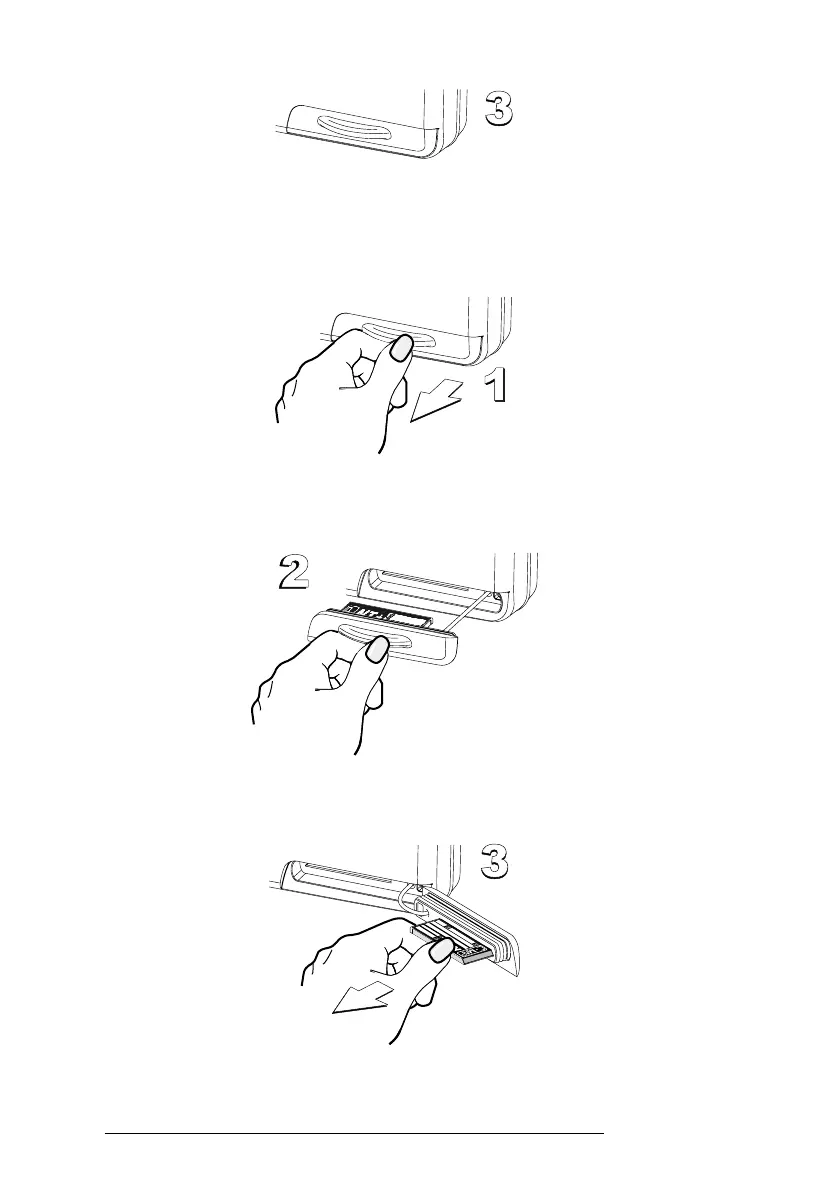
When finished the door must be right closed as shown in the following picture:
Fig. 2.6.1b - Inserting C-CARD (III)
2.6.2 REMOVING C-CARD
To remove the C-CARD inserted in the chart plotter open the door:
Fig. 2.6.2 - Removing C-CARD (I)
the C-CARD will eject out of the chart plotter slot remaining fixed into the door:
Fig. 2.6.2a - Removing C-CARD (II)
then remove the C-CARD from the slot:
Fig. 2.6.2b - Removing C-CARD (III)



 To Next Page