31
User Manual
3.1.6 THE WIND DATA PAGE
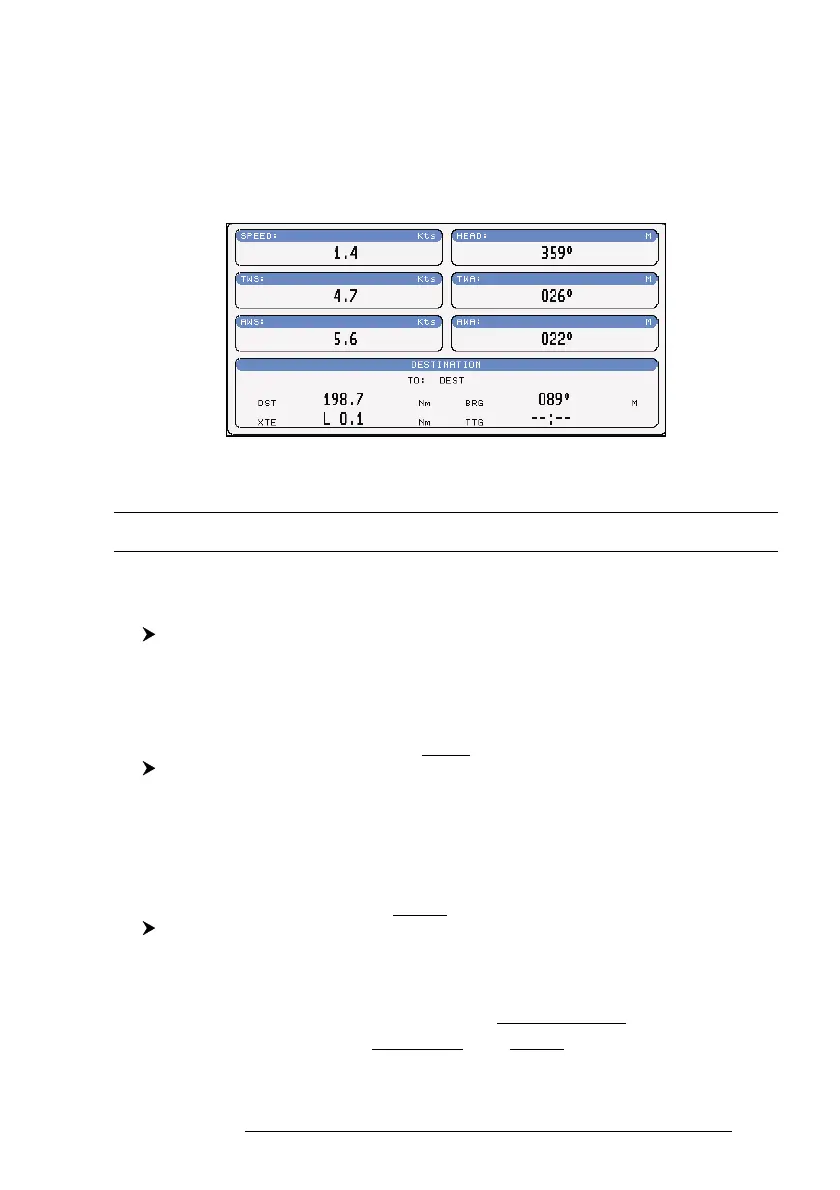
The Wind Data page shows data related to the wind: TWS (True Wind Speed:
Velocity of the Wind relative to a fixed point on the earth), AWS (Apparent Wind
Speed: the Speed at which the Wind appears to blow relative to a moving point, also
called Relative Wind Speed), TWA (True Wind Angle) and AWA (Apparent Wind
Angle). Also SPEED (Ship Speed) and HEAD (Ship Heading) are shown.
Fig. 3.1.6 - The example of Wind Data page
3.2 BASIC SETTINGS
The Basic Settings menu provides access to the set up functions. Here you
can choose the language you want (see Par. 2.4).
'MENU' + "BASIC SETTINGS" + 'ENTER'
3.2.1 COURSE VECTOR
Disables (Off) the Course Vector or selects the preferred time among: 2, 10,
30 Min, 1 hour, 2 hours, Infinite. The default setting is Infinite.
'MENU' + "BASIC SETTINGS" + 'ENTER' + "COURSE VECTOR" + 'ENTER'
3.2.2 SCREEN AMPLIFIER
The Screen Amplifier function allows, when it is On and Home mode is set,
to place map on the screen related to the fix position and direction, so the map
shown is that before the ship. The default setting is On.
'MENU' + "BASIC SETTINGS" + 'ENTER' + "SCREEN AMPLIFIER" + 'ENTER'
3.2.3 ADVANCED FUNCTIONS
When it is On the chartplotter works in Advanced Mode, otherwise when it
is Off the chartplotter works in Basic Mode. The default setting is Off.



 To Next Page