91
User Manual
'MENU' + "ADVANCED SETTINGS" + 'ENTER' + "C-STAFF" + 'ENTER'
For more information see the specific User Manual.
5.9 C-WEATHER SERVICE
C-Weather Service is an innovative meteorological forecasting system with the
ability to visualize the weather forecast, overlaying it on cartography. The weather data
is held on C-MAP’s weather server, which can be accessed via a C-COM modem con-
nected to the chart plotter or by using the C-MAP personal Suite (or the DPS - Dealer
Programming System) saving the weather data on a User C-CARD. The weather data
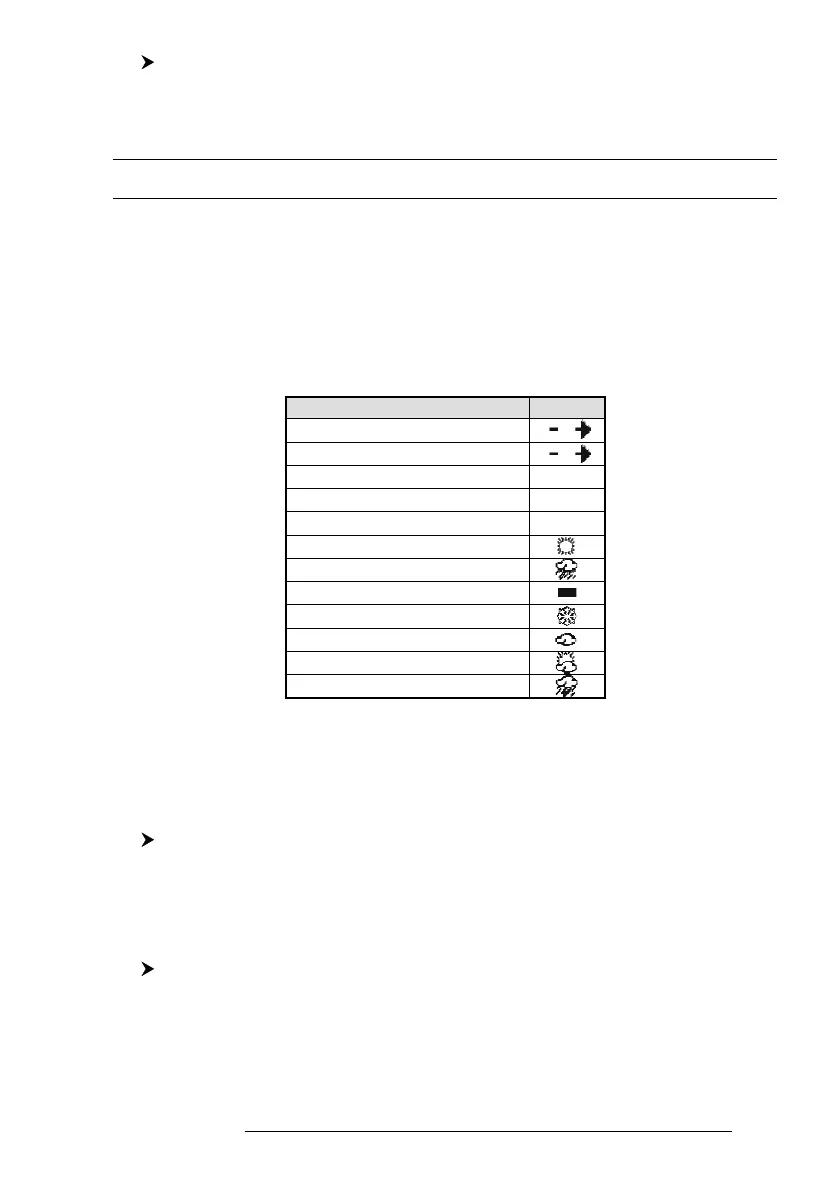
are overlaid on a map page as layers. The Weather format data available are:
WIND (Speed & Dir) 0
WAVE (Height & Dir) 1
TEMPERATURE (C°) 18°
HUMIDITY (%) 30
VISIBILITY (m) 20
WEATHER TYPE: Sun
WEATHER TYPE: Rain
WEATHER TYPE: Fog
WEATHER TYPE: Snow
WEATHER TYPE: Clouds
WEATHER TYPE: Partly Cloudy
WEATHER TYPE: Thunderstorm
Data Type Display
Fig. 5.9 - Weather data package
5.9.1 C-WEATHER SERVICE MENU
To select the menu:
'MENU' + "C-WEATHER" + 'ENTER'
The C-Weather menu is shown on the screen, the items are described in the
following paragraphs.
5.9.1.1 Download
''MENU' + "C-WEATHER" + 'ENTER' + "DOWNLOAD" + 'ENTER'
Allows to connect the software to the C-MAP weather server and to down-
load C-MAP weather data directly via C-COM.



 To Next Page