60
User Manual
Once you have positioned the cursor at new location, press 'ENTER' (press
'CLEAR' to abort operation):
Fig. 4.1.1.7b - Placing Waypoint between two existing ones (III)
4.1.1.8 Editing Waypoint
Select Advanced Mode + Place cursor on Waypoint
Press 'ENTER'. Select "EDIT" and press 'ENTER' to modify a Waypoint.
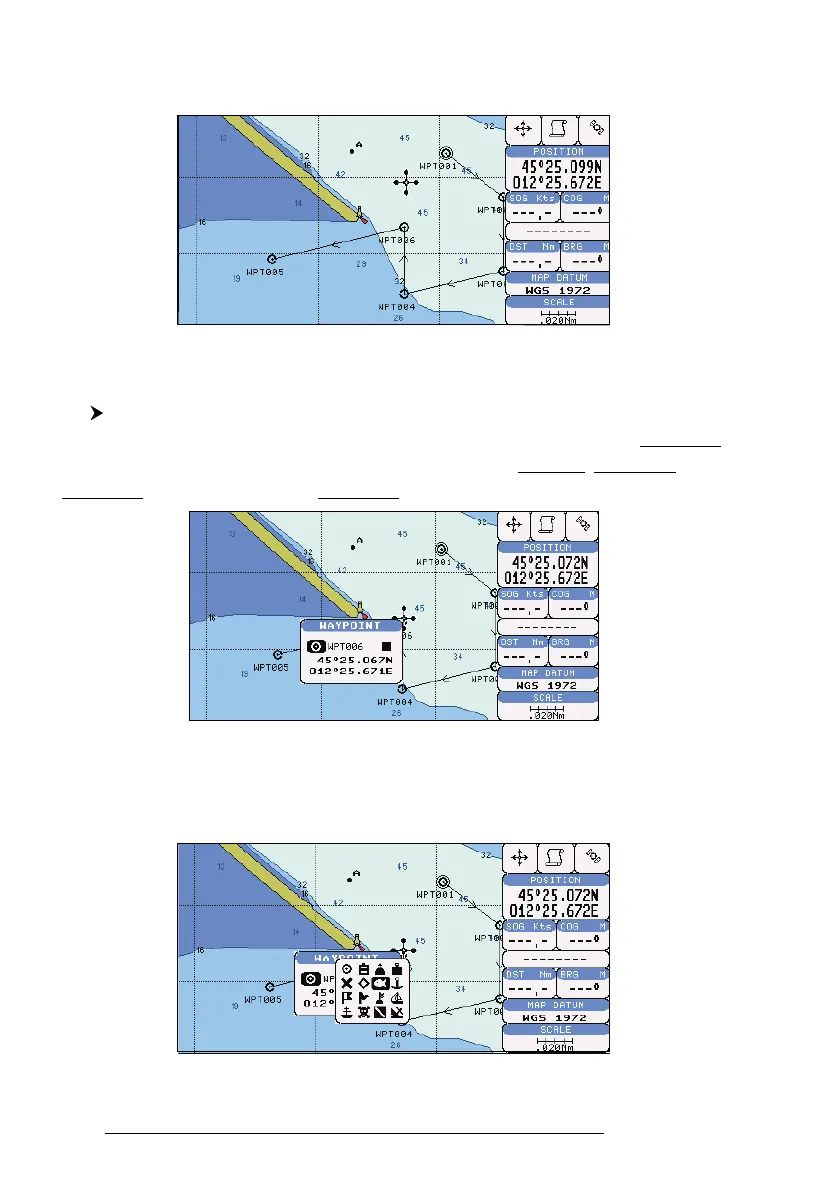
A window will be shown with Name, Symbol, Color and Latitude/Longitude of the
Waypoint, advising about what Waypoint data are modifiable.
Fig. 4.1.1.8 - Edit Waypoint (I)
Use the cursor key to select the field. If you have selected Name field, press
'ENTER': use the cursor key to insert the character (8 characters max), press 'ENTER'.
If Symbol field is selected press 'ENTER': a window with 16 different symbols appears:
Fig. 4.1.1.8a - Edit Waypoint (II): Waypoint symbols



 To Next Page