5 -11
▶Do not tap the element on a
hard place when cleaning.
▶If the element is cracked,
change it with new one.
Notice
(6) Air cleaner
① Cleaning filter element
z If the air-cleaner service indicator in the
instrument panel is turned on, make sure to
check and clean the filter element regardless of
recommended service intervals in this
maintenance chart.
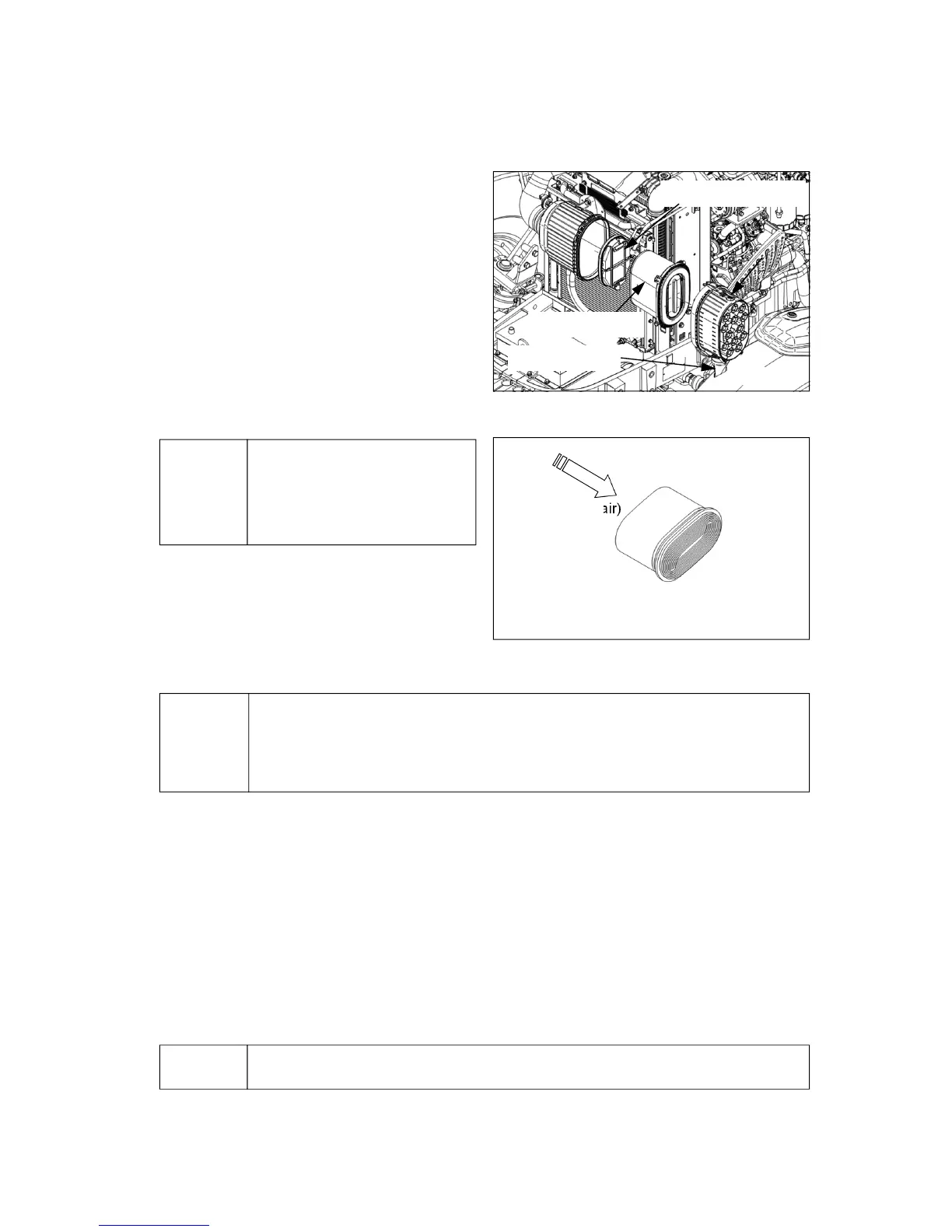
z Remove the cover and pull the primary element
straight out, ensuring the safety filter element
remains in place. (Fig. 1)
z When cleaning the element in the working field,
tap the element by hand to remove the dust.
z If the dust is not removed by tapping, use
compressed air (less than 500kPa (5bar; 72psi))
from inside to outside as shown in the right figure
(Fig. 2) to remove the dust and foreign materials.
And clean inside the filter element with a clean
damp cloth.
▶Do not assemble a wet filter element.
▶Do not dry the wet filter element by using the compressed air.
▶Do not start the engine if air filter element is not assembled.
Notice
< Figure-2 >
(Compressed air)
② Filter assembly
z Clean the inside of the air cleaner housing using a clean damp cloth, taking care not to damage the
safety element.
z Check if there is damage inside filter element by using a light. If there is tiny crack or small hole in the
filter element or the gasket is damaged, replace it with a new one.
z Insert the filter element by pushing it deeply into the filter housing.
z Remove the dust of the evacuator valve and clean the inside of the cover.
z Assemble the cover with the evacuator valve placed downward.
▶ Do not start the engine or close the hood if the filter element is not assembled.
Notice
Evacuator valve
<Figure-1>
Safety filter element
Primary element



 To Next Page