169441 160 Revision D
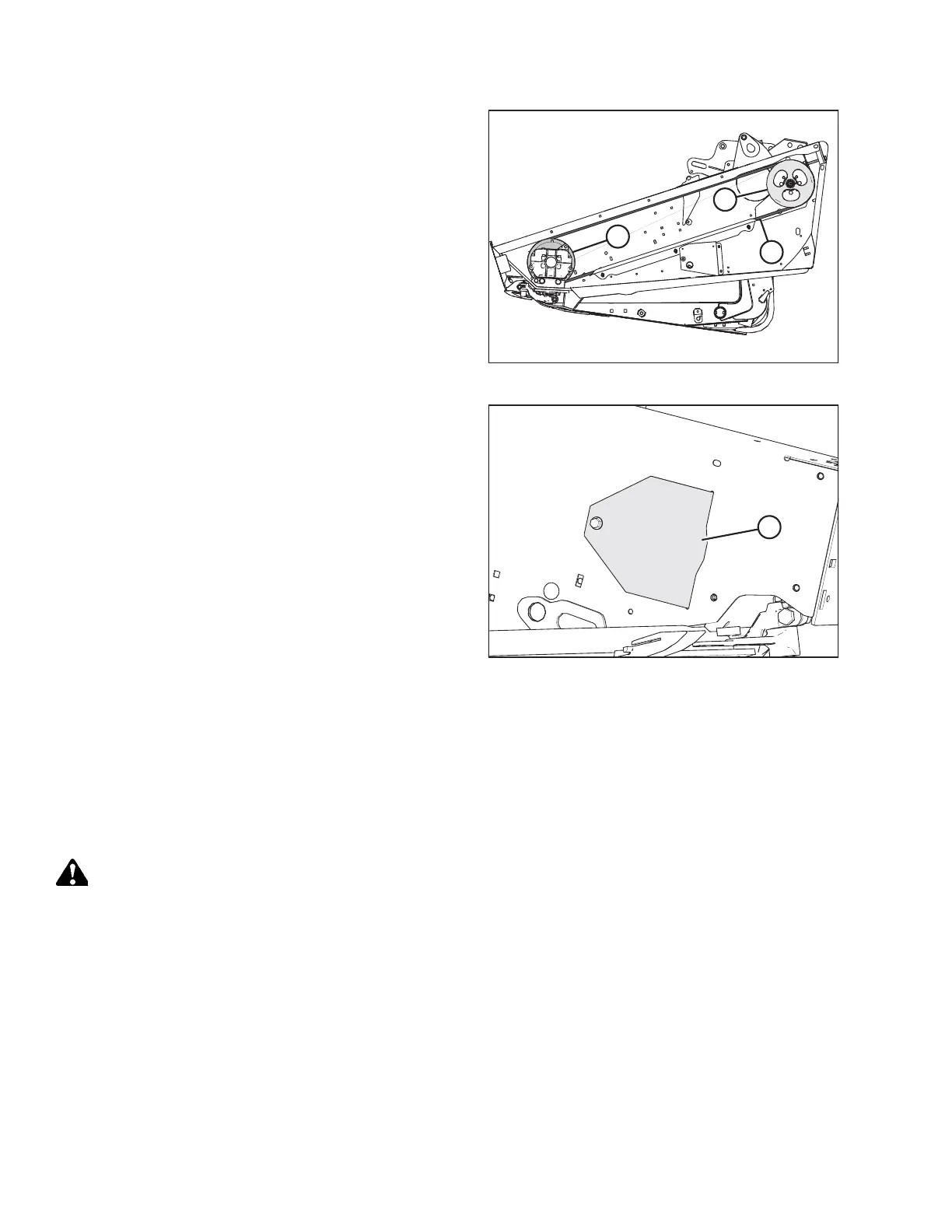
Figure 4.78: Knife Drive
3. Route knife drive belt (A) around knife drive box pulley (C)
and knife drive pulley (B). Use the notch in the pulley to
assist with the belt installation.
NOTE:
Ensure the drive motor is fully forward, do NOT pry the belt
over the pulley.
Figure 4.79: Access Cover
4. Tension the knife drive belt. For instructions, refer to
Tensioning Untimed Knife Drive Belts, page 157.
5. Install access cover (A) and secure it with a bolt.
6. Close the endshield. For instructions, refer to 4.3.2 Closing
Hinged Endshields, page 117.
Timed Double-Knife Drive Belts
This section applies to 10.7 meter (35 ft.) and smaller model D60 Draper Headers.
Tensioning Timed Knife Drive Belts
The procedure for tensioning timed knife drive belts is the same for both sides of the header. The illustrations shown are
for the left side—the right side is opposite.
DANGER
To prevent bodily injury or death from the unexpected start-up or fall of a raised machine, always stop the engine and
remove the key before leaving the operator’s seat, and always engage the safety props before going under the
machine for any reason.
IMPORTANT:
To prolong belt and drive life, do NOT overtighten the belt.
IMPORTANT:
Do NOT use the adjuster bolt at the drive pulley to adjust timing belt tension.
1. Shut down the engine, and remove the key from the ignition.
2. Open the endshield. For instructions, refer to 4.3.1 Opening Hinged Endshield, page 116.
MAINTENANCE AND SERVICING



 To Next Page