169441 67 Revision D
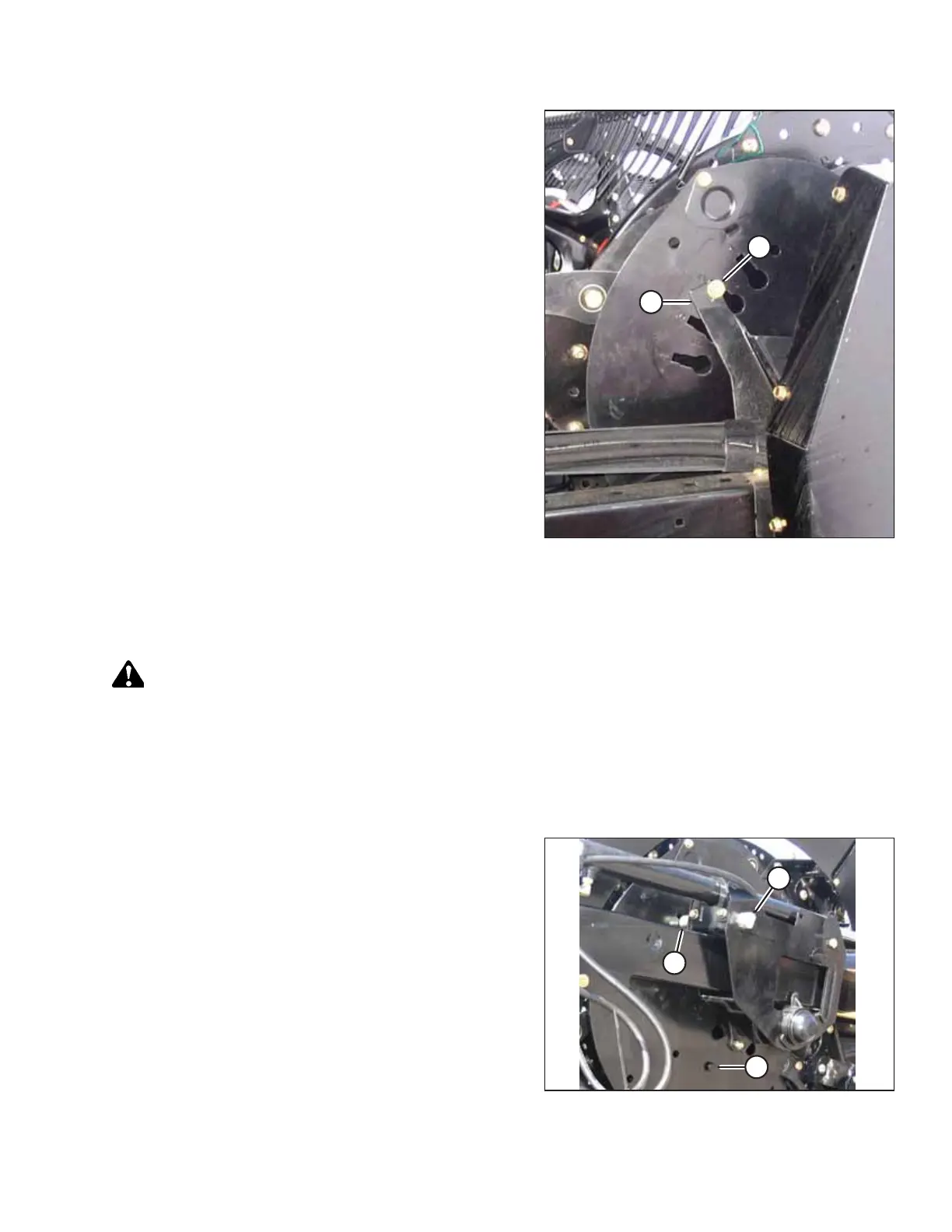
Figure 3.61: Reel Cam – D50
8. Insert the head of bolt (A) into the numbered slot, and
rotate the cam disc so that the bolt engages cam stop (B).
9. Tighten the bolts.
Adjusting Reel Cam – D60
The reel is designed to pick up flattened and severely lodged crops. Adjustment may be required as crop conditions change.
DANGER
To prevent bodily injury or death from the unexpected start-up of the machine, always stop the engine and remove the
key from the ignition before leaving the operator’s seat for any reason.
1. Lower the reel fully.
2. Lower the header fully.
3. Shut down the engine, and remove the key from the ignition.
Figure 3.62: Cam Disc Positions
4. Turn latch pin (A) counterclockwise using a 3/4 in. wrench
to release the cam disc.
IMPORTANT:
Turning the pin to the end of the ramp will lock the pin in
the disengaged position. Turn the pin clockwise to unlock it,
and secure cam position before operating the machine.
5. Use the wrench on bolt (B) to rotate the cam disc and align
latch pin (A) with the desired cam disc hole position (C)
(1 to 4).
NOTE:
Bolt (B) is positioned through the cam disc (transparent
view shown in illustration for improved clarity).
OPERATION



 To Next Page