169441 215 Revision D
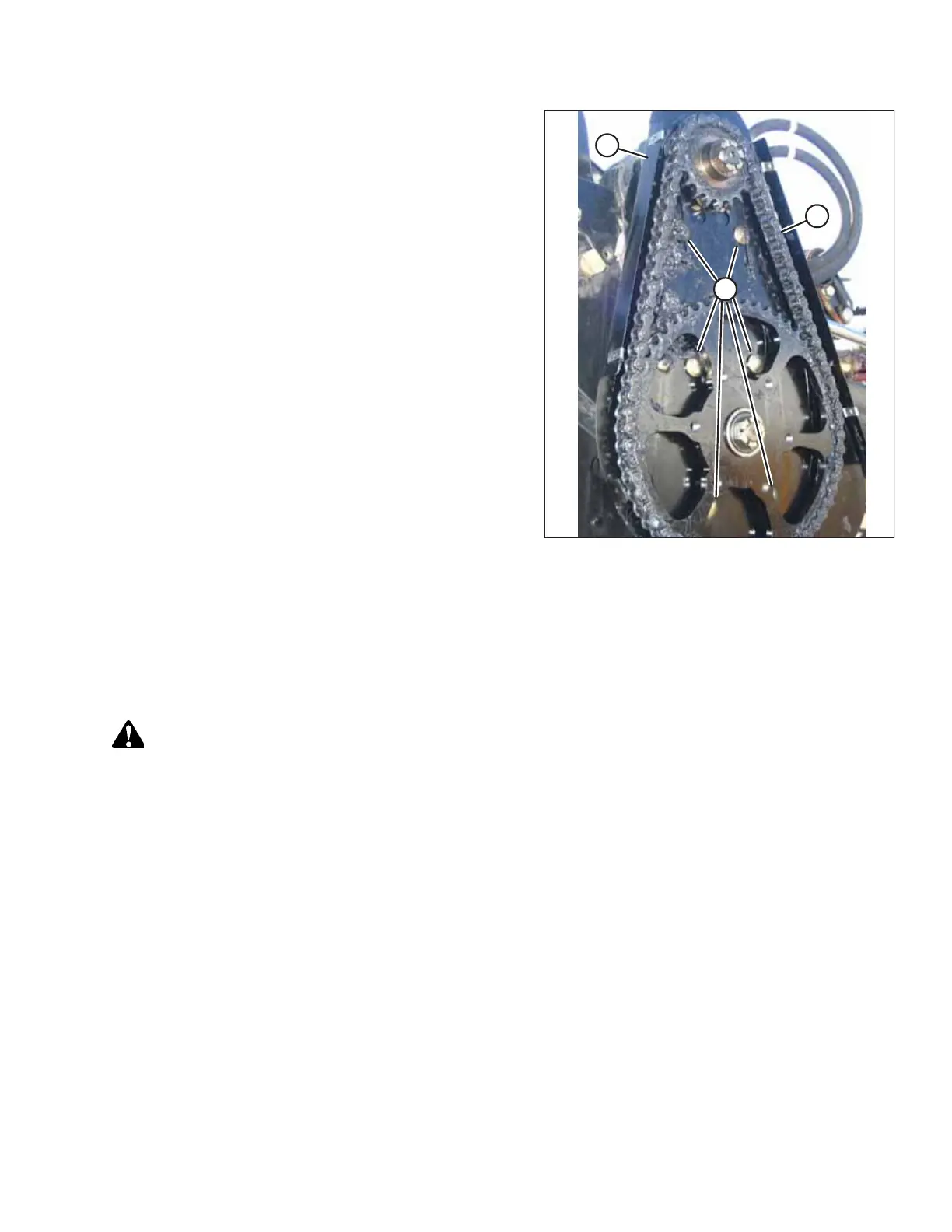
Figure 4.190: Reel Drive
12. Slide the motor and motor mount (B) up until the tension
on chain (C) is such that hand force deflects the chain 3 mm
(1/8 in.) at mid-span.
13. Tighten nuts (A), and then recheck the tension.
14. Reinstall the drive cover. For instructions, refer to Installing
Reel Drive Cover, page 204.
Replacing Reel Drive Sprocket
The reel drive sprocket is attached to the reel drive motor.
Removing Reel Drive Sprocket – D50
The reel drive sprocket is attached to the reel drive motor.
DANGER
To prevent bodily injury or death from the unexpected start-up or fall of a raised machine, always stop the engine and
remove the key from the ignition before making adjustments to the machine. NEVER climb onto or go underneath an
unsupported header.
1. Shut down the engine, and remove the key from the ignition.
2. Remove the reel drive cover. For instructions, refer to Removing Reel Drive Cover, page 202.
MAINTENANCE AND SERVICING



 To Next Page