169441 187 Revision D
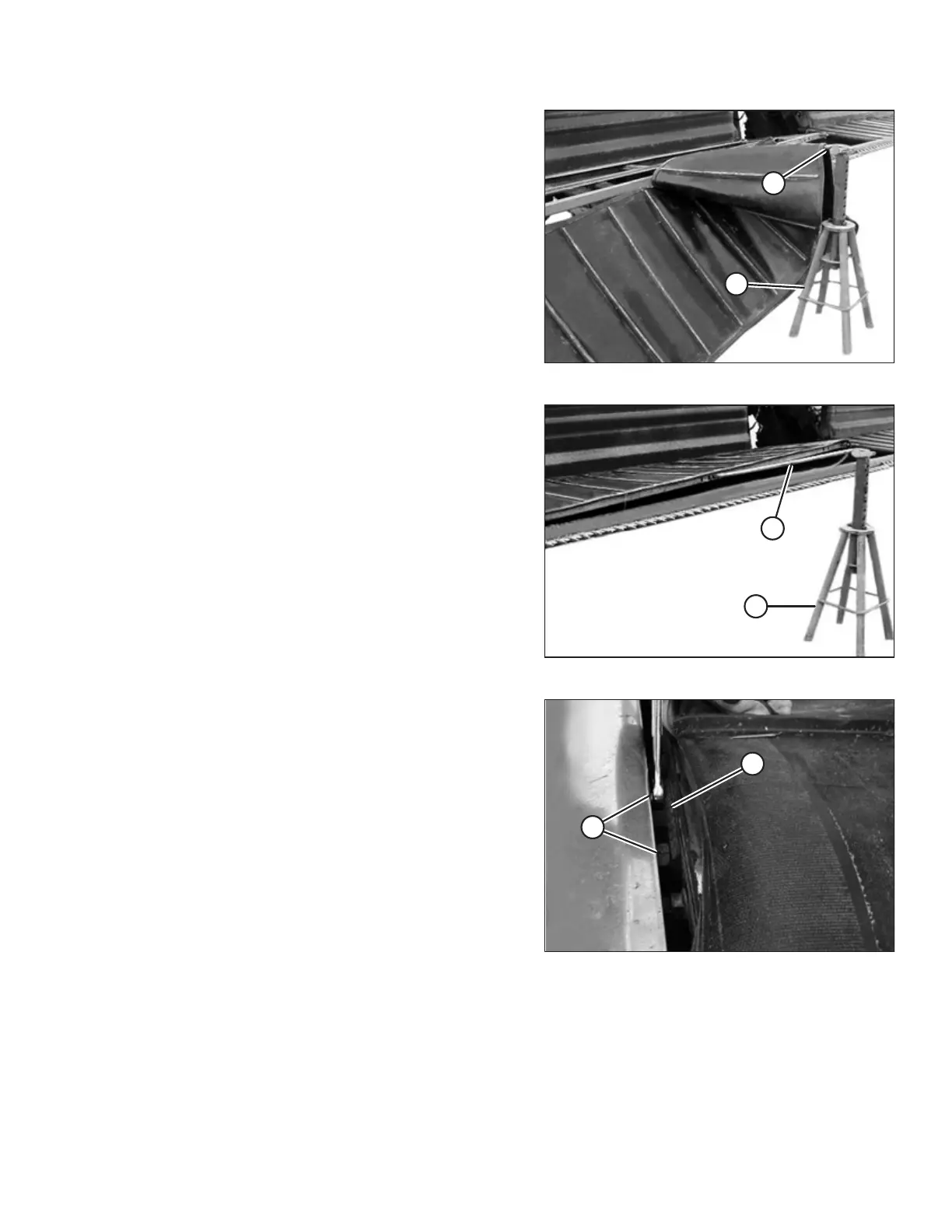
Figure 4.135: Supporting the Draper
6. Insert pry bar (A) through draper, and place the bar into the
hole located in the deck at the approximate deck mid-point
location.
NOTE:
Ensure the pry bar is long enough to accommodate the
width of the draper.
7. Lift the deck clear of the cutterbar, and support the bar on
a suitably sized stand (B).
8. Slide the draper onto the deck.
Figure 4.136: Lifting the Deck
9. Lift the deck, remove stand (B), and then lower the deck
into position. Remove pry bar (A).
Figure 4.137: Deck Support
10. Line-up deck supports (A) with the bolts in the deck.
11. Move the deck towards the cutterbar to engage the deck
supports.
12. Install nuts (B) and tighten.
13. Adjust draper tension. Refer to 4.9.1 Adjusting Draper
Tension, page 181.
MAINTENANCE AND SERVICING



 To Next Page