169441 208 Revision D
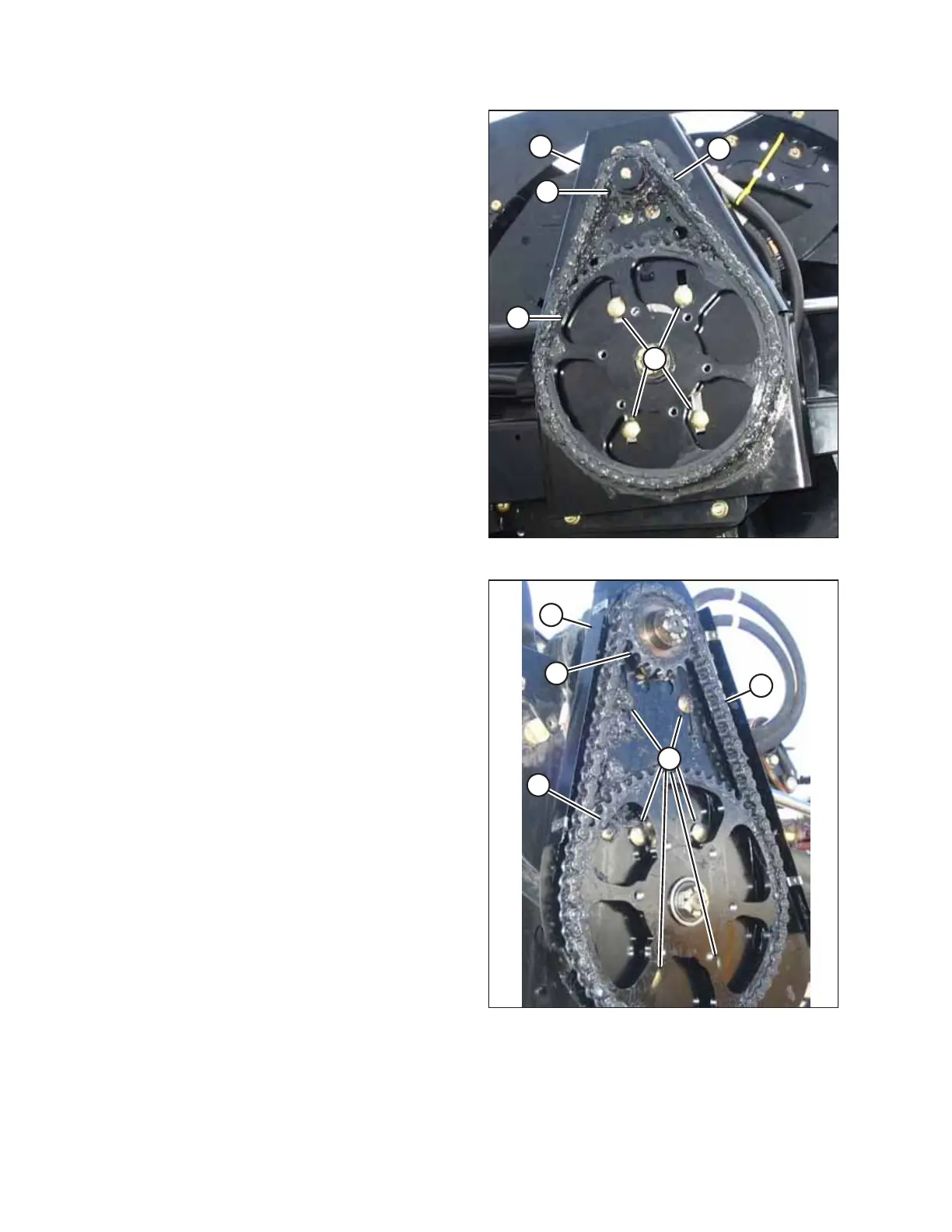
Figure 4.177: Reel Drive – D50
Figure 4.178: Reel Drive – D60
2. Loosen bolts (A) and slide the motor and motor mount (B)
down towards the reel shaft.
NOTE:
There are four of bolt (A) on the D50 and six on the D60.
3. Lift chain (C) off drive sprocket (D).
4. Lower the chain until free of lower sprocket (E) and remove
the chain from the drive.
5. Position new chain (C) around the bottom teeth on lower
sprocket (E).
6. Lift the chain onto drive sprocket (D) ensuring all the links
are properly engaged in the teeth.
7. Slide the motor and motor mount (B) until the tension on
the chain is such that hand force deflects the chain 3 mm
(1/8 in.) at mid-span.
8. Tighten bolts (A), and recheck the chain tension.
9. Reinstall the drive cover. For instructions, refer to Installing
Reel Drive Cover, page 204.
MAINTENANCE AND SERVICING



 To Next Page