10
QuickSpell™
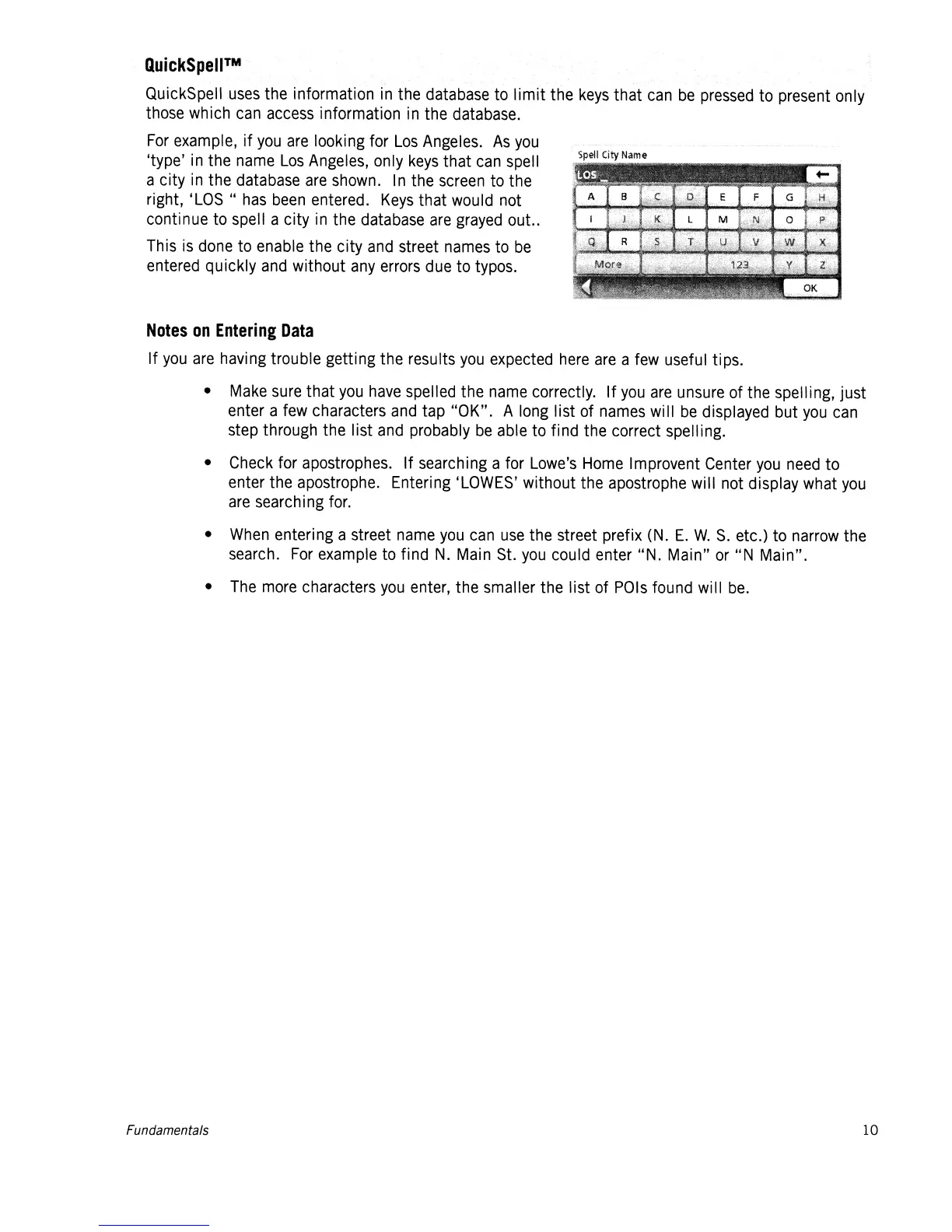
QuickSpell
uses
the information
in
the database to limit the
keys
that
can
be
pressed
to present only
those
which
can
access
information
in
the
database.
For
example, if
you
are
looking for
Los
Angeles.
As
you
'type'
in
the
name
Los
Angeles,
only
keys
that
can
spell
a city
in
the
database
are
shown.
In
the
screen
to
the
right,
'LOS"
has
been
entered.
Keys
that
would
not
continue
to
spell a city
in
the
database
are
grayed
out
..
This
is
done
to
enable the city
and
street
names
to
be
entered
quickly
and
without
any
errors
due
to typos.
Notes
on
Entering
Data
If
you
are
having trouble getting the results
you
expected
here
are
a
few
useful tips.
•
Make
sure
that
you
have
spelled the
name
correctly. If
you
are
unsure
of the spelling, just
enter a
few
characters
and
tap "OK". A
long
list of
names
will
be
displayed but
you
can
step through the list
and
probably
be
able
to find the correct spelling.
•
Check
for apostrophes. If searching a for
Lowe's
Home
Improvent
Center
you
need
to
enter the apostrophe. Entering
'LOWES'
without the apostrophe will not display what
you
are
searching
for.
•
When
entering a street
name
you
can
use
the street prefix
(N.
E.
W.
S.
etc.) to
narrow
the
search.
For
example
to
find
N.
Main
St.
you
could enter "N. Main"
or
"N Main".
•
The
more
characters
you
enter,
the smaller the list of
POls
found will
be.
Fundamentals














 To Next Page