Campgrounds
Search for campgrounds
that
have been rated
by
AAA. Once selected, use
the
Route button
to
tell the
Magellan Maestro
to
navigate there.
Getting Campground Information
1 Access the AAA
TourBook@
Menu.
2
Tap
on
Campgrounds.
3 Select the search criteria:
Near
Current
Position,
Near
City,
Near
Address,
or
Spell
Name.
Follow
the
instructions for entering the information needed.
Camp
Grounds
4
Use
the
and
to
scroll
through the list
of
campgrounds.
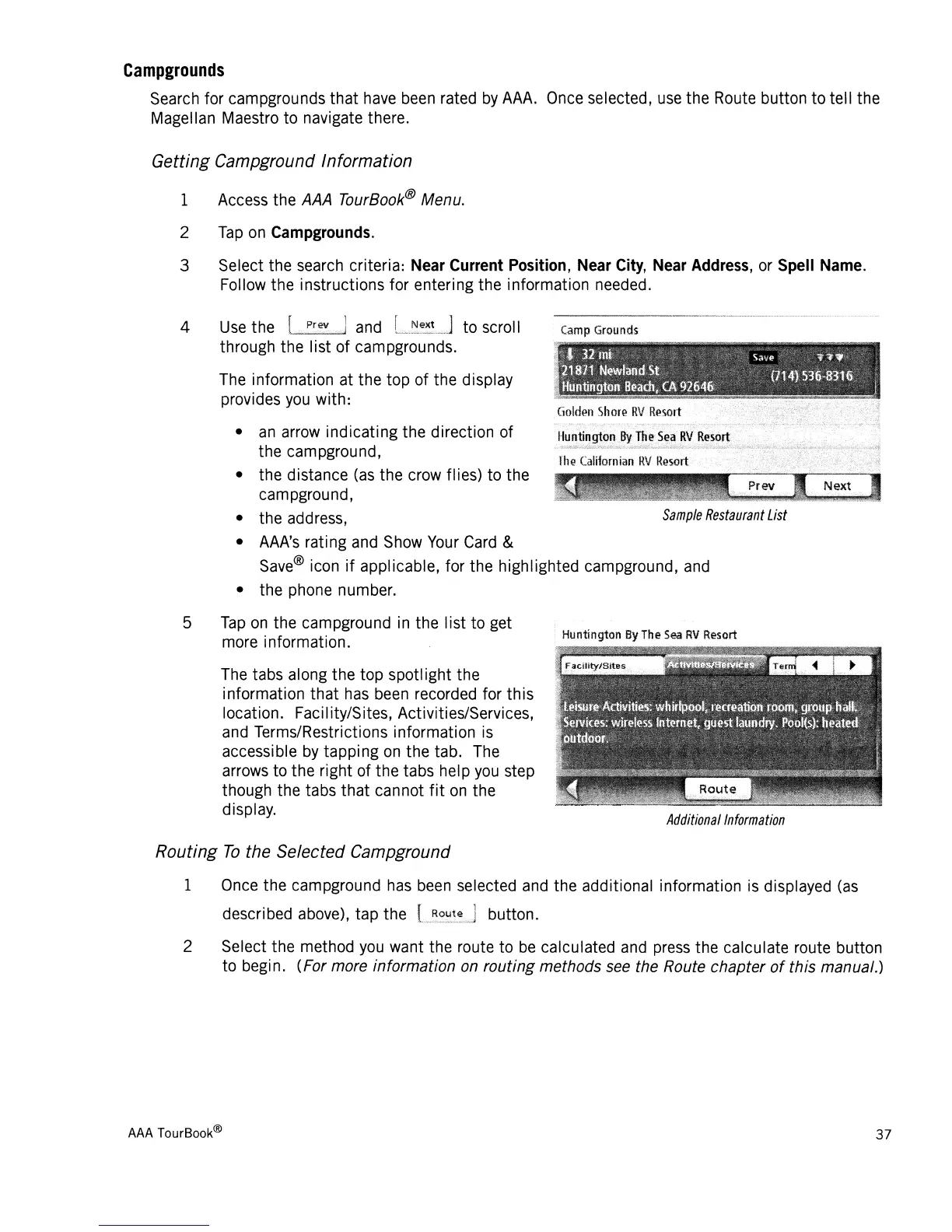
The information at
the
top
of
the display
provides you with:
•
an
arrow
indicating
the
direction of
the campground,
• the distance (as the crow flies) to the
campground,
• the address,
Sample
Restaurant
List
• AAA's rating and Show Your Card &
Save® icon
if
applicable, for the highlighted campground, and
• the phone number.
5
Tap
on
the campground in the
list
to
get
more information.
The tabs along
the top
spotlight the
information
that
has been recorded for
th
is
location. Faci Iity/Sites, Activities/Services,
and Terms/Restrictions information is
accessible by
tapping
on
the
tab. The
arrows
to
the
right of
the
tabs help
you
step
though the tabs
that
cannot
fit
on
the
display.
Routing
To
the Selected Campground
Hu
ntington
By
Th
e
Sea
RV
Resort
Additional
Information
1 Once
the
campground has been selected and the additional information is displayed (as
described above), tap the button.
2 Select the method you want the route
to
be
calculated and press the calculate route button
to begin. (For more information on
routing
methods see the Route chapter
of
this manual.)
AAA
TourBook®
37














 To Next Page