(The
Simulate button
is
presently not active.)
4.
Tap
Back
arrow
to
record
the
changes
and
exit.
Setting
Tone
Options
Provides
a
way
of selecting the tone
used
to announce arrival
at
a
maneuver
or
destination.
1.
From
page
2 of the
Main
Menu,
tap
User
Options.
2.
Tap
Tone
Options.
3.
Select
Bell,
Chime
or
Beep.
4.
Tap
Save
to
record
the
changes
and
exit.
Setting Navigation Instructions
Set
which instructions will
be
announced using text-to-speech.
1.
From
page
2 of the
Main
Menu,
tap
User
Options.
2.
Tap
Navigation
Instruction.
3.
Tap
Announce
street
name
to check
or
uncheck.
When
checked, street
names
will
be
an
nou
need
usi
ng
text-to-speech.
Tap
Announce
exit
ramp
name
to
check
or
uncheck.
When
checked, exit
ramp
names
will
be
announced using text-to-speech
4.
Tap
Save
to
record
the
changes
and
exit.
Viewing Technical
GPS
Information
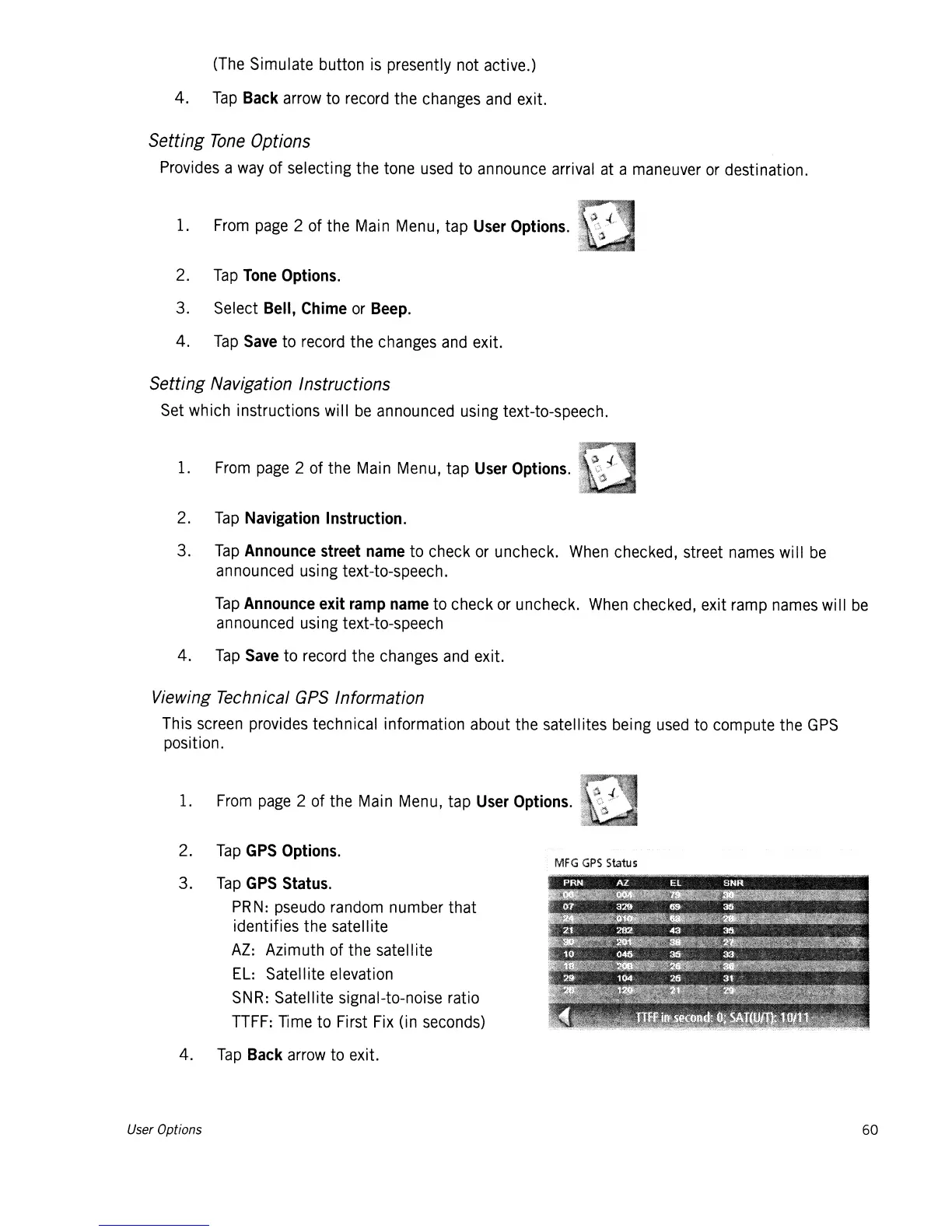
This
screen
provides technical information about the satellites being
used
to
compute the
GPS
position.
1.
From
page
2 of the
Main
Menu,
tap
User
Options.
2.
Tap
GPS
Options.
3.
Tap
GPS
Status.
PRN:
pseudo
random
number that
identifies the satell ite
AZ:
Azimuth of the satellite
EL:
Satellite elevation
SNR:
Satellite signal-to-noise ratio
TTFF:
Time
to First
Fix
(in
seconds)
4.
Tap
Back
arrow
to
exit.
MFG
GPS
Status
User Options
60














 To Next Page