Exit POls
The
Exit
POI
function provides a
way
of accessing commonly
used
POls
that
are
near
an
exit
you
are
approaching while travelling
on
a
freeway.
Exit
POls
include restaurants,
gas
stations, auto repair
shops
and
hotels. Exit
POls
can
be
accessed
while
on
a route
or
just driving,
as
long
as
you
are
on
a
freeway.
Routing to a POI Near an Approaching Freeway Exit
Note: This function
is
available only while
on
a
freeway.
Also,
when
you
create a route to a
POI
near
an
exit, the original route will
be
canceled if
you
are
travelling
on
a route.
You
will
need
to
reset
the
original route
when
you
are
ready
to continue.
1.
From
the Map screen, tap MENU.
2.
Tap
the
Exit
POls
icon.
3.
Tap
on
the
POI
icon (restaurant,
gas
station,
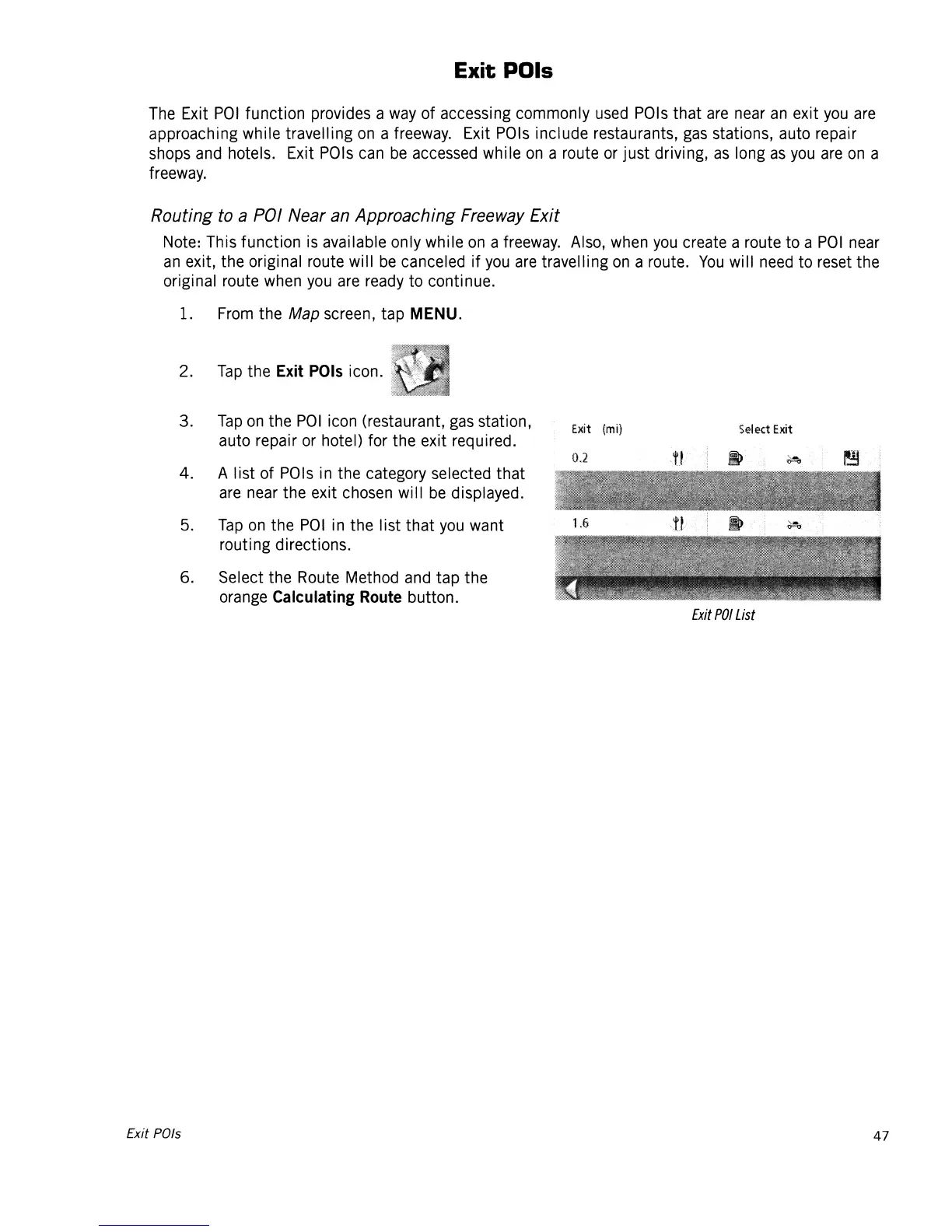
Exit
(mil
Select
Exit
auto repair
or
hotel) for the exit required.
4.
A list of
POls
in
the category selected that
are
near
the exit
chosen
will
be
displayed.
5.
Tap
on
the
POI
in
the list that
you
want
routing directions.
6.
Select the
Route
Method
and
tap the
orange
Calculating
Route
button.
Exit
POI
List
Exit POls
47














 To Next Page