Maneuver
List
Screen
This
screen
is
accessed
from the
Map
screen
and
only
when
routing. (Note:
The
Maneuver List
screen
is
not available until
you
begin
moving
on
the route.)
Each
line
in
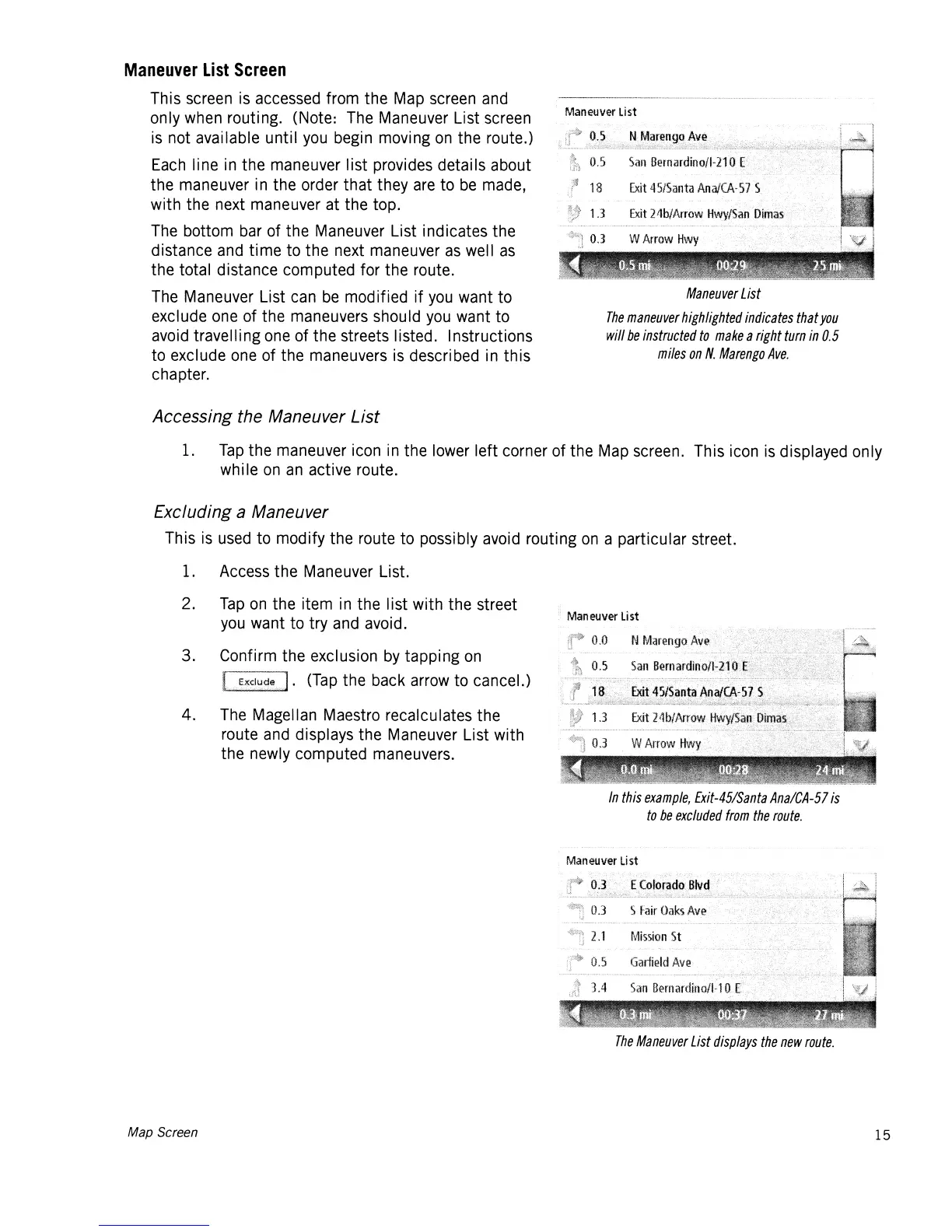
the maneuver list provides details about
the maneuver
in
the order that they
are
to
be
made,
with the next maneuver at the top.
The
bottom
bar
of the Maneuver List indicates the
distance
and
time to the next maneuver
as
well
as
the total distance computed for the route.
The
Maneuver List
can
be
modified if
you
want to
exclude
one
of the maneuvers should
you
want to
avoid
travel Ii
ng
one
of the streets listed. Instructions
to exclude
one
of the maneuvers
is
described
in
this
chapter.
Maneuver
List
Maneuver
List
The
maneuver
highlighted
indicates
that
you
will
be
instructed
to
make
a
right
turn
in
0.5
miles
on
N.
Marengo
Ave.
Accessing the Maneuver
List
1.
Tap
the maneuver icon
in
the
lower
left corner of the
Map
screen. This
icon
is
displayed only
wh
i
Ie
on
an
active route.
Excluding a Maneuver
This
is
used
to modify the route to possibly
avoid
routing
on
a particular street.
1.
Access
the Maneuver List.
2.
Tap
on
the item
in
the list with the street
you
want to try
and
avoid.
3. Confirm the exclusion
by
tapping
on
r-~~~'].
(Tap
the back
arrow
to cancel.)
4.
The
Magellan Maestro recalculates the
route
and
displays the Maneuver List with
the newly computed maneuvers.
Map Screen
Maneuver
list
In
this
example,
Exit-45/Santa
Ana/CA-57
is
to
be
excluded
from
the
route.
Man
euver
U
st
The
Maneuver
List
displays
the
new
route.
15














 To Next Page