EasyManua.ls Logo

Magellan Maestro 4040 - Travelling on a Route; Map Screen; Split-Screen; Maneuver List

Magellan Maestro 4040
104 pages
Print Icon
To Next Page IconTo Next Page
To Previous Page IconTo Previous Page
Loading...
Ma
p
Screen
with
Route
Shown
Travelling
on
a Route
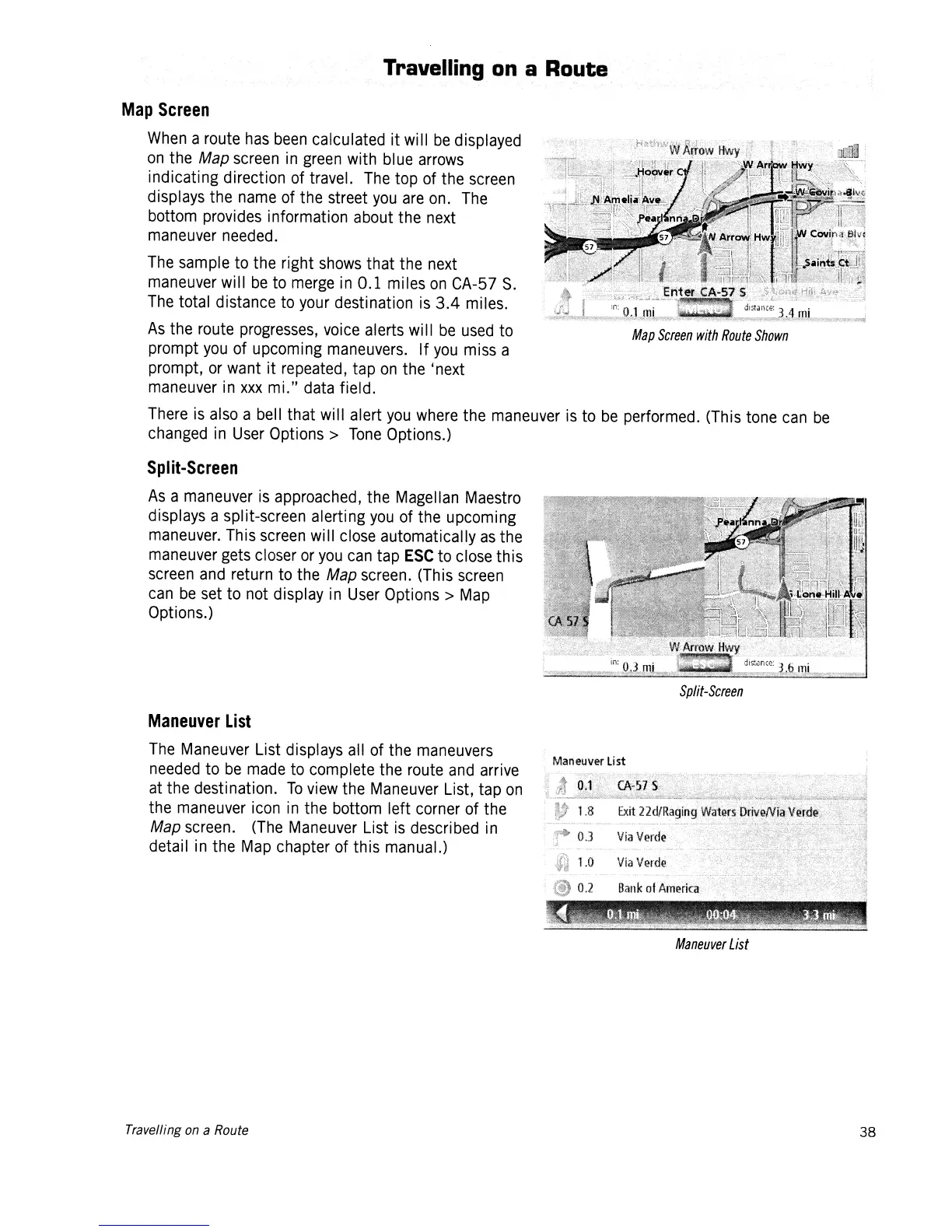
Map
Screen
When
a route
has
been
calculated it will
be
displayed
on
the Map
screen
in
green
with blue
arrows
indicating direction of travel.
The
top of the
screen
displays the
name
of the street
you
are
on.
The
bottom provides information about the
next
maneuver
needed.
The
sample to the right
shows
that the
next
maneuver
will
be
to
merge
in
0.1 miles
on
CA-57
S.
The
total distance to
your
destination
is
3.4 miles.
As
the route
progresses,
voice
alerts
wi
II
be
used
to
prompt
you
of upcoming
maneuvers.
If
you
miss
a
prompt,
or
want it repeated, tap
on
the 'next
maneuver
in
xxx
mi."
data
field.
There
is
also
a bell that will alert
you
where
the
maneuver
is
to
be
performed. (This tone
can
be
changed
in
User
Options>
Tone
Options.)
Split-Screen
As
a
maneuver
is
approached, the Magellan
Maestro
displays a split-screen alerting
you
of the upcoming
maneuver.
This
screen
will
close
automatically
as
the
maneuver
gets
closer
or
you
can
tap
ESC
to
close
this
screen
and
return to the Map
screen.
(This
screen
can
be
set
to not display
in
User
Options>
Map
Options.)
Split-Screen
Maneuver
List
The
Maneuver
List displays all of the
maneuvers
needed
to
be
made
to
complete the route
and
arrive
at
the destination.
To
view
the
Maneuver
List, tap
on
the
maneuver
icon
in
the bottom left corner of the
Map
screen.
(The
Maneuver
List
is
described
in
detail
in
the
Map
chapter of this manual.)
Maneuver
List
Travelling on a Route
38

Table of Contents