Port Monitor Settings
v
"[Property] Tab" (A page 106)
v
"[Version] Tab" (A page 106)
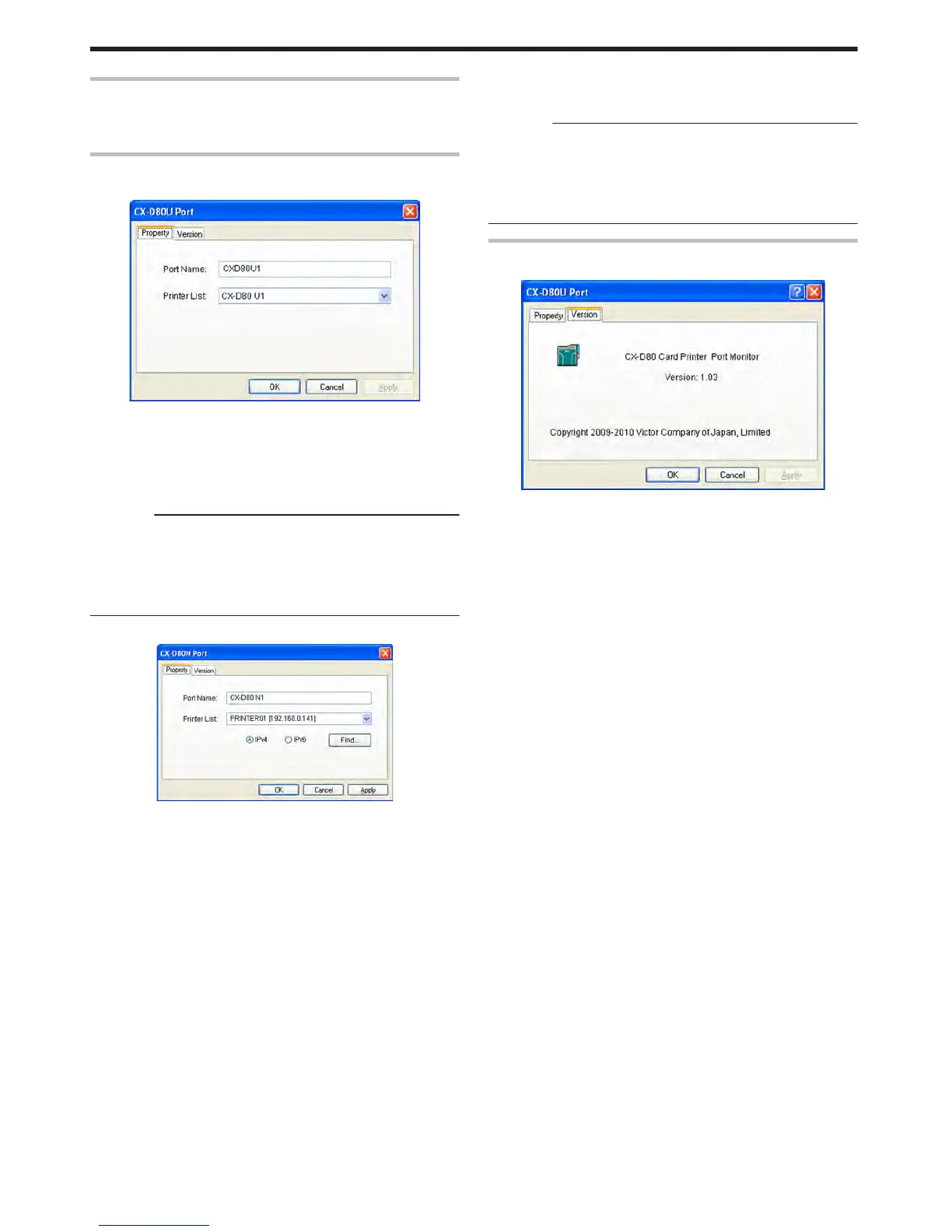
[Property] Tab
m
USB connection
.
m
Port Name
Name of the port. You can enter a name up to 24 characters.
m
Printer List
List of connected printers. The selected printer is used for printing
the card.
Cautions:
The setting is incorrect if the following message appears.
v
No Device:
Printer is not found.
v
No selection:
Last used printer is not found. A different printer is currently
connected.
m
Ethernet (LAN) connection
.
m
Port Name
Name of the port. You can enter a name up to 24 characters.
m
Printer List
List of connected printers. The selected printer is used for printing
the card.
m
IPv4
When connecting using the IPv4 address, select [IPv4], followed by
clicking [Find...] to search for the printer.
After clicking [IPv4], you can search for the printer by directly
entering the IPv4 address in the [Printer List].
m
IPv6
When connecting using the IPv6 address, select [IPv6], followed by
clicking [Find...] to search for the printer.
After clicking [IPv6], you can search for the printer by directly
entering the IPv6 address in the [Printer List].
m
[Find...] button
Search for the printer after selecting [IPv4] or [IPv6]. The search
results are displayed in the [Printer List].
Cautions:
The setting is incorrect if the following message appears.
v
No Device:
Printer is not found.
v
No selection:
Last used printer is not found. A different printer is currently
connected.
[Version] Tab
Displays the version and copyright information.
.
Setup
106















 To Next Page