m
Film Type
Displays the specification of the loaded retransfer film in the number of
images. This is not an indication of the current film level.
m
[Update] button
Applies the selected value to the printer.
m
[Refresh] button
Displays the printer settings on the screen.
m
Ink ribbon cannot be recognized
If the ink ribbon cannot be recognized, the cause for this problem is
indicated in the [Name] field under [Ink Status].
.
Message Cause and Action During Ink
Recognition Error
(252:Invalid TAG
Data)
The TAG record data adhered to the ink
ribbon is incorrect. Replace the ink ribbon
and try again.
(253:Defective
TAG)
Unable to establish communication with
the TAG adhered to the ink ribbon.
Replace the ink ribbon and try again.
(254:No TAG) Unable to read the TAG adhered to the ink
ribbon. Check to ensure that the ink ribbon
is correctly set.
(255:Defective R/
W)
Printer TAG reader error. The printer
needs to be repaired.
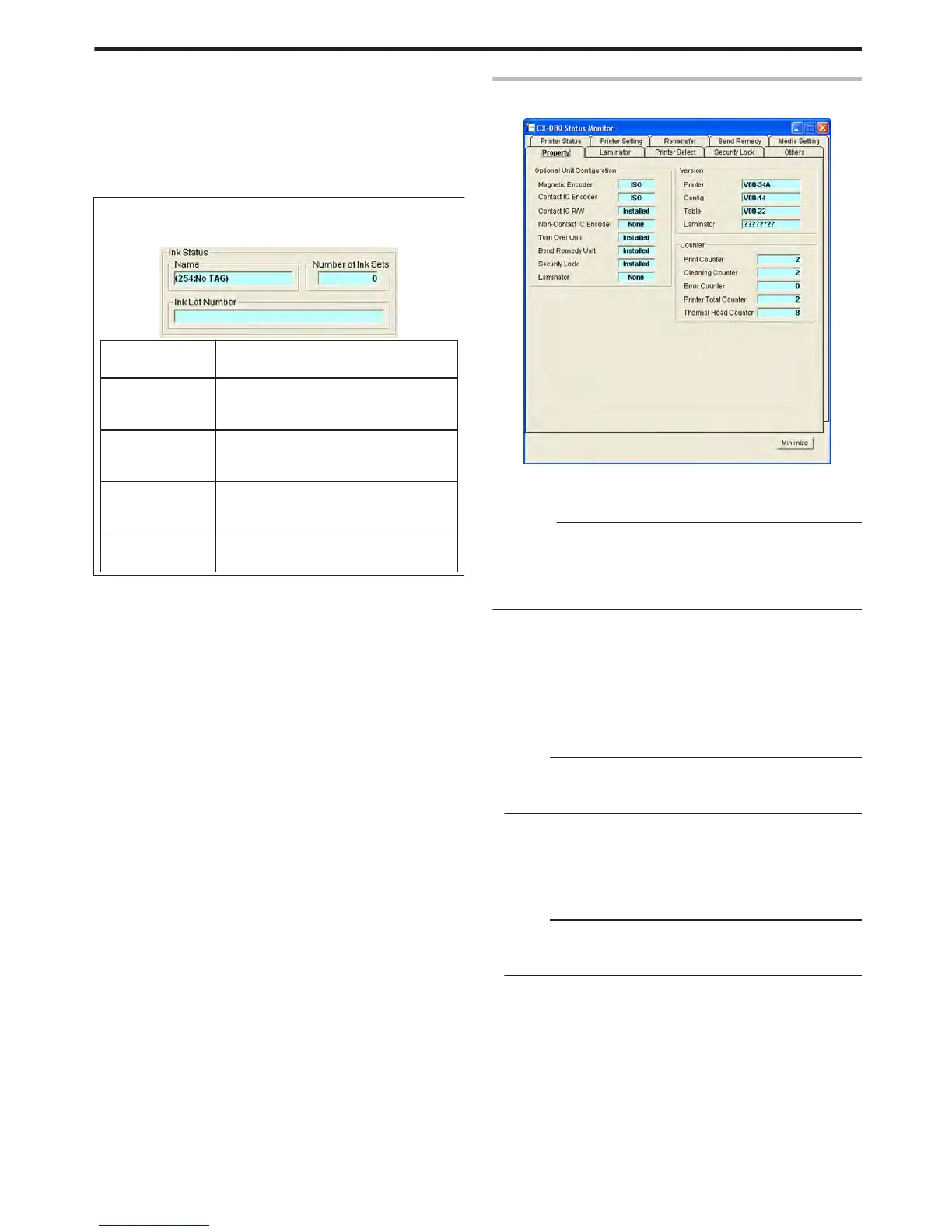
[Property] Tab
This tab displays the device configuration.
.
m
Optional Unit Configuration
Displays the configuration of optional devices.
Cautions:
v
If a setting other than [None] is displayed for the contact or non-
contact IC encoder, it means the configuration supports installation
of an IC encoder, and is not an indication that an IC encoder has
been installed.
v
Consult our authorized dealers on how to install the IC encoder.
m
Version
Displays the firmware version of the printer and laminator. If a
laminator is not connected, [????????] will appear.
m
Counter
Displays the counter value of the printer.
m
Print Counter (free counter)
Displays the total number of cards that are correctly printed.
Memo:
v
Clicking [Clear] for “Print Counter” in the [Printer Status] Tab
resets the counter value of the [Print Counter] to 0.
"Print Counter" (A page 109)
m
Cleaning Counter
Displays the number of cards that are correctly printed after the last
cleaning.
m
Error Counter
Displays the number of cards that are not correctly printed.
Memo:
v
Clicking [Clear] for “Print Counter” in the [Printer Status] Tab
resets the counter value of the [Error Counter] to 0.
"Print Counter" (A page 109)
m
Printer Total Counter (total counter)
Displays the number of cards that are correctly printed.
m
Thermal Head (head counter)
Displays the number of print ink panels for the thermal head.
For example, when printing on a single side using all YMCK inks, 4
are added to each card.
Setup
113















 To Next Page