7
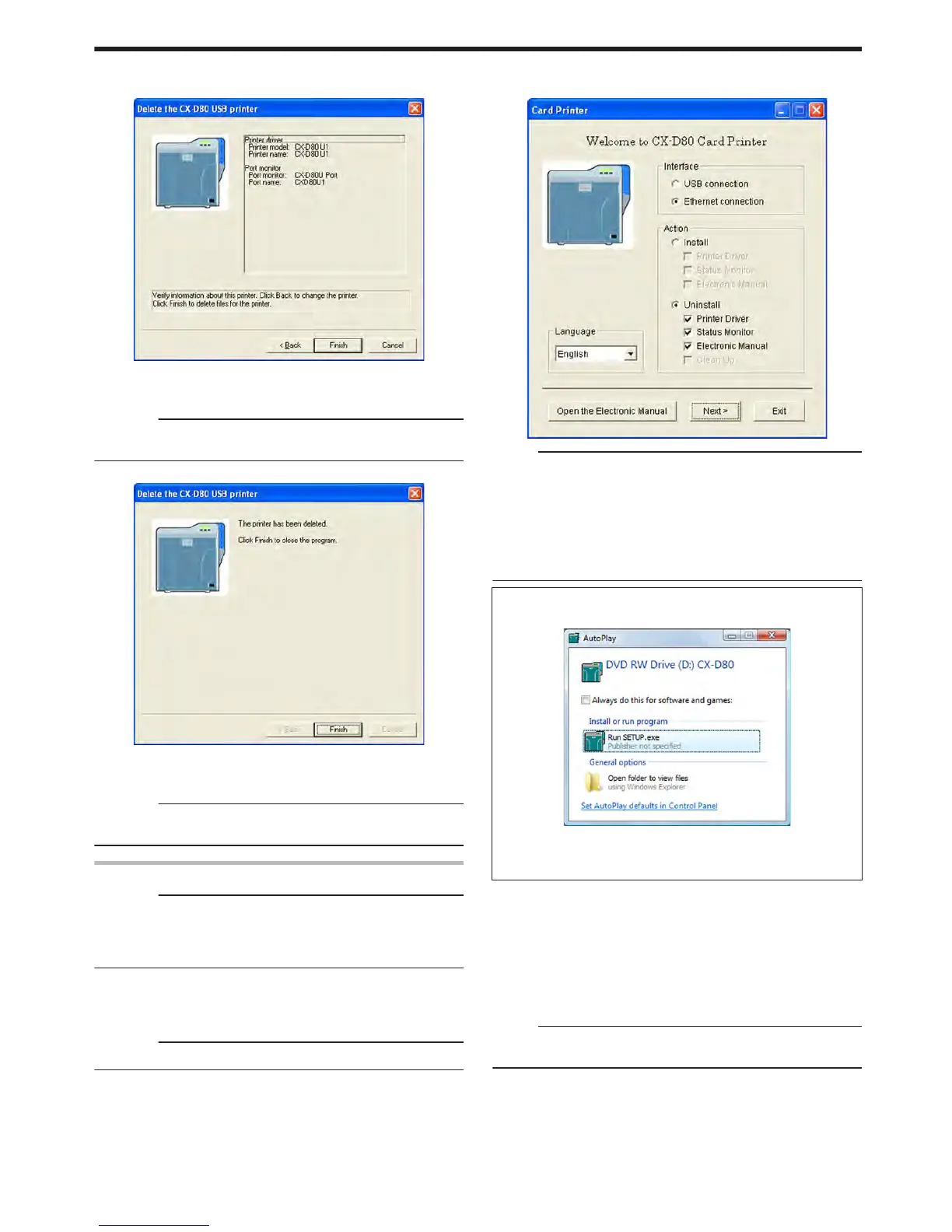
Select the printer to uninstall, and click [Next]
v
An uninstall information confirmation screen appears.
.
8
Check the details, followed by clicking [Finish]
v
To change a printer, click [Back].
Cautions:
v
Uninstall the USB printer drivers accordingly for each printer unit
number.
v
An uninstallation complete screen appears.
.
9
Click [Finish]
v
Exits uninstallation.
Cautions:
v
To reinstall the printer driver, perform the installation procedures
after restarting Windows.
Ethernet (LAN) Connection
Cautions:
v
Do not execute “Uninstall” if there are applications that are currently
running.
v
If document printing is currently in progress, wait for all the jobs to
complete.
1
Start up Windows
2
Connect the computer and printer using a LAN cable, and turn on
the power of the printer
Cautions:
v
Do not connect a USB cable to the printer.
3
Set the supplied CD-ROM into the computer
v
A card printer setup screen appears.
.
Memo:
v
If the CD-ROM drive of the computer is set to run automatically, the
installer will be executed automatically.
If the installer is not automatically initiated, double-click “SETUP.exe”
in the CD-ROM.
v
If you are not using the “SETUP.exe” automatic execution program
in the CD-ROM, start the uninstaller for the printer driver by double-
clicking the following file in the CD-ROM: “English\LAN_Soft
\uninstall.exe”.
m
Windows Vista
v
A [AutoPlay] screen appears.
.
v
Clicking [Run SETUP.exe] displays the [User Account Control]
screen.
v
Clicking [Allow] displays the card printer setup screen.
4
Select the [Printer Driver] checkbox on the card printer setup screen
A Select the language to use from the [Language] pull-down menu
v
Selecting [Japanese] switches the program to the Japanese
version.
v
Selecting [English] switches the program to the English version.
B Select [Ethernet connection] from [Interface].
C Select [Uninstall] under [Action], and select the [Printer Driver]
checkbox
Memo:
v
You can select the [Status Monitor] and [Electronic Manual]
checkboxes to uninstall them simultaneously.
Setup
81















 To Next Page