Printer and Computer Connection
Connecting with a USB Cable
Cautions:
v
While printing is in progress, do not turn off the power of the
computer, or switch it to the sleep or standby mode. Doing so may
stop the movement of the cards inside the printer.
v
Plug the USB cable in correctly and firmly.
v
Do not connect the cable to the USB connectors on the monitor or
keyboard of the computer. The printer may not be correctly
recognized.
v
When using a USB hub, make use of one that is directly connected
to the computer.
1
Turn off the power of the printer and computer
2
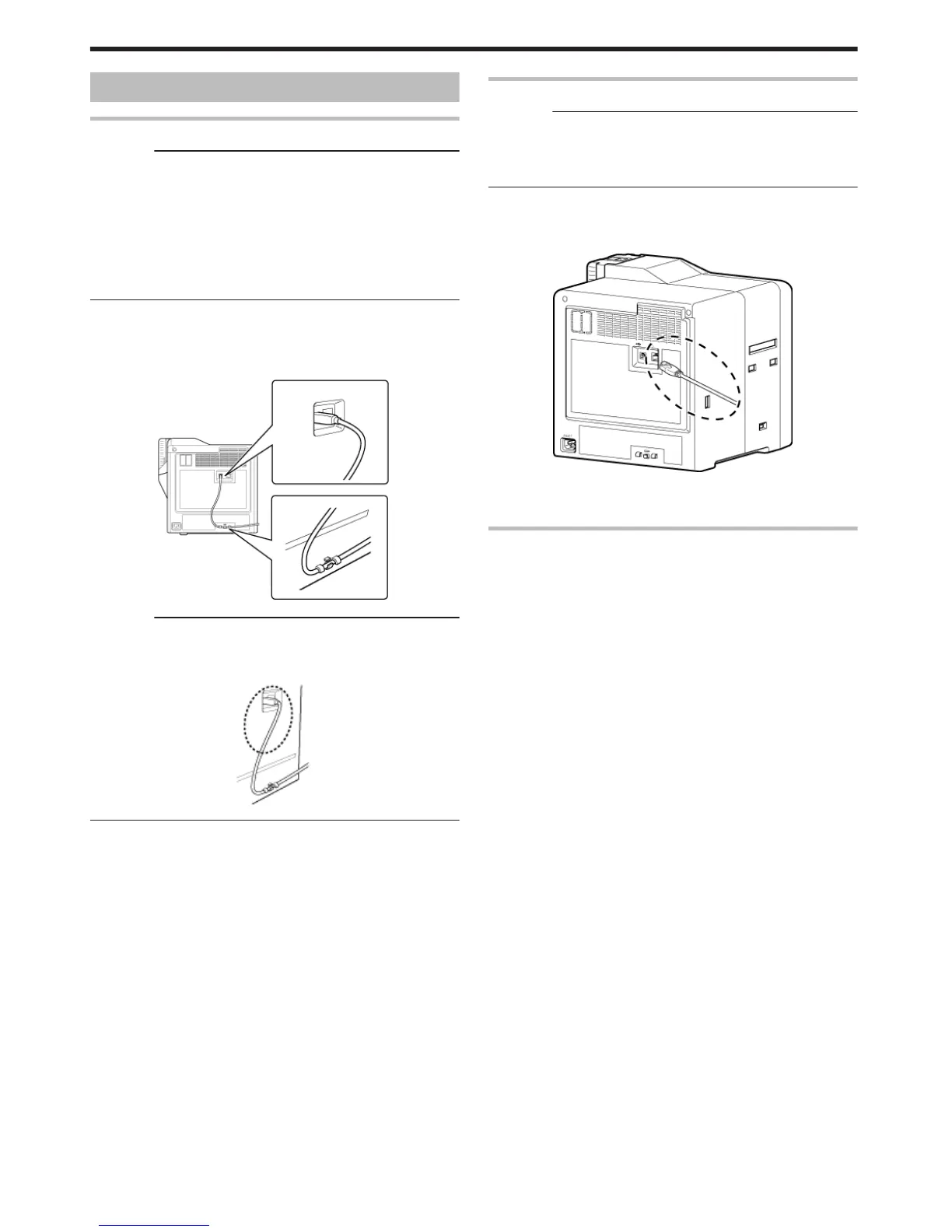
Plug the USB cable into the USB cable connection terminal at the
rear of the printer, and "Cable clamp" (A page 8) pass the USB
cable through the cable clamp
.
Cautions:
v
As illustrated in the diagram, do not pull the USB cable excessively
toward the cable clamp. Doing so may subject the USB connector of
the printer to stress, thus resulting in connection problems.
.
3
Plug the other end of the USB cable into the USB cable connection
terminal of the computer
Connecting with a LAN Cable
Cautions:
v
Plug the LAN cable in correctly and firmly.
v
Make use of a shielded LAN cable to avoid any malfunction.
v
If a USB cable is also connected at the same time when the power is
turned on, priority will be given to USB.
1
Turn off the power of the printer and computer
2
Plug the LAN cable into the LAN cable connection terminal at the
rear of the printer
.
3
Plug the LAN cable into the connection terminal of the hub that is
installed on the network that the computer is connected to
Connecting Multiple Printers
v
To connect multiple printer units to one computer via USB, assign a
different unit number from 1 to 10 to each of the printers.
"Unit Number Setting" (A page 28)
v
To connect multiple printers to the same network, set a different IP
address for each printer.
Setup
64















 To Next Page