m
IC
m
Non-contact IC encode
Allows writing of data to a non-contact IC.
m
Contact IC encode
Allows writing of data to a contact IC.
m
Turns over the card after IC encoding
Turns over the card after writing data to the non-contact/contact
IC.
m
Magnetic
m
Magnetic encode
Allows writing of data to the magnetic stripe.
m
Turns over the card after MG encoding
Turns over the card after writing data to the magnetic stripe.
m
Write Retry
For setting the maximum number of retries when writing to or
reading of the magnetic stripe fails.
When the [Default] is selected, the retry counter uses the preset
value of the printer.
m
Coercivity
Coercivity of the magnetic stripe card.
When the [Default] is selected, the coercivity uses the preset value
of the printer.
m
Starts from magnetic encoding
Unchecked
: Encodes in the IC
NMagnetic sequence.
Checked : Encodes in the MagneticNIC sequence.
m
Prints after encoding
Unchecked : Starts printing while encoding is in progress.
Checked : Starts printing after encoding is complete.
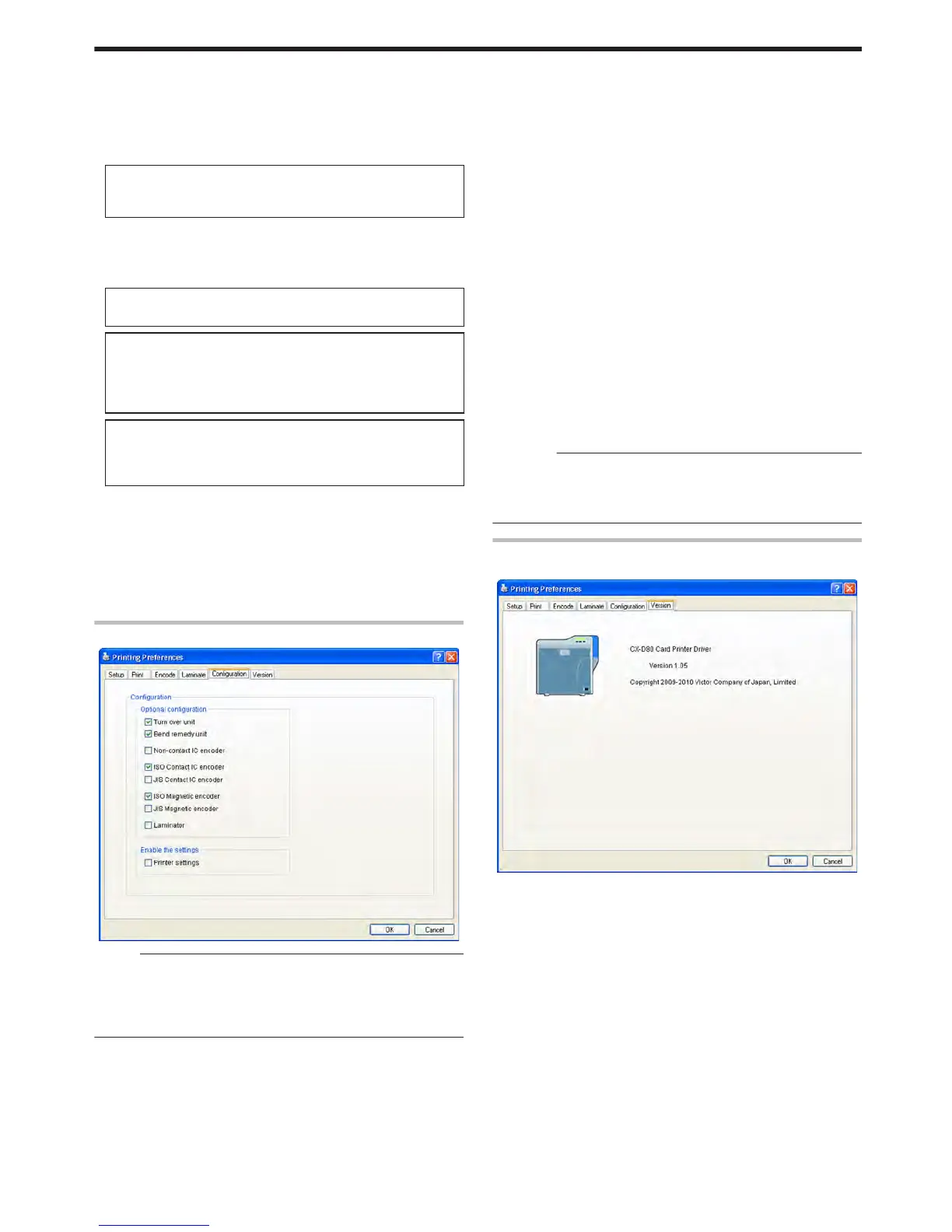
[Configuration] Tab
.
Memo:
v
These settings can be altered only when the user logs into the
printer driver settings page with administrator authority
(Administrators group).
This tab is displayed in the read-only mode when a user without
administrator authority logs in.
m
Optional configuration
For specifying whether the options are installed.
m
Turn over unit
m
Bend remedy unit
m
Non-contact IC encoder
m
ISO Contact IC encoder
m
JIS Contact IC encoder
m
ISO Magnetic encoder
m
JIS Magnetic encoder
m
Laminator
m
Enable the settings
Permits or forbids the [Enable the printer settings] functions in the
[Print] tab.
m
Printer settings
Unchecked
: Forbids the [Enable the printer settings] functions in
the [Print] tab.
Checked
: Permits the [Enable the printer settings] functions in
the [Print] tab.
"Enable the printer settings" (A page 88)
Cautions:
v
When a user logs in with administrator authority (Administrators
group), the [Configuration] settings can be specified.
If a user logs in without administrator authority, the [Configuration]
settings appear in the read-only mode, and they cannot be specified.
[Version] Tab
Displays the version and copyright information.
.
Setup
95















 To Next Page