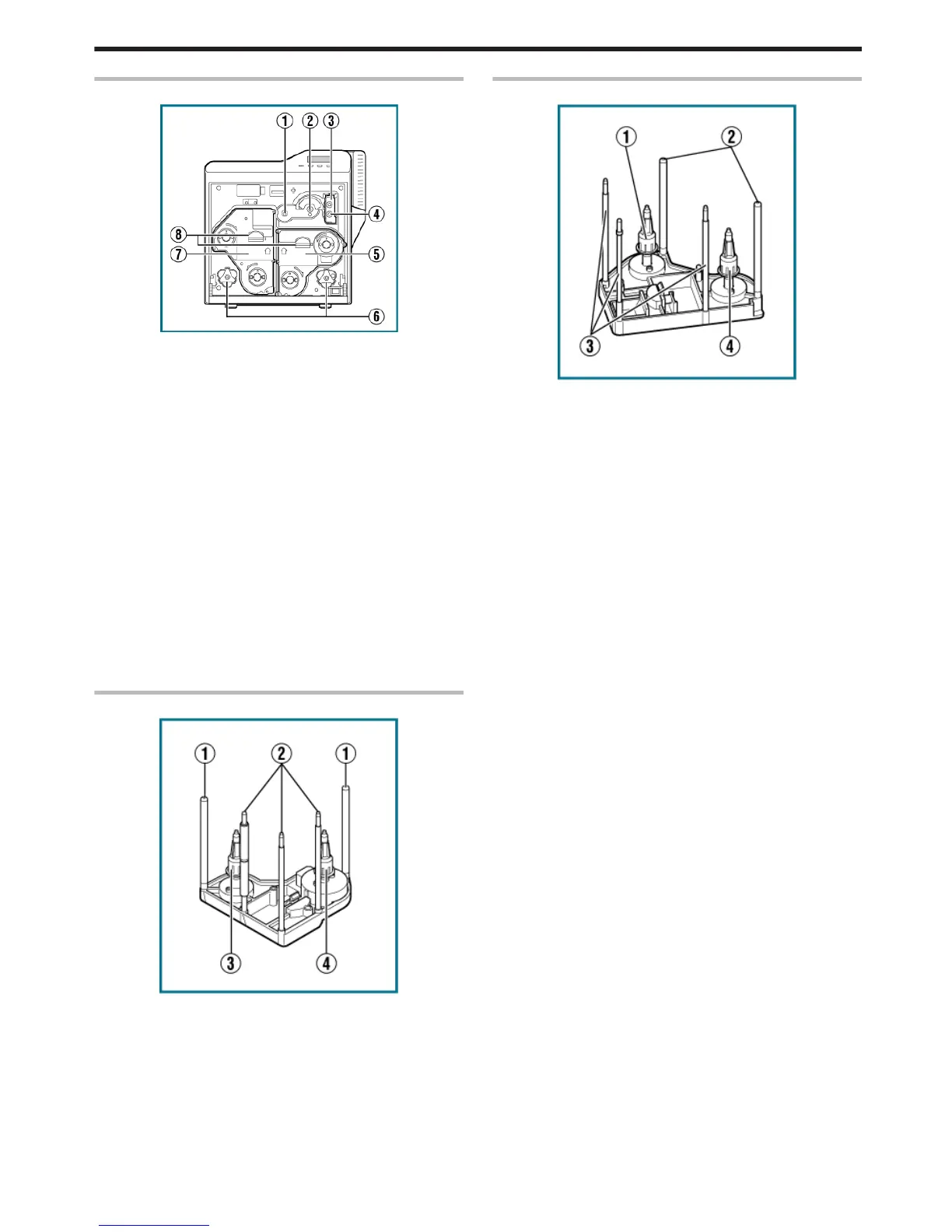
When Printer Door is Open
.
A Card feed roller shaft
v
When a card jam occurs, attach a jog dial to turn the card feed
roller.
B Card turn over unit shaft
v
When a card jam occurs, attach a jog dial to turn the card turn
over unit.
C Cleaning unit
v
Removes dust or dirt attached to the card.
D Cleaning roller shaft
v
When a card jam occurs, attach a jog dial to turn the cleaning
roller.
E Ink ribbon cassette
v
For installing the ink ribbon.
F Jog dials
v
For removing jammed cards by turning it after it is detached from
the printer unit and attached to the shaft.
G Retransfer film cassette
v
For installing the retransfer film.
H Cassette buttons
v
Press these buttons in order to pull out the ink ribbon cassette or
retransfer film cassette.
Ink Ribbon Cassette
.
A Guide shaft
v
Provides guide to the position for installing the cassette.
B Shafts
v
For installing the ink ribbon.
C Bobbin holder (black)
v
For securing the take-up side of the ink ribbon.
D Bobbin holder (yellow)
v
For securing the unused side of the ink ribbon.
Retransfer Film Cassette
.
A Bobbin holder (black)
v
For securing the take-up side of the retransfer film.
B Guide shaft
v
Provides guide to the position for installing the cassette.
C Shafts
v
For installing the retransfer film.
D Bobbin holder (green)
v
For securing the unused side of the retransfer film.
Before Use
9















 To Next Page