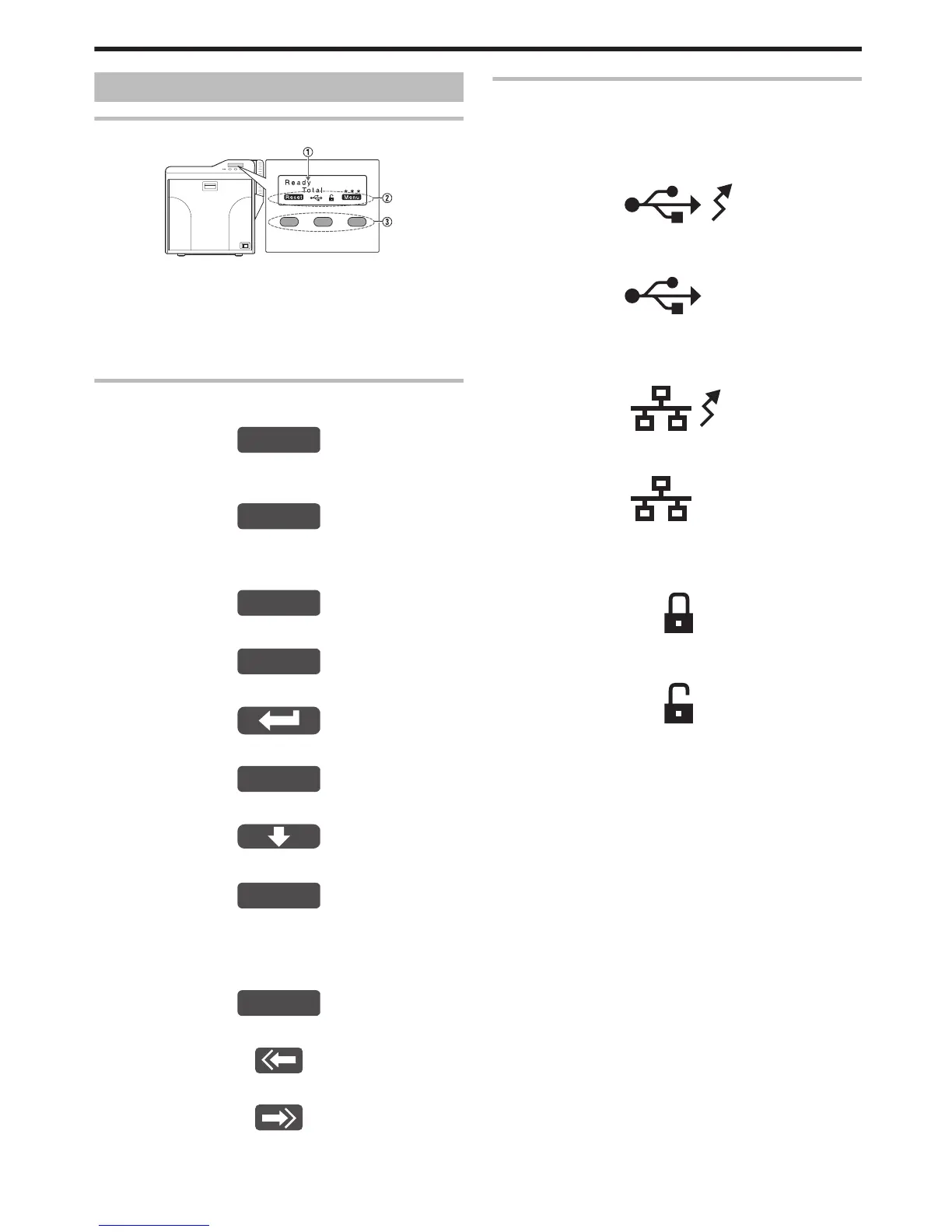
Operation Panel
Name and Functions of Parts
.
A Operation panel
v
Displays the settings, operating status, and error messages.
B Status icon/operation button display
v
Displays the status icon and function of the operation button.
C Operation buttons
v
For selecting a button function displayed on the operation panel.
Operation Buttons
m
Resets the printer.
.
v
Press KNB in sequence.
m
Enters the setting mode.
.
m
Exits setting.
Pressing it each time brings you to the setting item on
the next higher level.
.
m
Displays the setting item on the next lower level.
.
m
Confirms or executes the setting.
.
m
Pressing it each time displays the next setting item.
.
m
Pressing it each time displays the next setting.
.
m
Enters the settings change mode.
.
v
If F is not displayed for an item, you can adjust the settings on
the status monitor of a computer.
"Status Monitor Settings" (A page 107)
m
Enters the scroll mode for the displayed characters.
.
m
Scrolls to the next displayed character on the left.
.
m
Scrolls to the next displayed character on the right.
.
Icon Displays on the Operation Panel
m
USB connection
v
IP address established
Printer information can be viewed through the network. However,
printing is performed through USB connection.
.
v
IP address not established
.
m
Network connection
v
IP address established
.
v
IP address not established
.
m
Security lock status
v
Locked
.
v
Unlocked
.
Operating the Printer
13















 To Next Page