Security Lock
v
The security lock function can be applied to the printer door and card
hopper to prevent opening of the printer door as well as removal of
cards.
v
The lock can be turned on/off using the status monitor on the
computer.
"Status monitor" (A page 117)
v
By registering a security key number on the printer unit, you can turn
off the security lock by entering the security key number on the
operation panel of the printer.
v
If you forgot the security key number, please consult our authorized
dealer or the servicing personnel.
Registration of Security Key Number
v
To change the security key number, you have to delete it and
register a new number again.
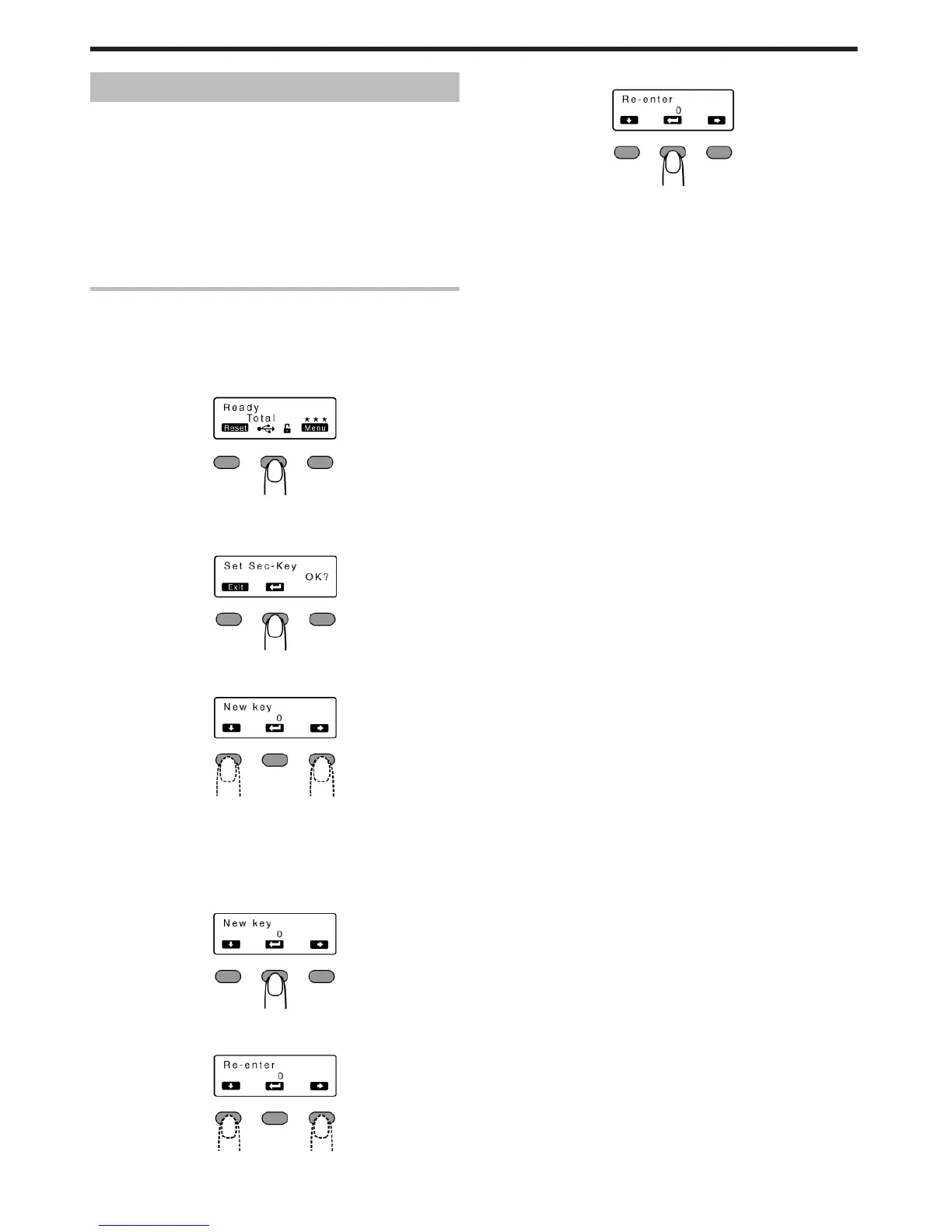
1
Press the operation button (center) for at least three seconds
v
A [Set Sec-Key OK?] message appears.
.
2
Press B
v
A [New key] message appears.
.
3
Enter a number
.
v
You can enter up to 8 digits.
v
Pressing A each time advances to the next number.
v
Pressing E each time advances to the next digit.
4
Press B
v
A [Re-enter] message appears.
.
5
Input the number you have entered in [New key] again
.
6
Press B
.
v
If this number is consistent with the number entered in [New key],
the display returns to [Ready], and the security key number is
registered.
v
If this number is not consistent with the number entered in [New
key], the display returns to [Set Sec-Key OK?]. Enter a number
again.
Operating the Printer
20















 To Next Page